Vega 400G R12 Configuration


Vega 400G R12 Configuration |
|
| Trading and C&C > Turret Proxy To Open communication (TPO) > DDI Sharing > DDI Lines & Private Wires > Configure > TPO Configuration > Vega 400G & Vega400G V2 > Vega 400G R12 |
Getting Started: -
The starting point is to setup the IP configuration of the gateway. The administrator should use LAN 1 for network connection.
The configuration of the gateway can be done by command line (CLI) or in a user-friendly way by using a web browser.
To access to the configuration: type the IP address of the gateway in the browser and logs-in with the default credentials:
User: admin Password: admin
How to access the Vega 400G gateway:
1.The gateway has already configured with a static IP address, the administrator can setup a PC with an IP address on the same subnet in order to reach it and access to its configuration by using a web browser.
2.The administrator has no idea what is the IP configuration of the gateway. In this case, he must use a Terminal console.
Loading Pre-Configuration file
The pre-configuration file (VegaPreSetup) contains a setup with the following configuration: •SIP •E1 •DIAL PLAN which defined the forward rules between SIP and TDM
It important to note that the Vega configuration file you are about to load will overwrite your gateway network configuration.
To ensure that this does not occur it is important to change the IP Address information within the configuration file to match your settings.
Loading the setup file Steps to load the setup file:
1.Open the setup file.
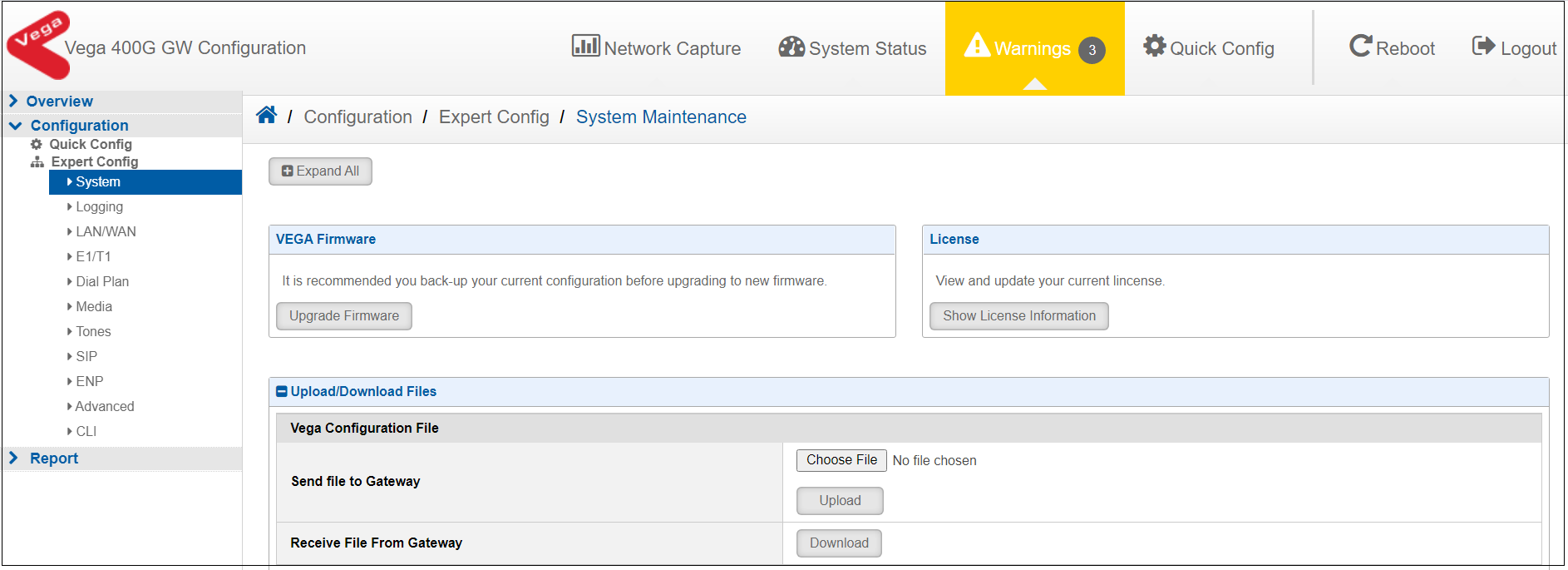
2.Locate and replace the below network configuration to the correct values and save the file: -VEGA IP ADDRESS -VEGA SUBNET MASK -VEGA DEFAULT GATEWAY -VEGA DEFAULT DNS 3. Login to the Vega gateway and navigate to the Configuration -> Expert config -> System -> Upload/Download Files and Choose the Vega default configuration file.
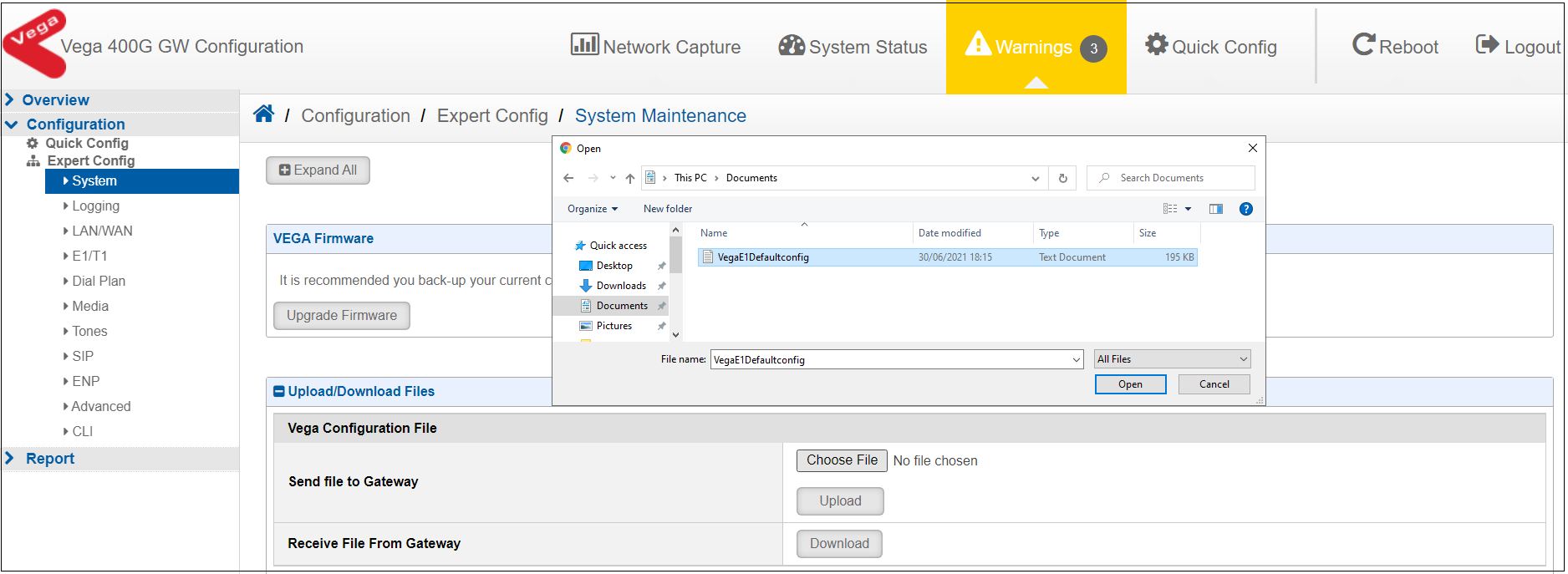
4. Locate your modified setup file and select Open
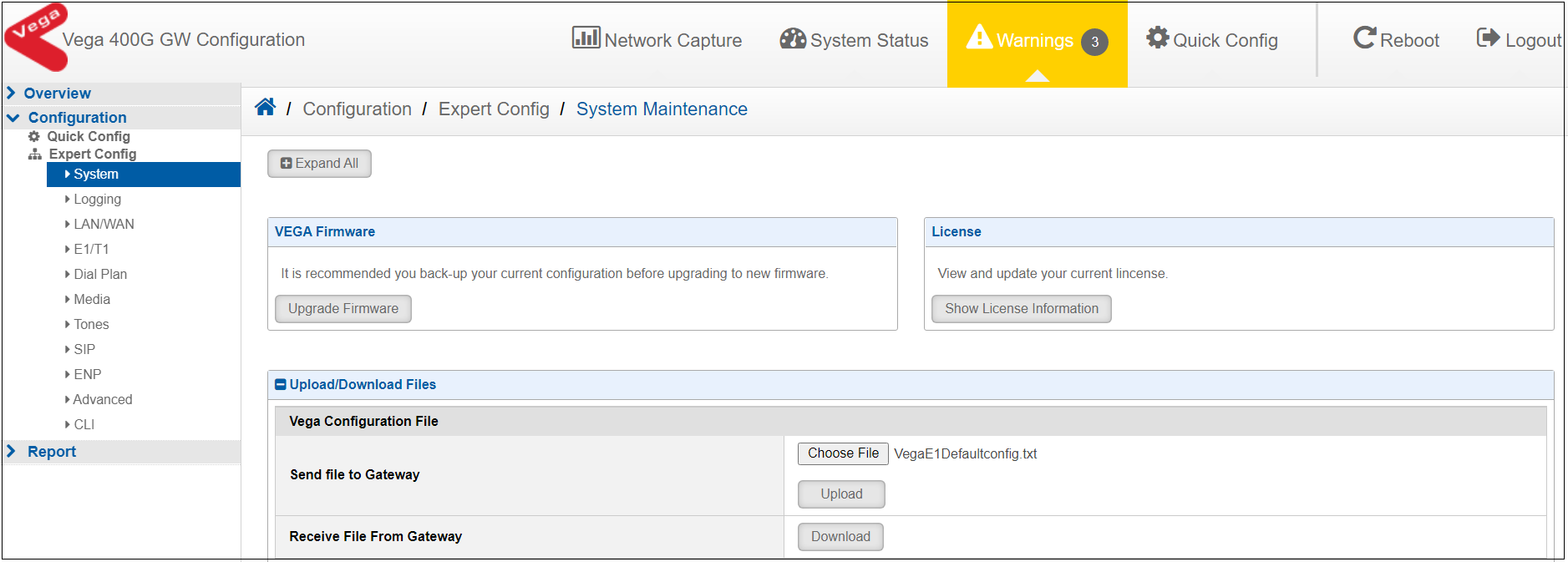
5. The Vega default configuration file will be ready for upload.
6. Select Upload to upload the configuration file to the gateway.
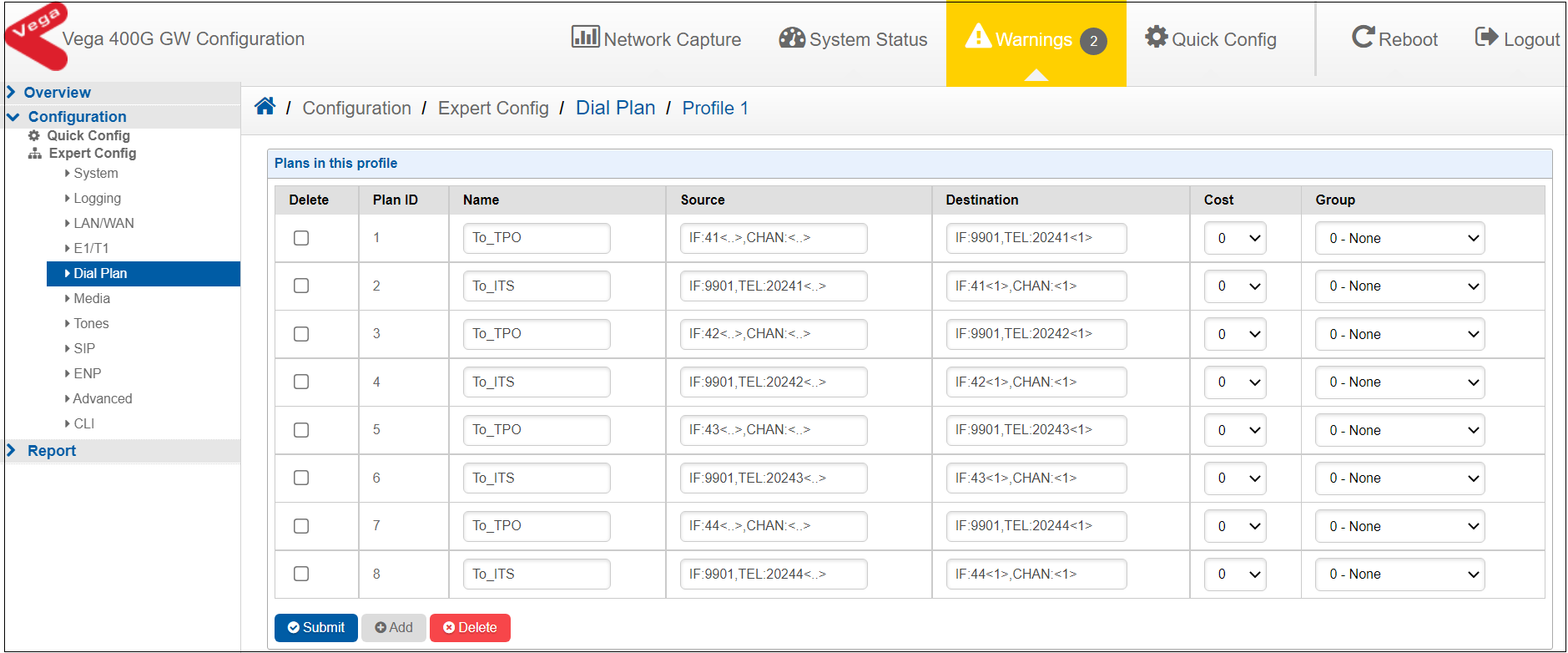
Vega Dial Plan configuration: To configure the Vega 400G dial plan, Navigate to Configuration -> Expert Config -> Dial Plan on the gateway.
7. The default configuration file has the following dial plan setup, the TEL: numbers in the dial plan may vary.
TPO SIP request to/from gateway TDM Port 1 •To_TPO1 is the rule for SIP incoming request to forward to TDM port 1 •To_ITS1 is the rule for TDM incoming request to forward to SIP session with Url sip:20241XX@TPO IP address; XX is the number of the channel.
Example to reach TDM Port 1 channel 1: TPO must send to the SIP URI sip:2024101 to reach TDM port 1 time slot 01 TPO SIP request to/from gateway TDM Port 2 • To_TPO2 is the rule for SIP incoming request to forward to TDM port 2 • To_ITS2 is the rule for TDM incoming request to forward to SIP session with Url sip:20242XX@TPO; XX is the number of the channel.
Example to reach Port 2 TDM channel 1: TPO must send to the SIP URI sip:2024201 to reach TDM port 2 time slot 01 TPO SIP request to/from gateway TDM Port 3 • To_TPO3 is the rule for SIP incoming request to forward to TDM port 3 • To_ITS3 is the rule for TDM incoming request to forward to SIP session with Url sip:20243 XX@TPO; XX is the number of the channel. TPO must send to the SIP URI sip:2024301 to reach TDM port 3 time slot 01 TPO SIP request to/from gateway TDM Port 4 • To_TPO4 is the rule for SIP incoming request to forward to TDM port 4 • To_ITS4 is the rule for TDM incoming request to forward to SIP session with Url sip: 20244XX@TPO; XX is the number of the channel.
Example to reach Port 4 TDM channel 1: TPO must send to the SIP URI sip:2024401 to reach TDM port 4 time slot 01 |