BTTrade DDI Slot Configuration

Top  Previous  Next
Trading and C&C > Turret Proxy To Open communication (TPO) > DDI Sharing > DDI Lines & Private Wires > Configure > TPO Configuration > Vega 400G & Vega400G V2 > Vega 400G R12

DDI Slot properties configuration (TPO Configuration)

             The DDI slot must be set in the following way:
 

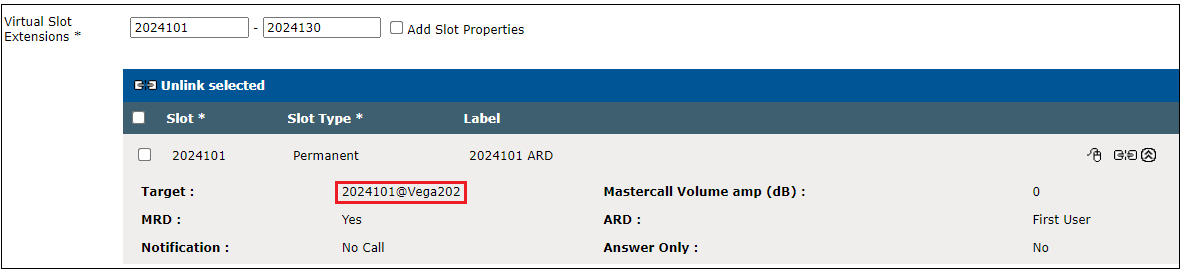
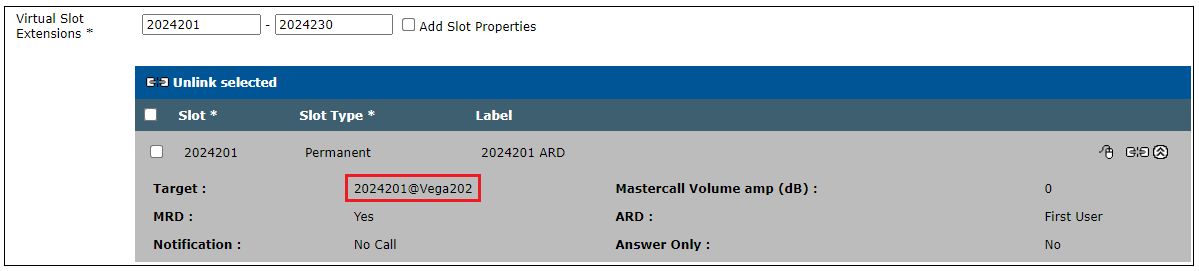
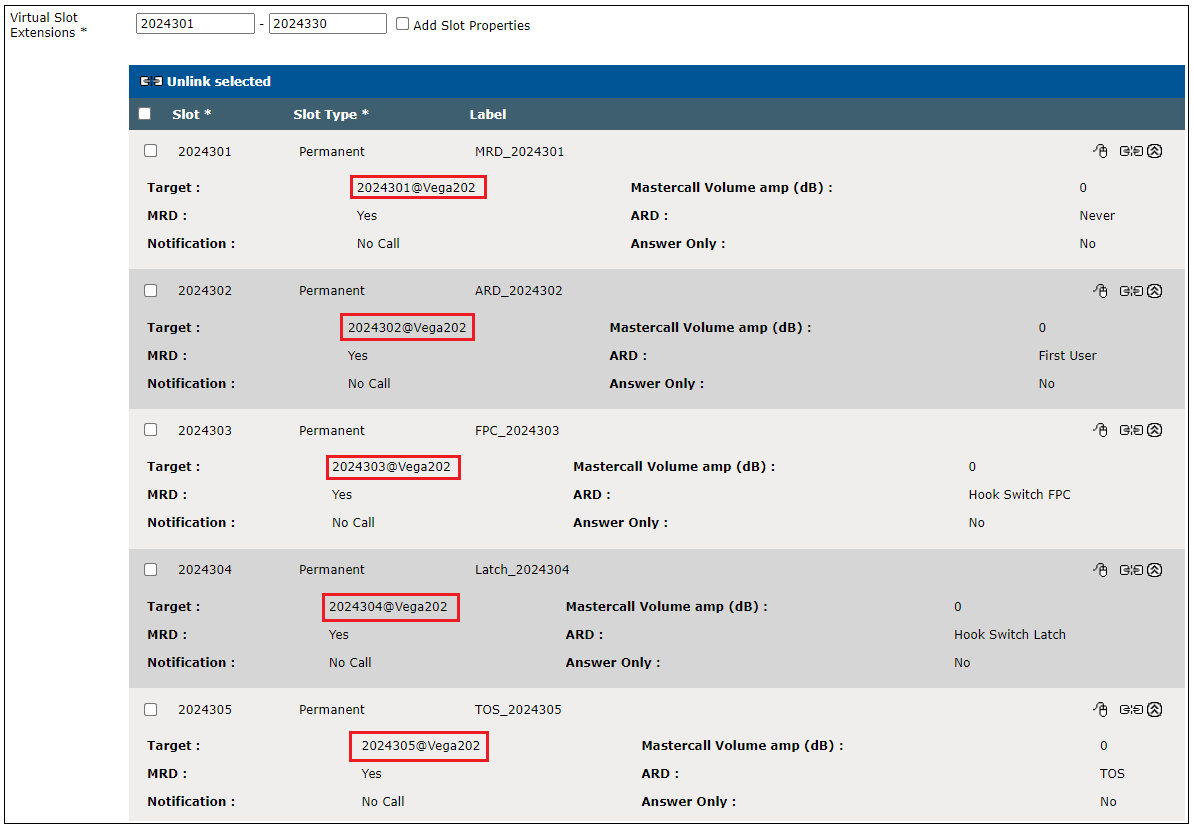
•Vega202 is the configured PLAD name which represent the IP address of Vega 400G


•Slot 2024101 is configured to reach looped back Slot 2024201
 
Vega400GR12-TPOPlace-ARD


•Slot 2024201 is configured to reach looped back slot 2024101
 

 Vega400GR12-TPOPlace-ARD2
 
 
Additional properties:
 
Hook Switch FPC: system generates a pulse when a trader connects to the slot while no other traders are connected to the same slot. Clear all connected traders if the last Far Party participant clear the call.

 
 Hook Switch Latch: system generates a pulse when a trader connects to the slot while no other traders are connected to the same slot. Keeps traders connected even if the last Far    

 Party participant clear the call.
 
 TOS: system does not generate pulse depending on turret user connections. Set the MRD property to 'Yes'
 
 Vega400GR12-TPOPlace-MRD1
 
 
BT Trade compatible Check list


List of settings which must be checked to be compatible with BT Trade TPO:


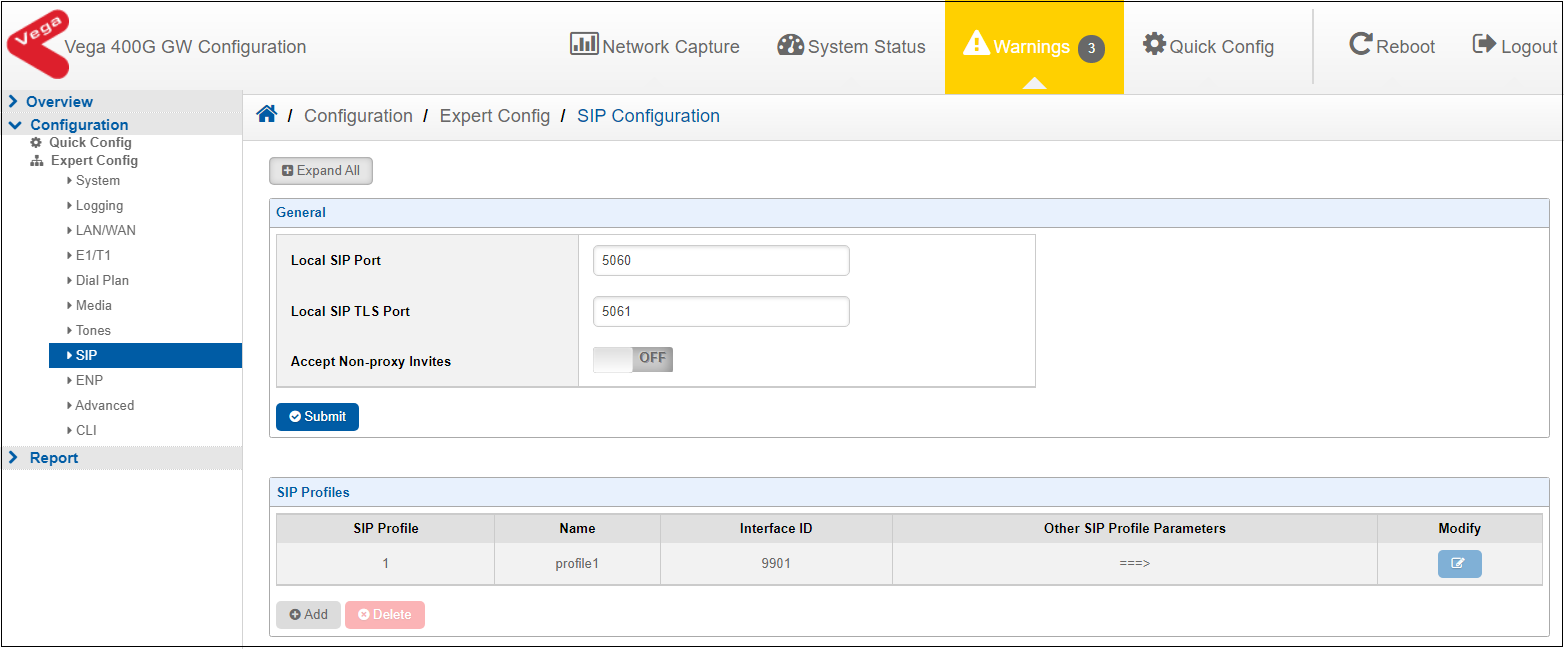
• “Accept Non-Proxy Invites” must be OFF.


Click on Configuration/Expert Config/SIP/SIP configuration

 
Vega400GR12-SIPProfile
 
 
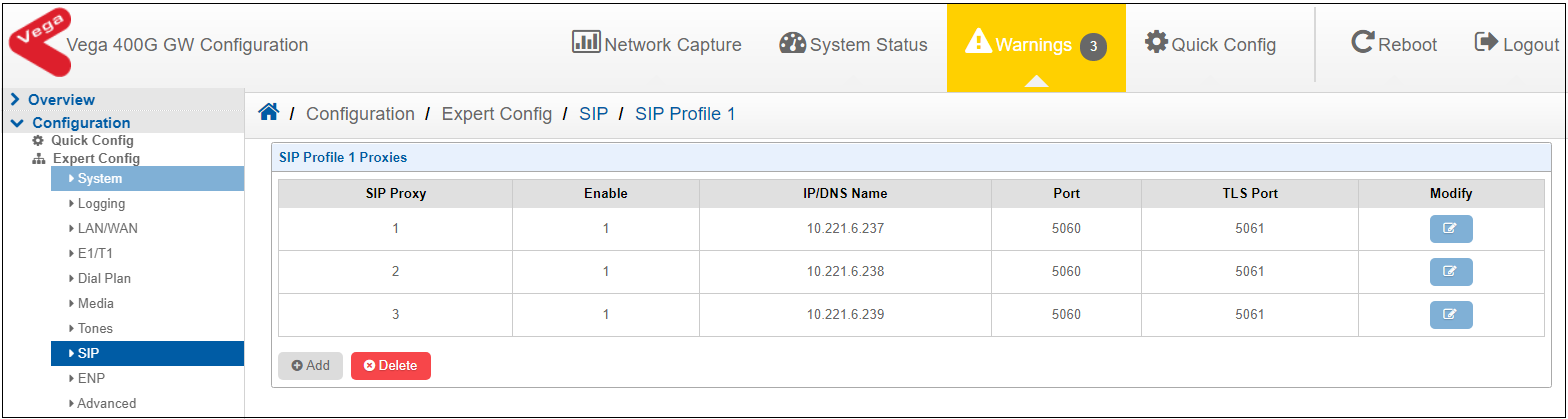
Note - If 'Accept Non-Proxy Invites' is disabled, please make sure all the TPO's in the TPO Cluster list must be added into the SIP Profile Proxy-list.


Vega400GR12-SIPProfile-Proxylist


        WARNING: If the administrator changed and submitted parameters on Quick Config, this parameter will become disabled.  


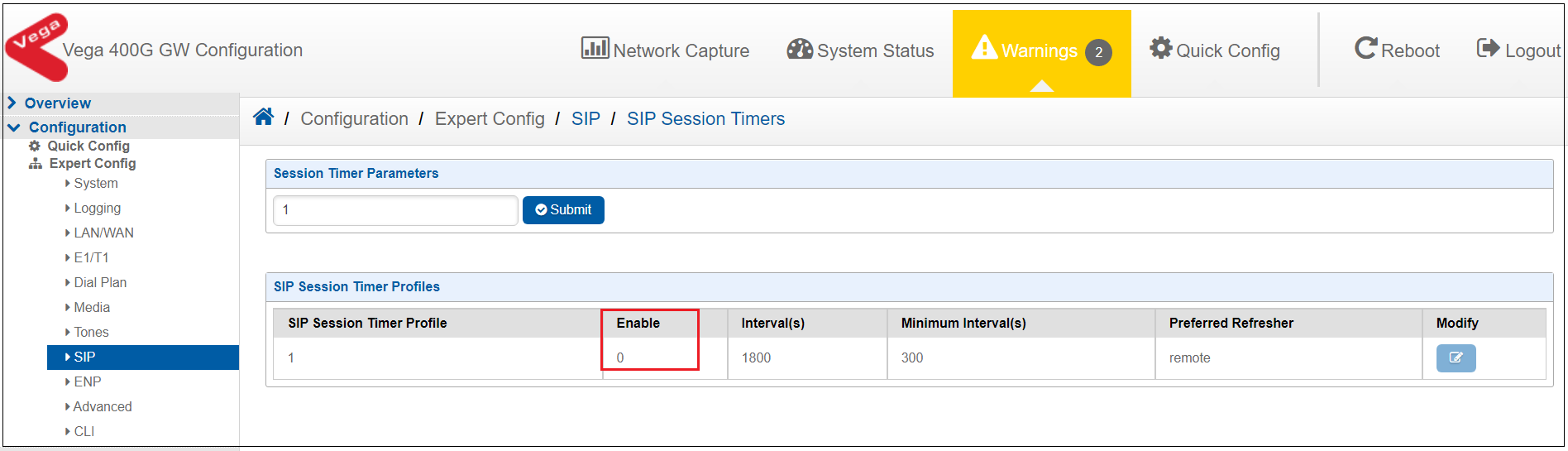
 •  SIP Session Times must be disabled (0)


 Click on Configuration/Expert Config/SIP/ Miscellaneous/SIP Session Timers
 
    Vega400GR12-SessionTimer