Voice Loops - Configure - Intercom Place


Voice Loops - Configure - Intercom Place |
|
| Trading and C&C > Turret Proxy To Open communication (TPO) > Voice Loops > Configure |
The intercom place is the access point for all external people who want to join the voice loop. It requires to use a registered line reachable by external networks such as PSTN or Mobile Phones. Intercom lineFirst step of Intercom place creation is configuring a registered line reachable by external networks.
A PBX Cluster must be configured as explained in the PBX Cluster topic. Shared DDI lines must be added to the TPO lines pool as per the fetch procedure explained here. Lines can also be added manually as explained here for other PBX types.
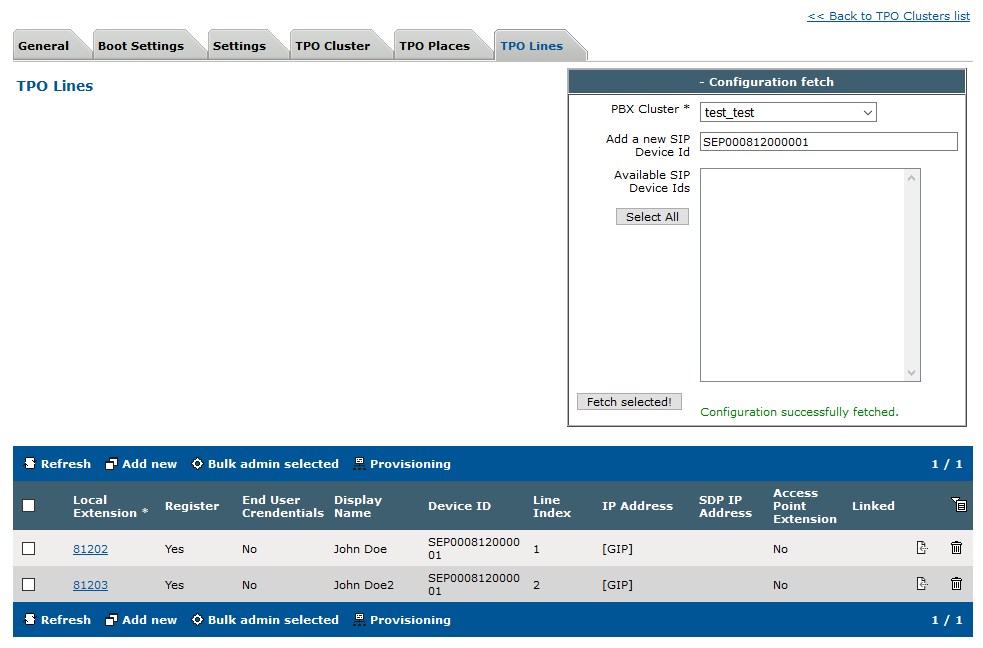 Intercom lineThen you must configure an Intercom place referencing the line.
Place configuration Create an intercom place 1)Open your preferred Internet navigator, connect to the TSS administration console URL and log onto the system with administrator privileges ; 2)From the main menu, select Device Management | TPO Clusters ;
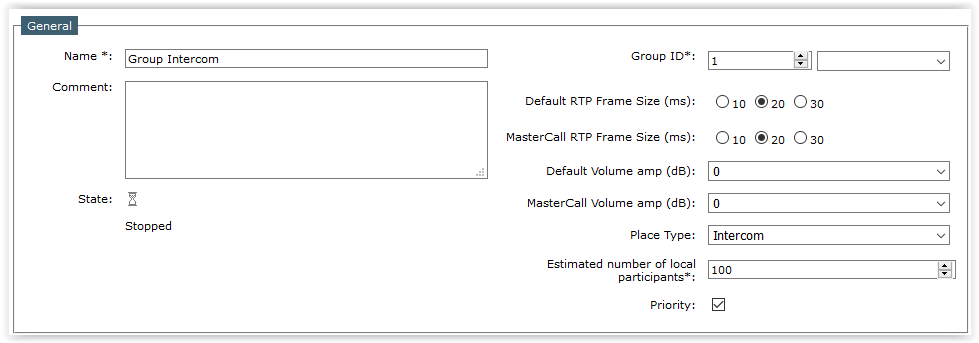
3)From the TPO cluster list, edit the cluster where you created your line earlier. e.g. TPOCluster-5; Select the tab panel TPO Places and press Add new button; the TPO place edition form is displayed; Create the TPO place with the TPO line populated in the previous section.
4)Fill in the TPO place edition form as per the table below
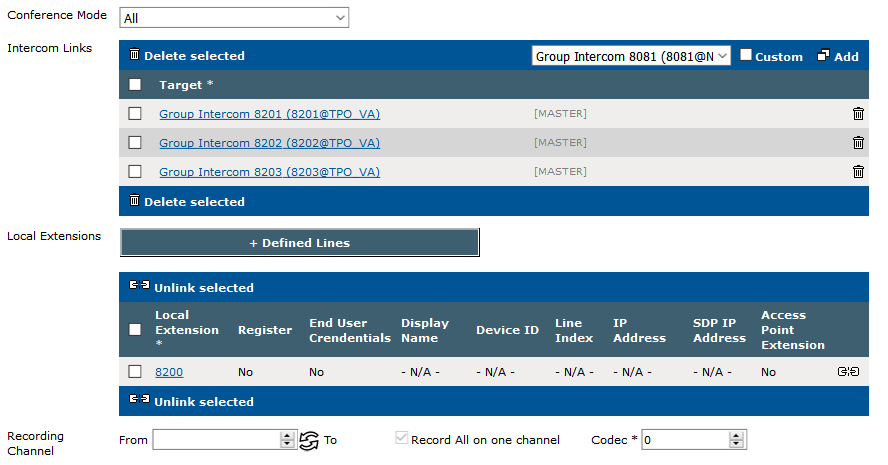
Example of Intercom links:
Multisite Intercom : the traders in these sites would like communicate with intercom each other. Here this configuration on TPO: * Inter-NY; extension 8200; Intercom links 8201, 8202 and 8203
* Inter-London; extension 8201 * Inter-Paris; extension 8202 * Inter-Toronto: extension 8203
Note: to avoid to have a loop when linking TPO intercom places, the administrator must only configure the Intercom links field on one TPO places (see above).
5)Start the place by pressing the start icon ; press the Refresh button until the place is reported as Started (this might take a few seconds) ;
|