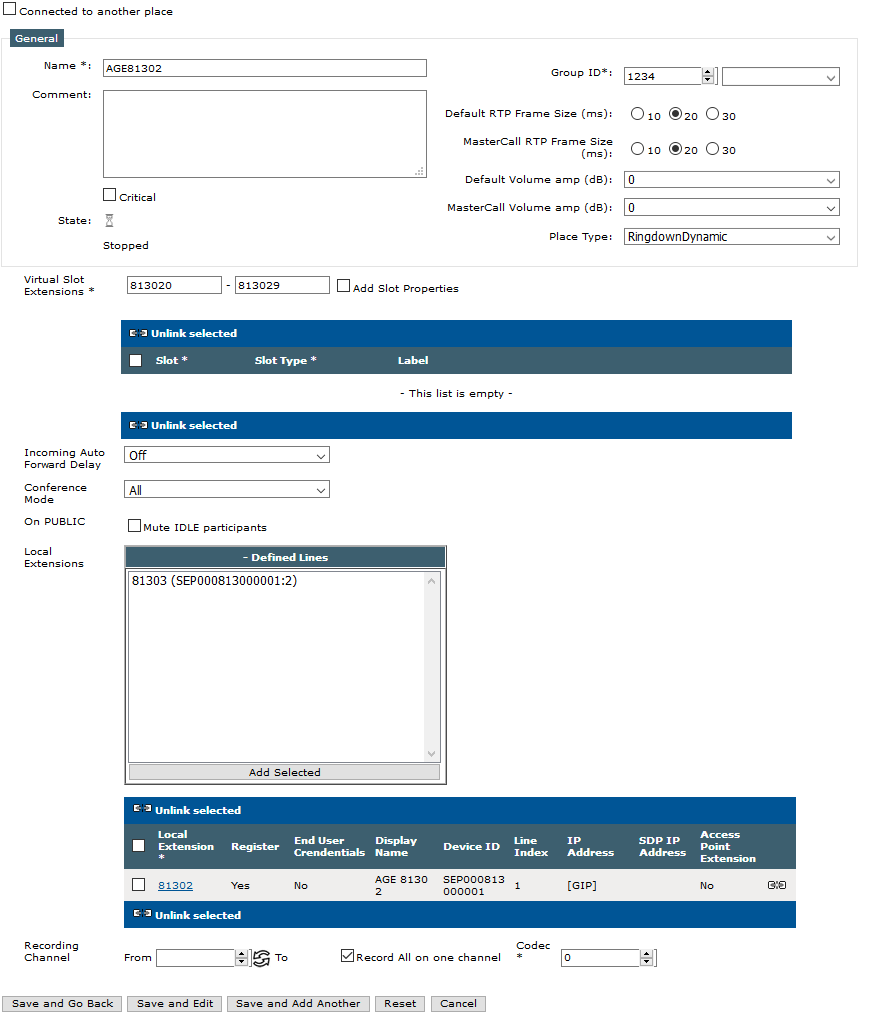
Each shared DDI line must be bound to a place on the TPO as per the procedure below
1)Open your preferred Internet navigator, connect to the TSS administration console URL and log onto the system with administrator privileges ; 2)From the main menu, select Device Management | TPO Cluster ; 3)From the profiles list, edit the cluster linked to the TPO e.g. ID-TPO-10.10.0.2-shared; 4)Select the tab panel TPO Places and press Add new button ; the TPO place edition form is displayed ;
5)Fill in the TPO place edition form as per the table below
Field
|
Description
|
Example
|
Name
|
The name used to identify the place
|
Shared DDI #3061
|
Comment
|
A comment
|
|
Group Id
|
The configuration identifier. This number is considered only when redundant TPO services are installed. A random value can be used for this scenario.
|
100
|
Place Type
|
The place type must be set to RingdownDynamic
|
|
VirtualSlot Extensions
|
Virtual slot extensions are used as contact point by turrets when using the associated shared DDI lines. Warning: this number can not begin by 0, e.g. 101 is accepted, but not 0101.
|
101-105
|
On PUBLIC
|
Mute all IDLE participants in a call where someone goes "PUBLIC"
|
|
Local extensions
|
Select the extension which needs to be bound to the place and press the button Add>>.
|
3061
|
6)Press Update to commit changes; the newly created place is listed in the TPO places tab panel and reported as Stopped ; 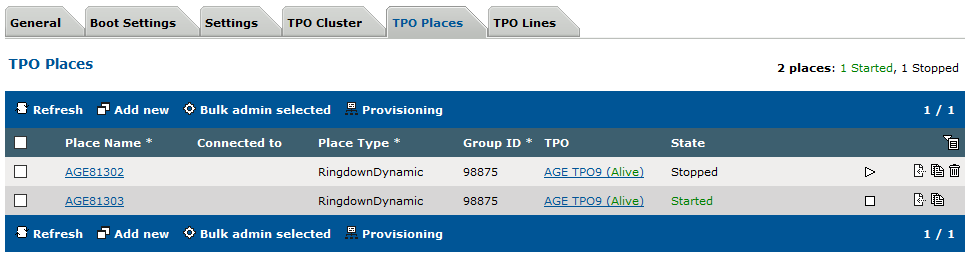 . .
7)Start the place by pressing the start icon ; press the Refresh button until the place is reported as Started (this might take a few seconds) ; |