PBX Clusters


PBX Clusters |
|
| Solution Integration > PBXs > Common PBX configuration |
PBX Clusters are used to define all useful information required to contact a PBX.
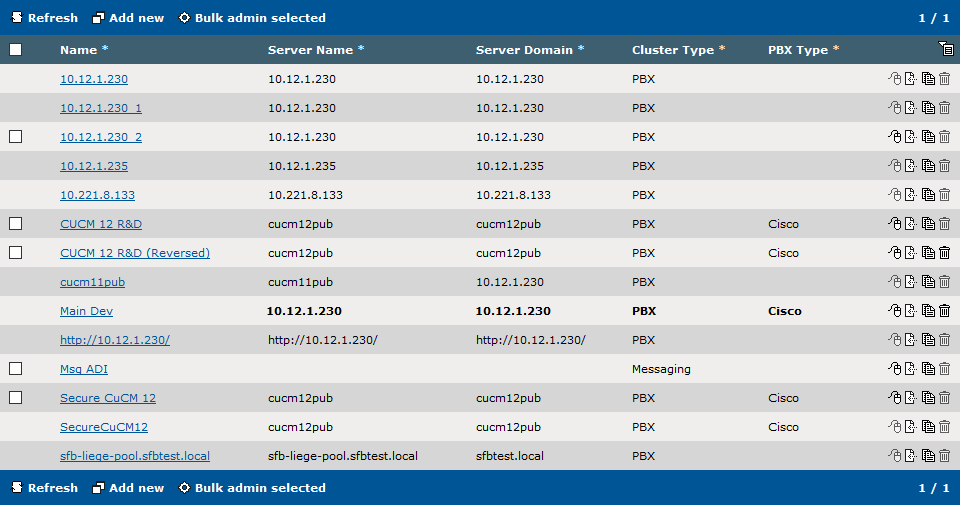
The configuration of a PBX Cluster is done in "Device Management -> PBX Clusters" page. All PBX Clusters already configured in the TSS are listed here.
Add a new PBX ClusterHere are the steps to add new PBX Cluster.
Click on the "Add new" button.
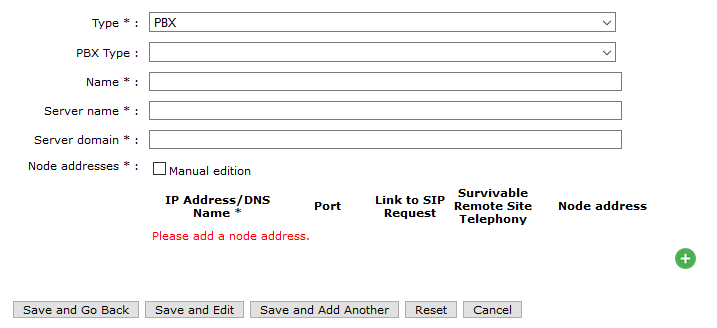
The PBX cluster edition form opens in creation mode.
It contains the following fields: •Type : Type of proxy (PBX or Messaging). Messaging type is used for the Text Messaging feature. •PBX Type : Type of PBX (Alcatel, CUCM, Skype for Business or Undefined) •Name : Unique name to identify the PBX line cluster in line configuration •Server name : IP address/DNS name of the SIP server (Not available for Messaging type) •Server domain : The SIP domain (Not available for Messaging type) •Node addresses / Subscribers list / Front end pool : The name of this field changes depending of the PBX Type (Alcatel/Cisco/SFB/Undefined). A new address can be added using the "+" green button. The "IP Address/DNS Name" field is mandatory. Other fields are optional (port, ltsr, srst). A preview of the generated string is viewable under "Node address". Multiple node addresses can configured by clicking again on the "+" green button. In Cisco, the order gives the priority of CUCMs: Primary first, then secondary, etc...
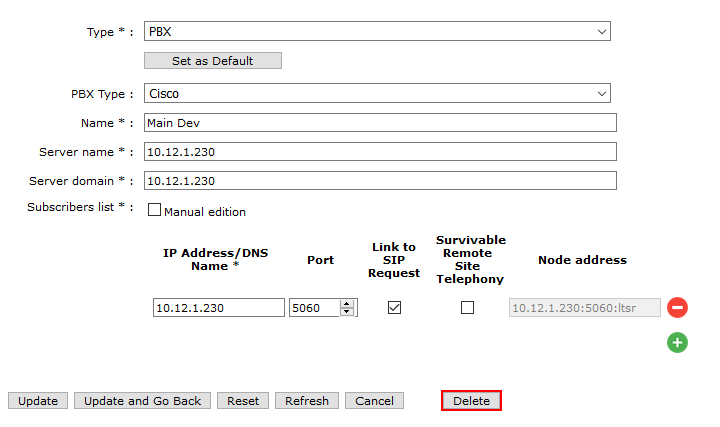
Click on the "Save and Go Back" button to save the PBX Cluster configuration. ExampleType : PBXHere is an example of a configured PBX cluster (Type PBX).
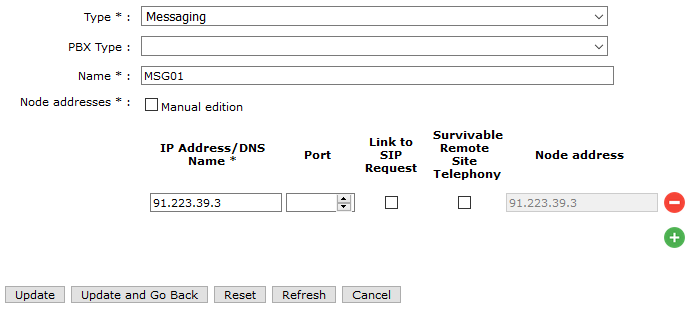
Type : MessagingHere is an example of a configured PBX cluster (Type Messaging).
|