Fetch lines


Fetch lines |
|
| Solution Integration > PBXs > Cisco > Configure |
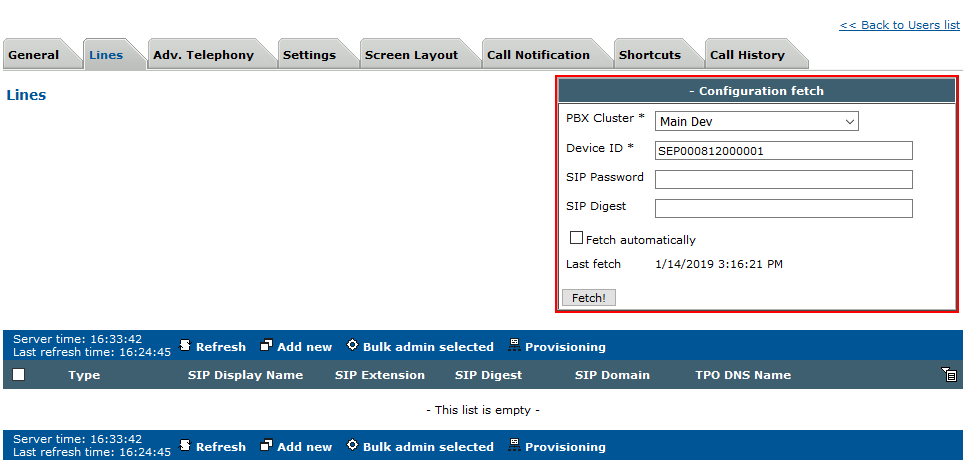
This topic explains how to fetch a Cisco line. At least one PBX Cluster have to be defined in "Device Management -> PBX Clusters". Fetch linesGo to the "Lines" edition page of your : User Profile / Turret Device / TPO Cluster.
In the "Configuration fetch" form, select a PBX Cluster. The PBX cluster contains the IP address of where to fetch the lines from (the address of the CUCM).
Enter the Device ID of your Cisco device.
Click on the "Fetch!" button.
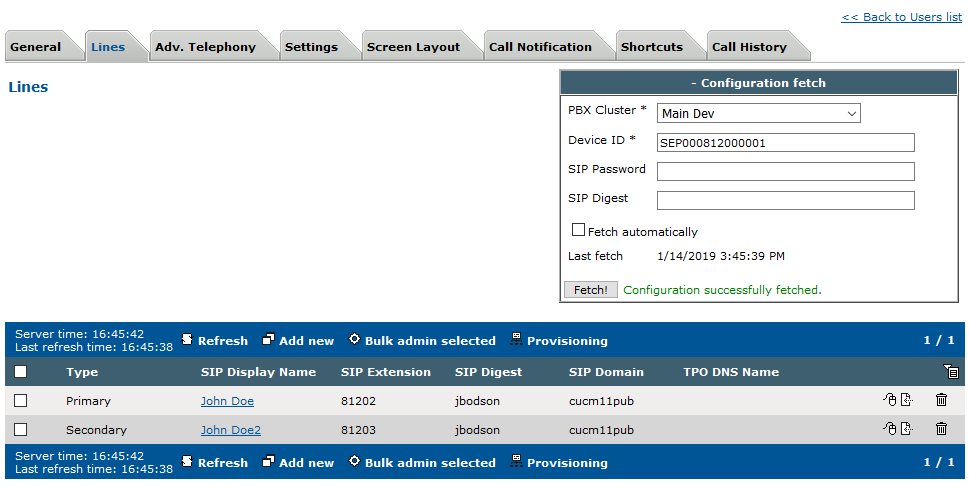
If the fetch operation is successful, lines attached to the Cisco device are correctly added.
|