Loading Pre-Configuration file


Loading Pre-Configuration file |
|
| Trading and C&C > Turret Proxy To Open communication (TPO) > DDI Sharing > DDI Lines & Private Wires > Configure > TPO Configuration > Vega 400G & Vega400G V2 > Configuration |
The pre-configuration file (VegaPreSetup) contains a setup with the following configuration: •SIP •E1 •DIAL PLAN which defined the forward rules between SIP and TDM
It important to note however that the Vega configuration file you are about to load will overwrite you IP Addressing. To ensure that this does not occur it is important to change the IP Address information within the configuration file to match your settings.
Loading the setup fileHere are the steps to load the setup file:
1.Open the setup file 2.Locate and replace in the file the following items and save the file: - VEGA IP ADDRESS - VEGA SUBNET MASK - VEGA DEFAULT GATEWAY - VEGA DEFAULT DNS
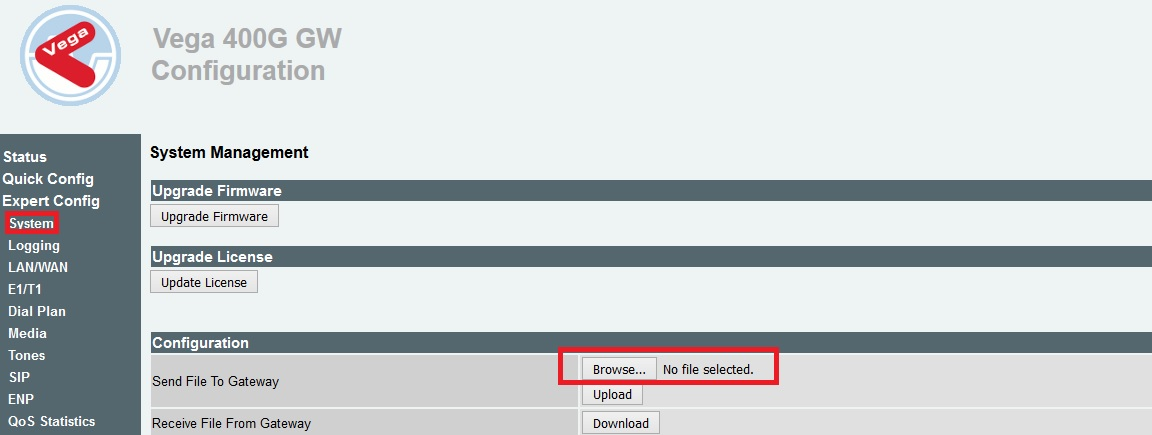
3.Go to Vega Web administration page then select Expert Config/System and Browse
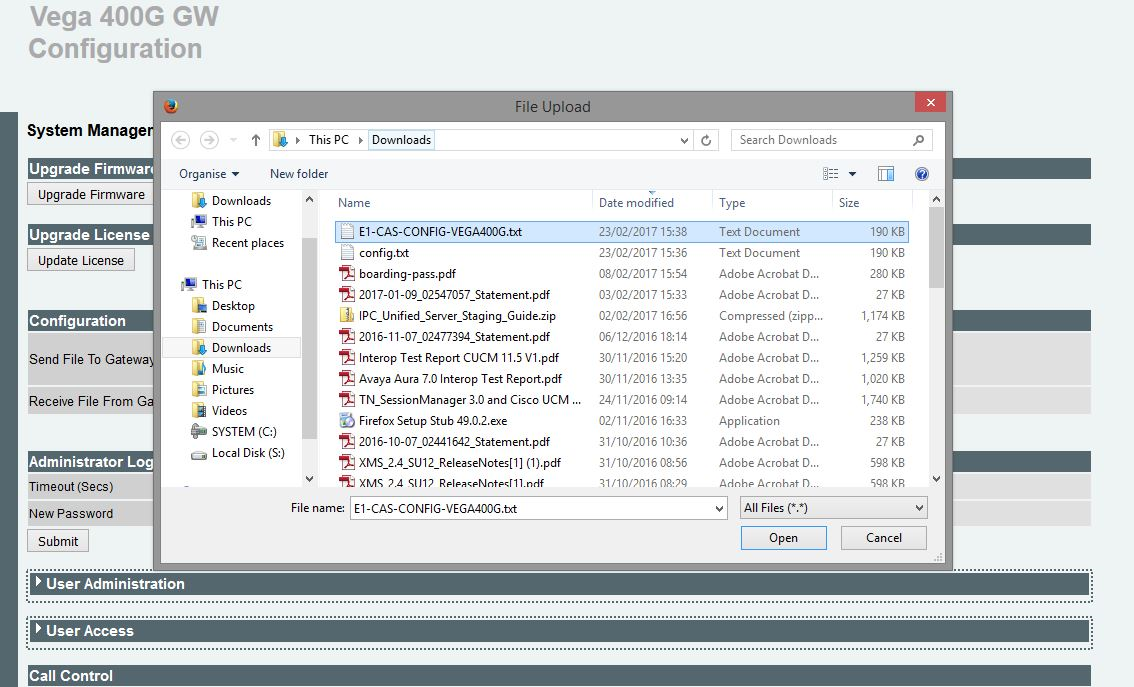
4.Locate you modified setup file and press Open
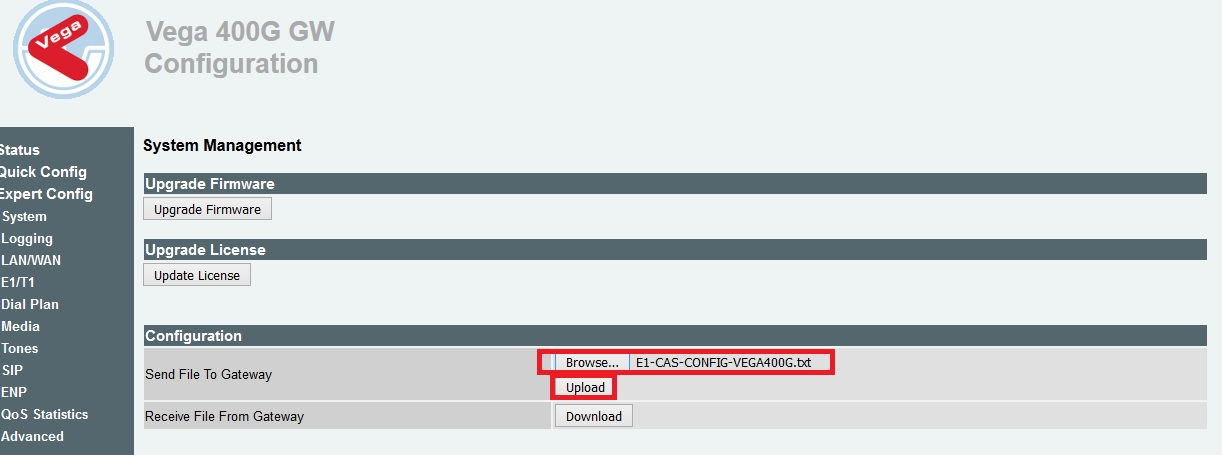
5.You will now see that your file has been added as shown in the screenshot below, now select Upload. 6.
Shortly after you will see a message on the UI advising whether the file was uploaded successfully or not.
|