Activate / Deactivate video

Top  Previous  Next
Trading and C&C > Turret Proxy To Open communication (TPO) > DDI Sharing > DDI Lines Sharing > Usage > Telephony functions > PBX dependent features > Video Call > Usage

User can activate or deactivate video as described in the following basic call topics:

•Both users have a functional webcam

•Initiator of call has no functional webcam

•Remote party has no functional webcam


The particularity of video on DDI calls is: only one DDI user can send his video at a time.


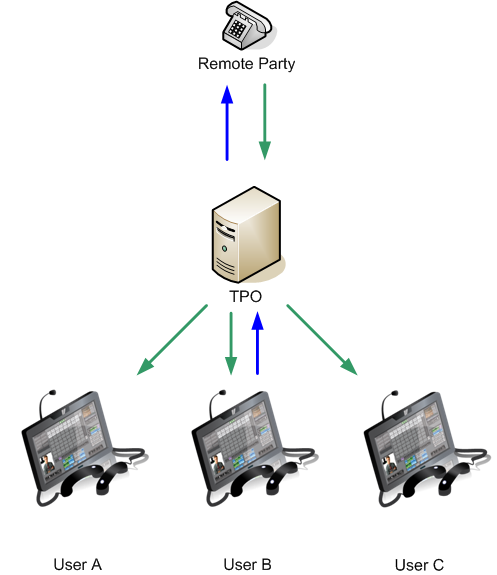
In the following situation:


•User B sends video to remote party

•User A and User C have to wait User B leaves the slot or stops sending his video before being able to send theirs.

•If user A or user C attempt to send their video, attempt fails, video state doesn't change and user is alerted of failure.

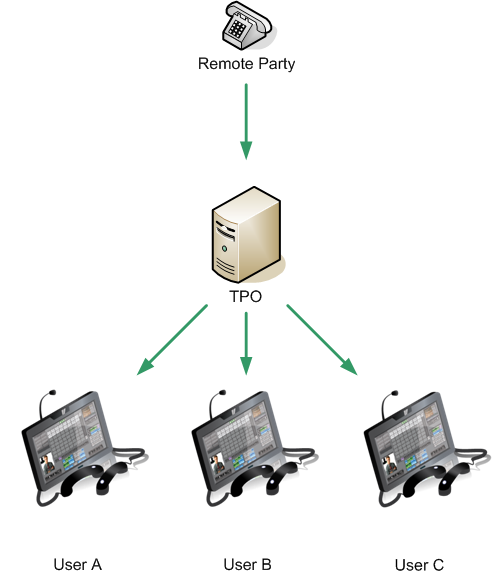
Activate1


Once user B has stopped sending video, all 3 users have capability to activate video by pressing the appropriated button.


VideoButtonEnableDisable2

Activate2

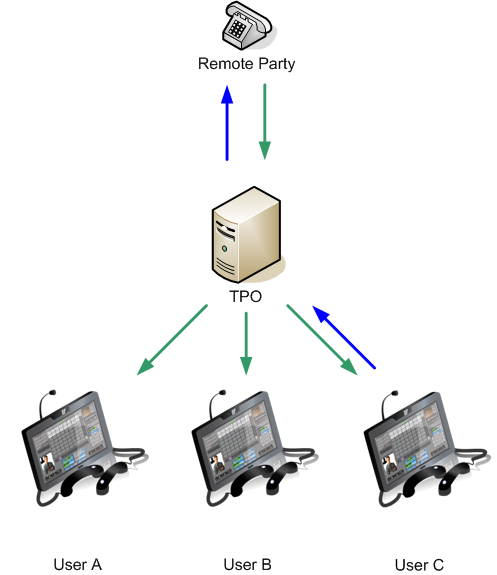
For instance, after user C has pressed button in order to activate video:

•User C sends video to remote party

•User A and User B have to wait User C leaves the slot or stops sending his video before being able to send theirs.

•If user A or user B attempt to send their video, attempt fails, video state doesn't change and user is alerted of failure.

Activate3