Usage


Usage |
|
| Trading and C&C > Turret Proxy To Open communication (TPO) > DDI Sharing > DDI Lines & Private Wires |
From traders point of view, a particular private wire is monitored and managed using the DDI slot shortcut which is dedicated to it. Here follows different turret behavior experienced by user considering the two following private wires: oMRD Private wire “NY PW” / DDI line 1000 / Slot 101 oARD Private Wire "Paris"/ DDI line 1000 / Slot 101
Common capabilities
Certain behaviors are identical independently the kind of private wire. Talking on a line, "Exclusively" talking on a line or making a conference between a private wire line and a regular DDI remote party are all common to both the MRD and ARD private wire kinds.Talking on a line
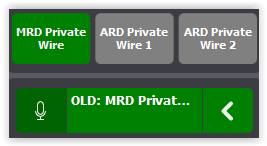
When user is connected to the line on a monitoring slot, pressing the corresponding microphone button allows him to publicly speak to the private wire remote party. Publicly means that all users connected to the line are able to hear everything the user says in the turret hand-free microphone.
"Exclusively" talking on a line
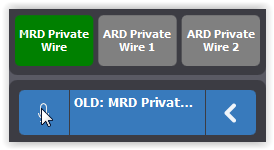
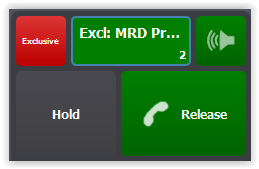
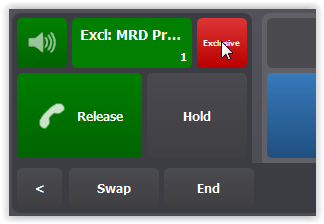
When user is connected to the line on a monitoring slot, moving the call on the handset and activating "Exclusive" mode, allows him to exclusively speak to the private wire remote party. Exclusively means that the other users connected to the line cannot hear what the user says in the turret handset microphone.
Making a conference
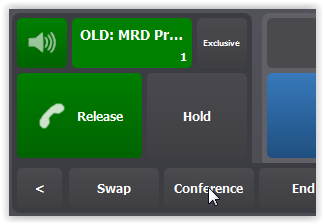
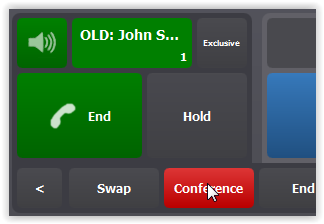
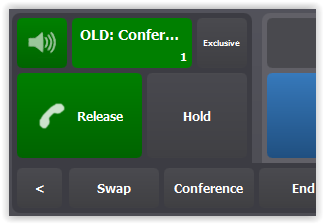
User has the ability to make a conference between one or more regular DDI call remote parties and a Private Wire. Proceeding identically as regular conference, he just has to initiate the conference from the Private Wire call, make a new regular outbound call to any contact and confirm the conference creation. Following steps lead to make a conference between Private Wire "MRD Private Wire" and remote party John S.: 1.User selects handset entry and presses on "MRD Private Wire" DDI Slot shortcut in order to connect the line on the handset. 2.If necessary, user press Exclusive button in order to remove call "Exclusivity" (Making conference from "Exclusive" call is not authorized). 3.He presses the "Conference" button and make an new outbound call to John S. 4.Once the call with John S. is set up, user confirms the conference by pressing "Conference" button once again.
Note: The dispatch and transfer functions are not available for a Private Wire call (see limitation section) Specific behaviors
Opposed to common capabilities, some private wire behaviors depends on the considered kind of private wires. Actually MRD and ARD lines differs on the following points: idle line state representation, connecting the line, inbound calls and notifications and sending pulse/hook flash.
Idle line state representation
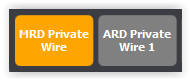
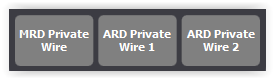
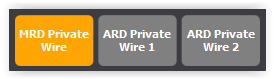
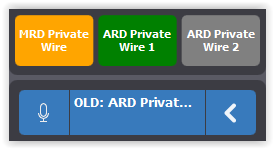
Considering nobody else is monitoring or managing the lines, user see the lines in their "Idle" state. Due to their specificity, Private Wire lines are represented differently depending they are MRD or ARD.
Connecting the line
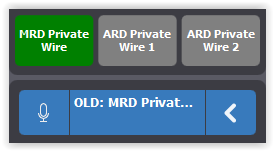
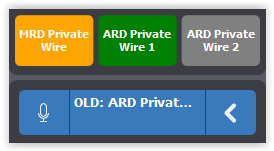
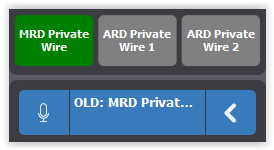
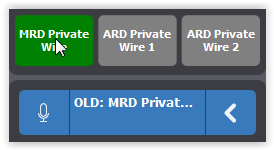
When user want to listen to the line activity, he needs to connect the line on a monitoring slot. Once connected, the line audio is played on the device linked to the monitor entry which is, by default, a loudspeaker. For connecting the line, user must select an empty monitor entry and press the appropriate DDI slot shortcut. User operation is identical for both the line kind but, due to lines specificity, Private Wire connection is opened differently depending they are MRD or ARD.
Inbound calls and notifications
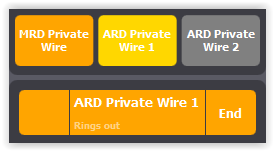
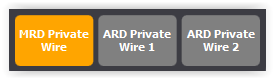
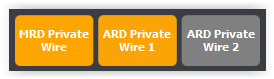
Incoming call and notifications are quite different depending the private wire is an MRD or an ARD.
This capability is only available for MRD lines. By configuration, a pulse meter might be sent when the user connects the line. But the common way to send it is pressing the corresponding DDI Slot while being connected to the line. A pulse is sent each time the user presses the DDI Slot.
DDI Private Wires lines pre-provisioningIn the trading context, users need to have access to, and handle, multiple private wire lines through the TPO DDI lines. This can be done through configuration by assigning these lines to their user profiles before they start authenticating on the system, on what we would call a static configuration.
Additionally, some users require to have access to new lines on-the-fly as new work needs arise. Let’s say that users suddenly need to access a new set of lines that have just been connected, or that have been affected to a specific task and thus suddenly get a new meaning. This can be done by creating the necessary configuration in the TPO configuration (i.e. places) without disrupting the user’s workflow, but giving them access to these new lines still requires changing their user profile and requiring them to perform a logout / login, something that is clearly disruptive in terms of already opened calls, for example. With PW lines pre-provisioning, a dynamic configuration allows users to get that new lines configuration without performing a logout / login.
This is possible thanks to the following workflow: 1.An initial configuration is done, provisioning a few TPO DDI lines, in addition to the user’s lines, that are configured (in terms of TPO place and user profile DDI line objects) but not active (TPO places are stopped and user lines are unsubscribed). 2.User logs in and starts performing his normal tasks. 3.When the need arises, an administrator configures one of the available TPO places to connect it to the required private wires and starts that place. 4.The administrator marks the user profile in a way that temporarily keeps its changes without send them to the turret. 5.Then, the administrator provisions, in the user profile, DDI slot shortcuts that are linked to the corresponding user line, giving these shortcuts meaningful labels that match the new need. This process is done without the user being affected in any way; i.e. the user does not receive any notification, nor he sees any change on his interface. 6.Finally, the administrator manually indicates that the changes he made can be pushed to the user’s turret, and the user automatically receives these changes without any manual action from him, effectively seeing the new shortcuts appearing in his interface. 7.The user is informed, through another communication path, that he can starts using the line. 8.The user then manually subscribes to the line and can start using it. 9.At the end of the day / work shift, the administrator cleans up or reconfigures the new line in the user profile in a more durable way.
|
||||||||||||||||||||||||