BTTrade compatible Check list


BTTrade compatible Check list |
|
| Trading and C&C > Turret Proxy To Open communication (TPO) > DDI Sharing > DDI Lines & Private Wires > Configure > TPO Configuration > Vega 400G & Vega400G V2 > Configuration |
Here a list of settings which must be check to in order to be compatible with BTTrade TPO:
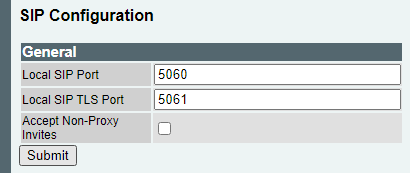
•Accept Non-Proxy Invites should not be ticked. Click on Expert Config -> SIP
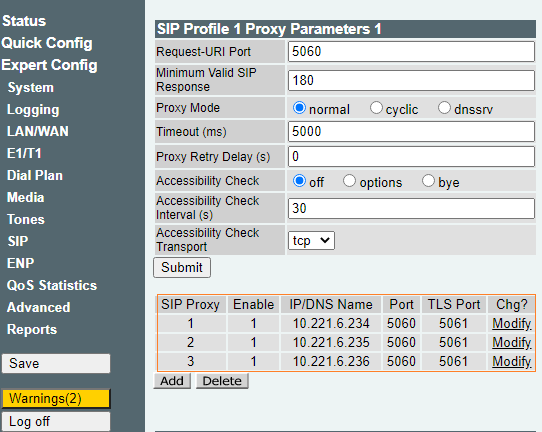
•Please add all the TPO's IP addresses from the TPO cluster in the SIP Profile -> SIP Proxy
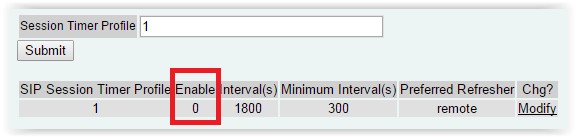
•SIP Session Times must be disabled (0) Click on Expect Config/SIP/SIP Session Timers
|