Usage


Usage |
|
| Trading and C&C > Turret Proxy To Open communication (TPO) > DDI Sharing > DDI Lines & Radio Systems > Multicast based radio systems > Cisco Instant-connect Radio Integration > Radio and Call History |
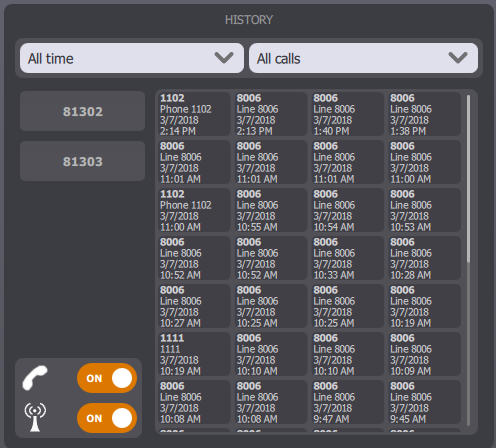
Specific radio events can be automatically logged and available in the turret's Call History, as well as in the TSS Console. These events are useful to have an overview of the activity on a radio channel.
These events look like VOIP call history events, but can then be differentiated when consulting or exporting them.
Outgoing Radio Call
When the user is performing a private/group call, an outgoing radio call event is logged (if configured).
Incoming Radio Call
Once connected to DDI Radio Slot, if the slot is ringing, an incoming radio call can be logged (if configured) based on the following events :
•Incoming radio call, if the call is accepted locally (user actively speaks on the monitoring slot); •Missed radio call, if the call isn't accepted; •Missed radio call, if the call is accepted remotely. Except this time, the log contains data from the turret which picked up the call.
Filtering the call log entries
Once configured, the calls on Call History panel can be filtered based on their type (Radio or VoIP call) :
When application start, both call types are displayed but it's possible to modify filter :
|