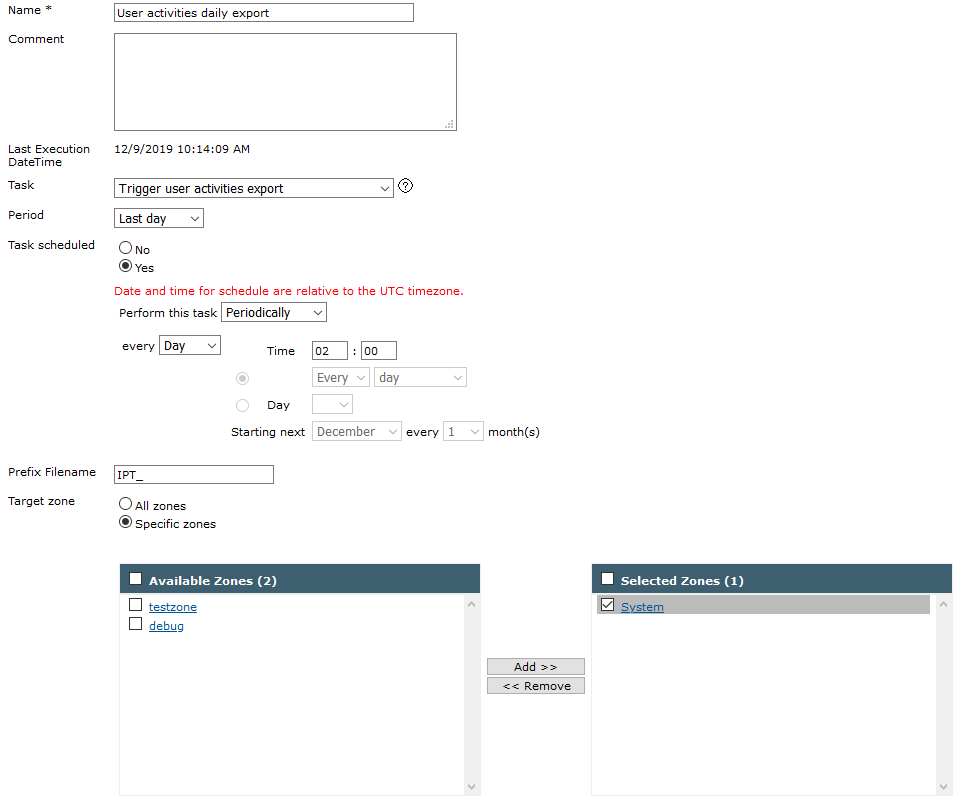
Creating a scheduled recurrent job to export user activities


Creating a scheduled recurrent job to export user activities |
|
| IT&Operations > Job Policies > Automatic user activities export |
This scenario illustrates how to setup a recurrent job policy for exporting user activities of users belonging to a specific zone (“System” zone).
Optionally administrator can enter a file prefix for file generation (here IPT_) Click on “Save and Go back” to commit changes. |