Private/Group call on Tait node


Private/Group call on Tait node |
|
| Trading and C&C > Turret Proxy To Open communication (TPO) > DDI Sharing > DDI Lines & Radio Systems > Multicast based radio systems > Cisco Instant-connect Radio Integration > Usage |
User is able to perform a unicast / multicast call inside a radio channel, to talk only with a single user / group of users.
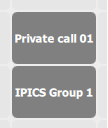
While the user is connected to the radio channel, a private / group call is performed by selecting a shortcut in the interface.
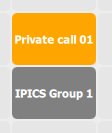
The shortcut then turns yellow, to indicate that the call request is in progress.
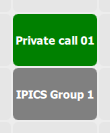
Once the call request is accepted, the shortcut turns green. User can now speak privately on the line.
To stop the private call, user simply presses the shortcut again.
The system can also automatically select a slot from a predefined list in order to initiate a private / group call on the first free slot.
The exact configuration of private and group call shortcuts, see Turret configuration section. Private call with dynamic target extension
The system also offers the ability to initiate a private call and manually enter the target extension at will.
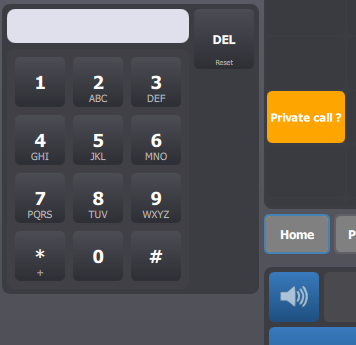
Still while being connected to a radio channel, pressing a specific shortcut (Shared DDI call Key, see Turret configuration section) initiates a private call but asks the user to enter the target extension using the dialpad.
The user is then able to enter the target extension, and press the Call button to perform the private call. The rest of the workflow is identical to the one presented above.
|