Configure


Configure |
|
| Trading and C&C > Turret Proxy To Open communication (TPO) > DDI Sharing > DDI Lines & Radio Systems > Multicast based radio systems > Cisco Instant-connect Radio Integration > Radio and Call History |
In order to see Radio call events in the Call History panel, set the following setting to true in the user profile :
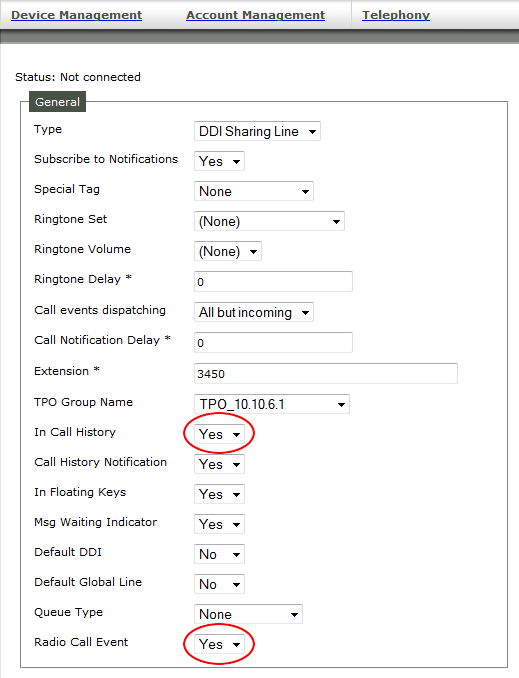
And, on the DDI Line, set the "In Call History" property to true to see VoIP calls and set the "Radio Call Event" property to see Radio calls independently :
|
||||||||||