Change IP address by using Web Browser


Change IP address by using Web Browser |
|
| Trading and C&C > Turret Proxy To Open communication (TPO) > DDI Sharing > DDI Lines & Private Wires > Configure > TPO Configuration > Vega 4x4 > Getting Started |
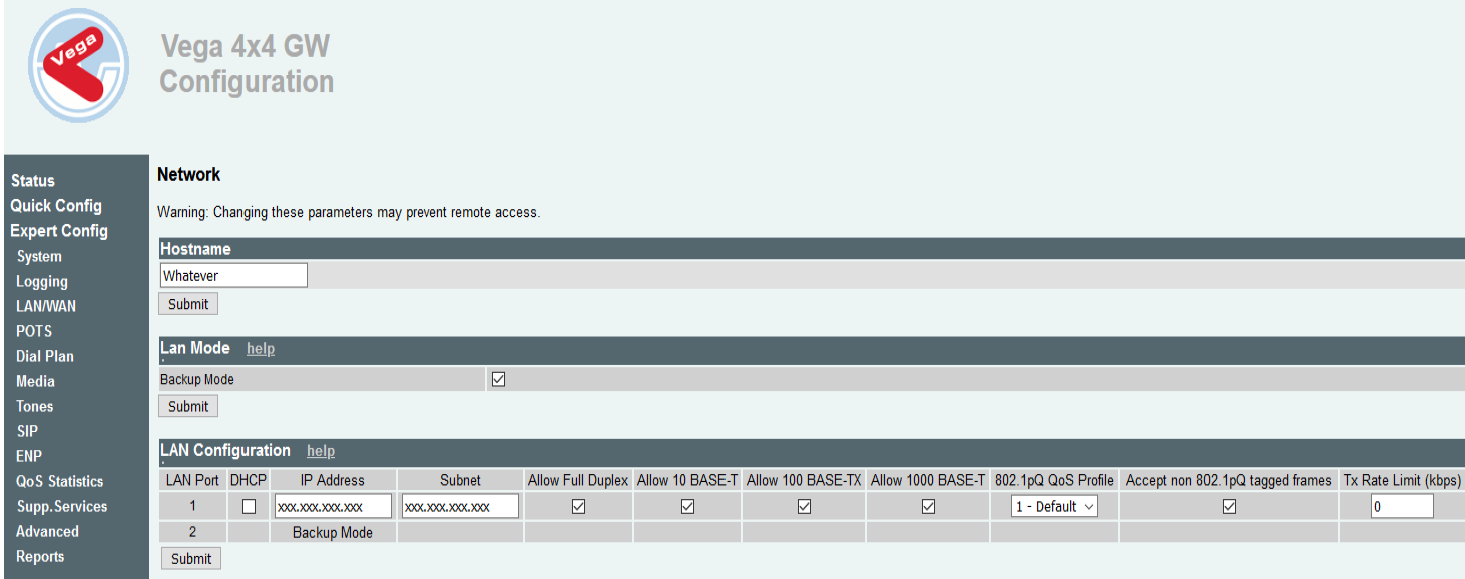
To access the Vega4x4 configuration: type in the browser, <IP address of the gateway> and then login with the default credential: 1. Log in as “admin” and Password “admin” 2. Go to the Config menu 3. Under Expert Config select LAN/WAN 4. Within LAN Configuration change the IP configuration (IP Address, Subnet and Default Route) to the customer's provided network.
5. Submit 6. Save 7. Reboot System |