Duration timers layout on the screen

Top  Previous  Next
User Options > Call Duration > Usage

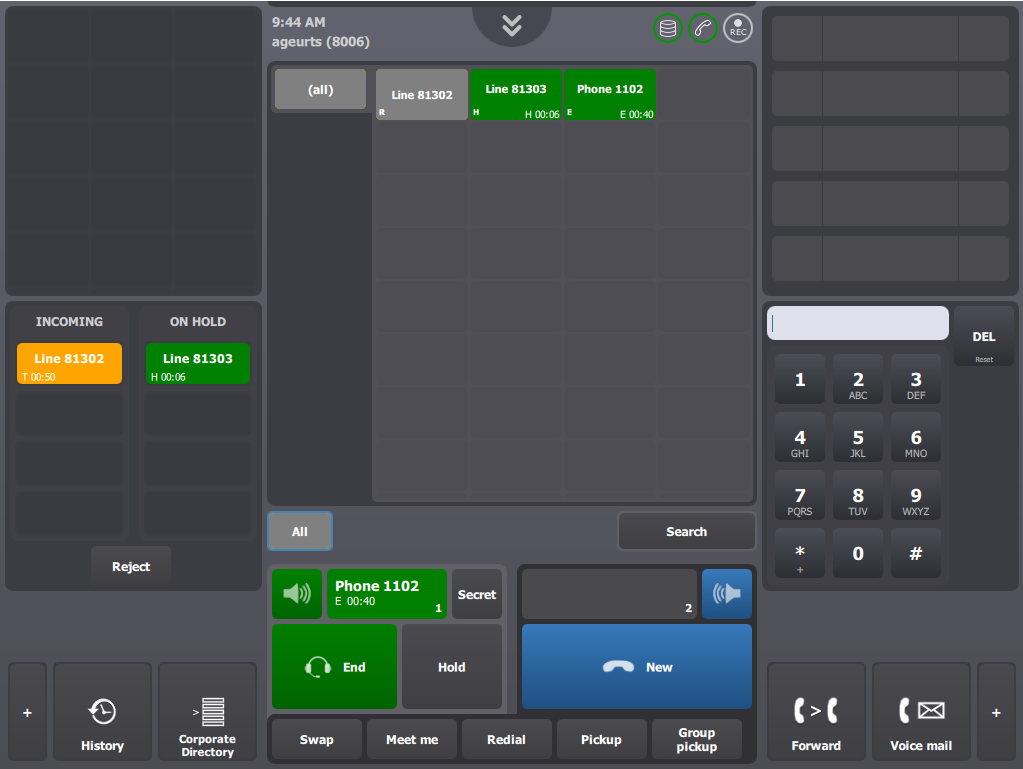
Here are a few examples of how timers can be displayed on the console’s screen.

DurationTimerLayoutScreen


durationLayoutScreen1

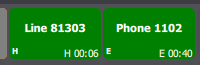
Two contact keys are displayed: the first one shows an alive (established) call; the second one shows a call on hold.

The first timer is an established timer (see 'E' prefix), and indicates that the call has been alive for 40 seconds. The second timer is a held timer (see the 'H' prefix), and indicates that the call has been on hold for 6 seconds.


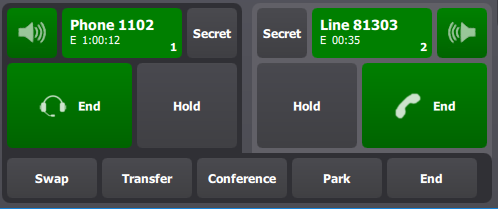
On handset 1, the timer indicates that the call has been alive for 1 hour and 12 seconds. The timer on handset 2 indicates that the call has been alive for 35 seconds.

  durationLayoutScreen2


durationLayoutScreen3

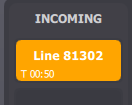
In the call status panel, the timer indicates that the call has been in the system for 50 seconds. This is a total time (see the 'T' prefix).