Usage


Usage |
|
| User Options > Alternate labels |
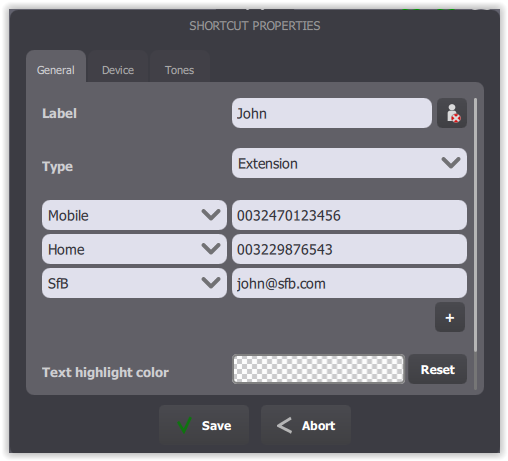
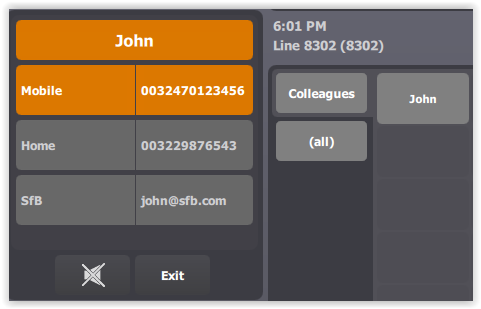
A contact, John, has three phone extensions: •first one (and default one) for its mobile phone, •second one for its home and, •third one for its Skype for Business.
This contact is displayed on the turret as below:
User calls John on its home number. He performs a long press on John's call key to have the Alternate Numbers applet shown and presses the Home label.
Shortcut Import/Export
User exports shortcuts that contains alternate labels or imports shortcuts from another system or from a backup shortcut export for example. See Shortcut Export and Shortcut Import. |




