Create an alternate label
In the TSS Administration Console:
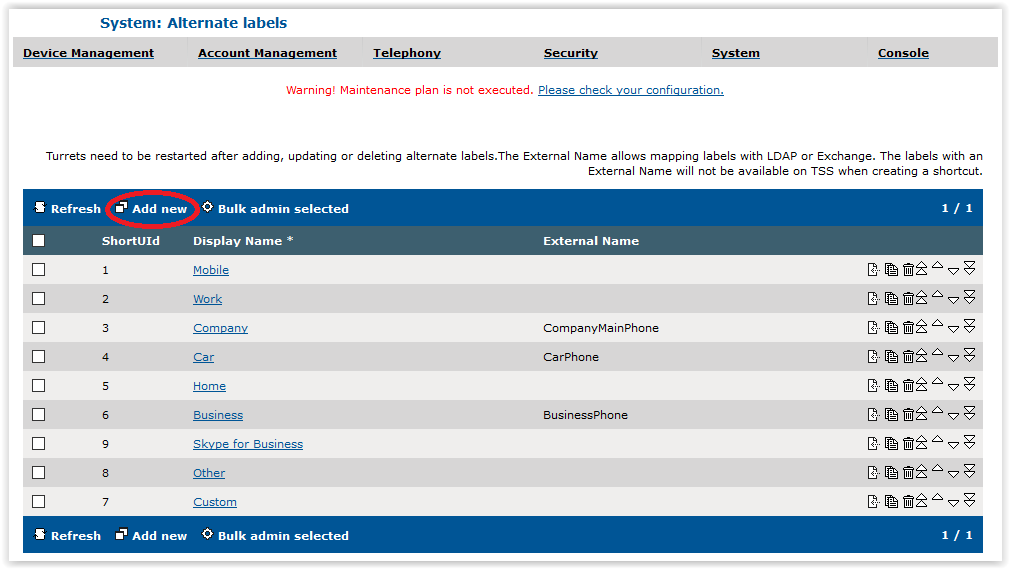
1.Go to System / Alternate Labels
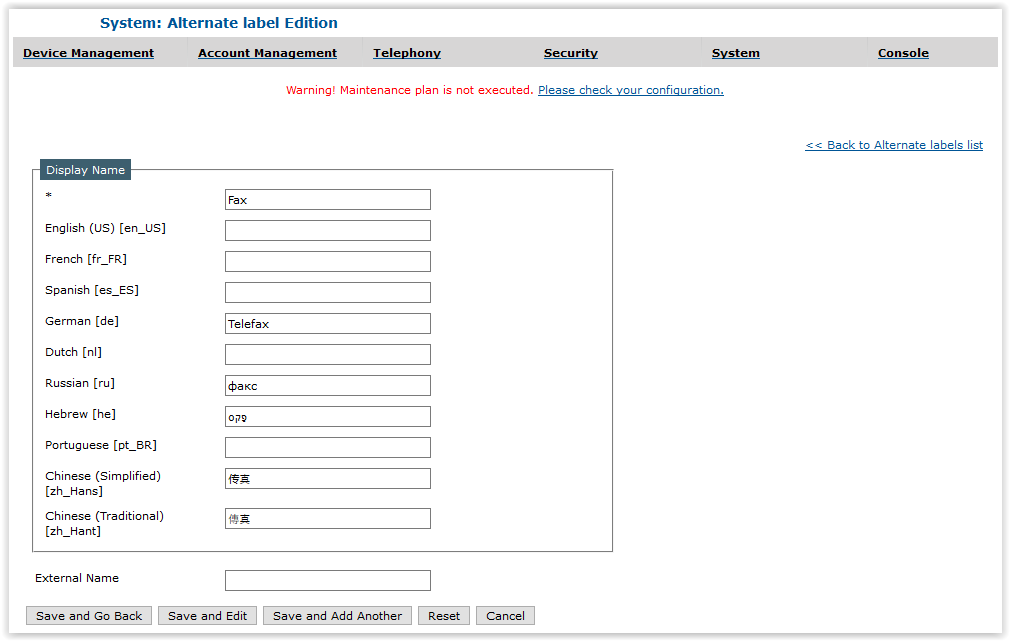
2.Press Add new and fill the mandatory Display Name * field and, optionally, languages' display names
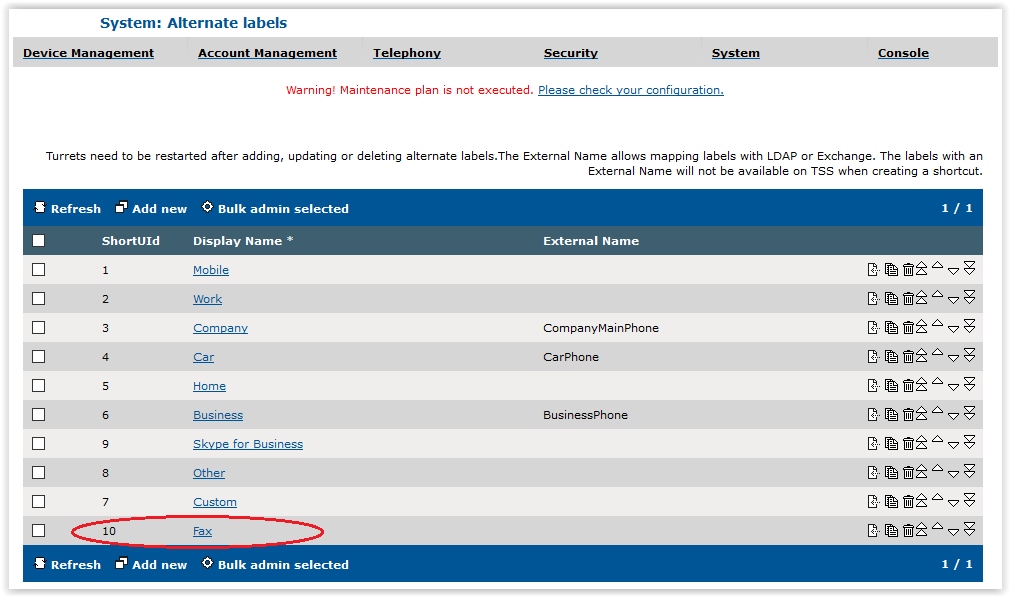
3.Press Save and Go Back. The list of alternate labels is displayed with the newly created alternate label in last position of the list

|

|
|

|
|

|
The preferred order for alternate labels can be changed using the small arrow keys on the right.
When creating a shortcut on the TSS Administration Console, only alternate labels that have no External Name are available.
|
|

|
|
|

|
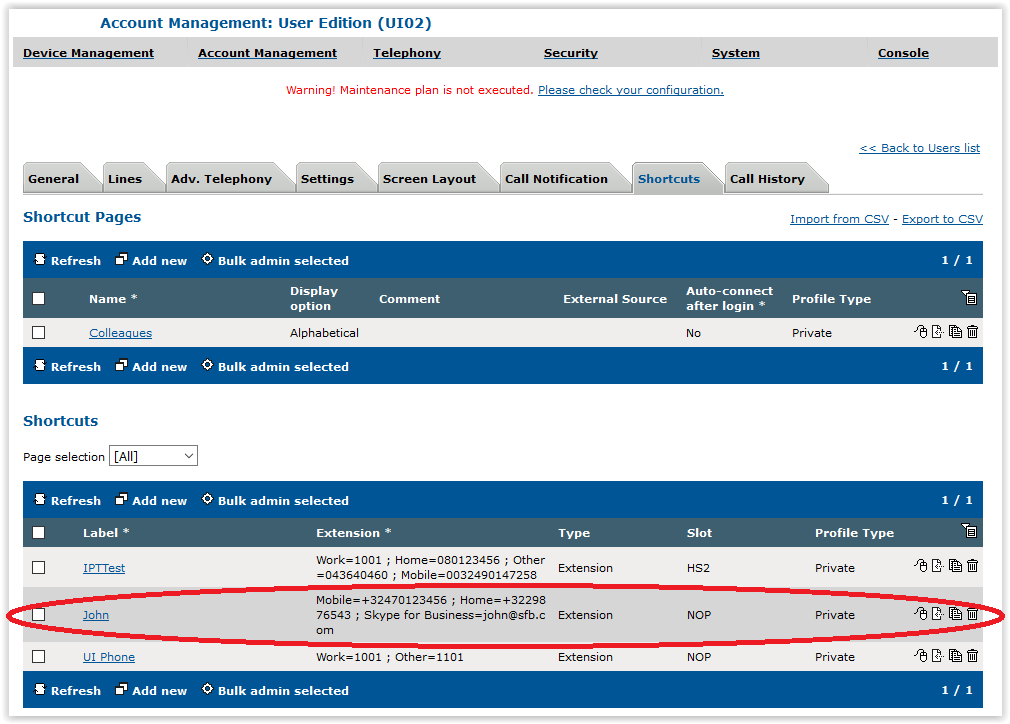
Create a shortcut with several extensions on the TSS Administration Console
This section explains how to create a shortcut on a user or on a shared profile for a target with several extensions from the TSS Administration Console.
In the TSS Administration Console:
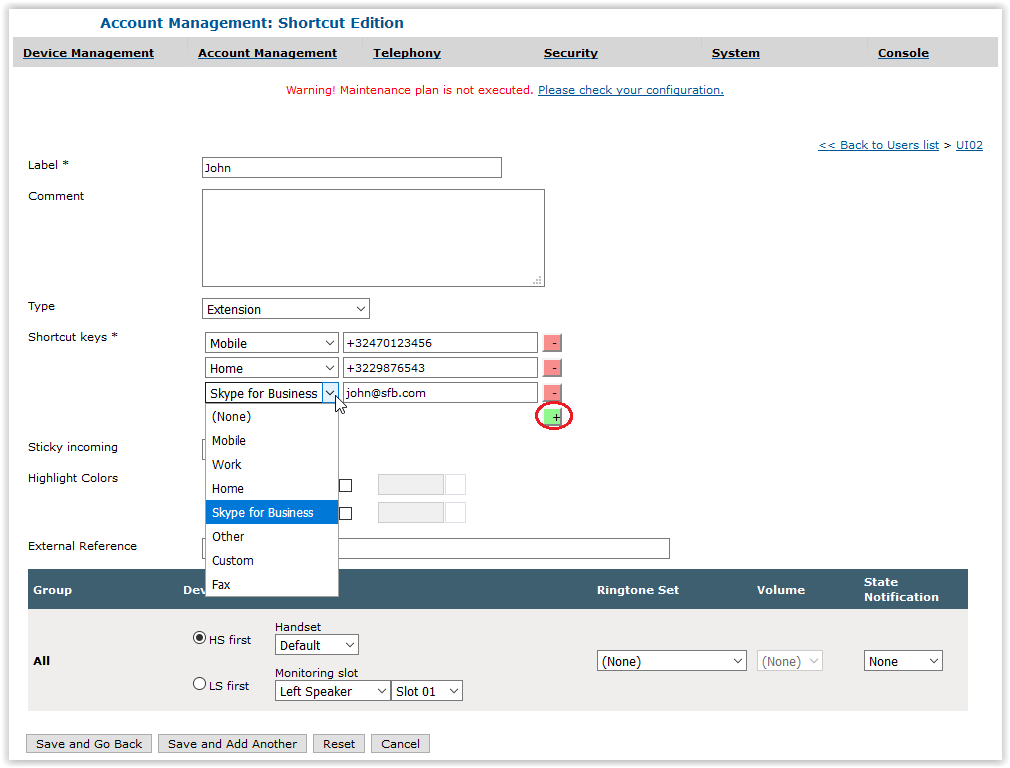
1.Edit a user or shared profile 2.Press the Shortcuts tab 3.Press Add new 4.Fill the Label and select the Extension or Contact Type (only those types allow having alternate numbers labels). Then, select an alternate label in the drop down list and provide as many extensions as needed. To add a new extension, press on + button
5.Press Save and Go Back. Shortcut pages and shortcuts are displayed
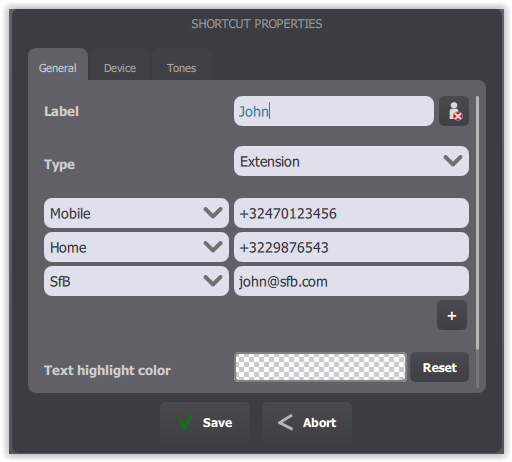
Create a shortcut with several extensions on the Turret
This section explains how to create a shortcut on a user for a target with several extensions from the turret interface.
On the Turret:
1.Log the user in 2.Press the Maintenance button 3.Use an empty area in the center shortcut panel to create a new shortcut 4.Fill the Label and select the Extension or Contact Type (only those types allow having alternate numbers labels). Then, select an alternate label in the drop down list and provide as many extensions as needed. To add a new extension, press on + button
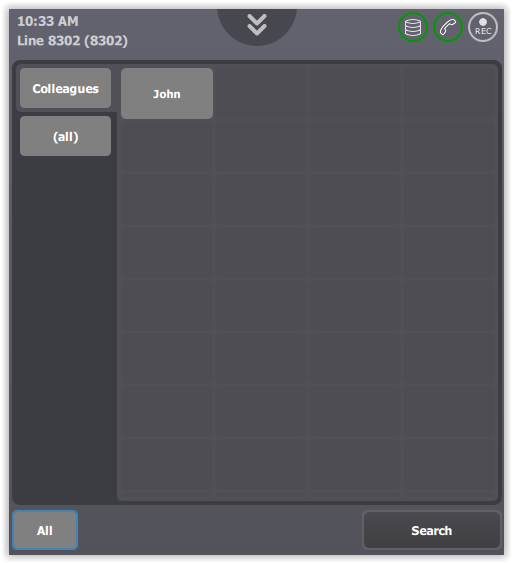
5.Press Save and press the Maintenance button. Shortcut is created and is displayed in the Shortcut panel
|
|
|
|
|
|
Note that all alternate labels with and without external names are available in the shortcut edition panel on the Turret.
|
|
|
|
|
|
|