Turret PC application setup


Turret PC application setup |
|
| Solution Integration > Click To Dial from traders' desktop > Click To Dial from desktop app > Configure |
Prerequisites
The application requires the current user to have administrator privileges on the machine, in order to register itself at start-up and add a Start menu shortcut.
In order to associate a PC to a turret, the administrator must link them together:
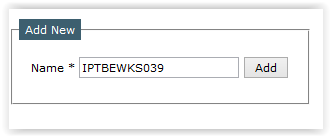
1.Go to Device Management > PCs 2.Add the Windows PC name to be linked
3.Press the In-line edition button of the PC to assign a turret id to it
Alternatively the administrator can also add a PC with provisioning Installation and configuration
Once the LDAP Users are synchronized *, install the Turret PC application on every PC.
This can be done by: - Using the installer wizard for simple deployment. - In silent mode for larger deployment.
* Only for the Turret Login feature (single sign-on). |