Place a call from Skype for Business


Place a call from Skype for Business |
|
| Solution Integration > Click To Dial from traders' desktop > Click To Dial from desktop app > Usage |
The Turret PC App Skype for Business add-in allows to place a call on the turret simply by right clicking on a contact.
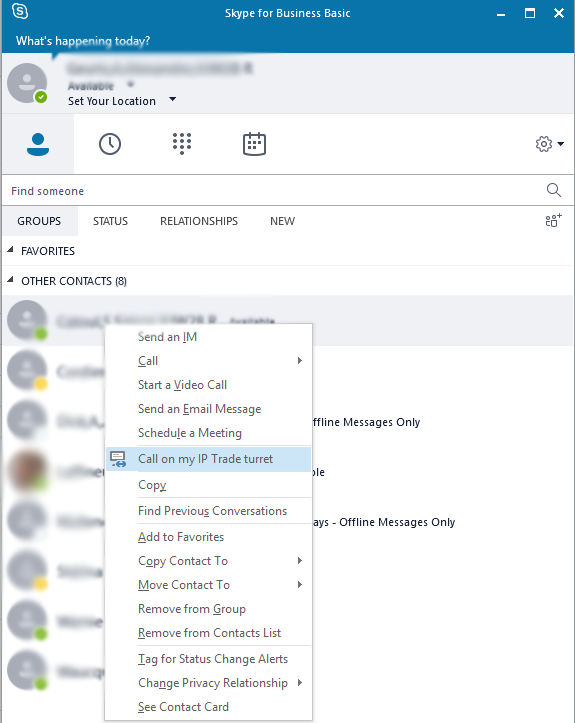
Once configured, on your Skype for Business workstation client, right click on the desired contact.
A contextual menu is opened, it contains a new option "Call on my IP Trade turret", the user clicks on it.
If the add-in is configured to directly place the call to the Skype for Business user SIP address, the call will be initiated on the turret directly.
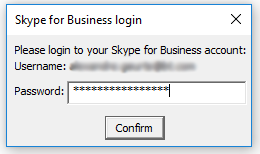
If the add-in is configured to allow to select a phone extension referenced on the user business card, a dialog box will be opened to ask the user password.
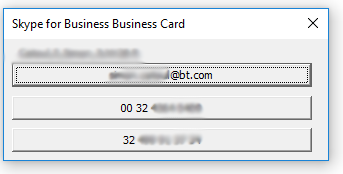
Once the password entered, it is not required to enter it again untill the reboot of the computer (or until the turret pc app is shutted down). If the password is correct, the Turret PC App will open a new window with the information of the contact and the user will be able to select an extension to call (or calling the Skype for Business user SIP address). |