Limitations


Limitations |
|
| Trading and C&C > Turret Proxy To Open communication (TPO) > DDI Sharing > DDI Lines Sharing > Usage > Telephony functions > PBX dependent features > Video Call > References |
Information provided in standard video call limitations are also applicable to DDI calls.
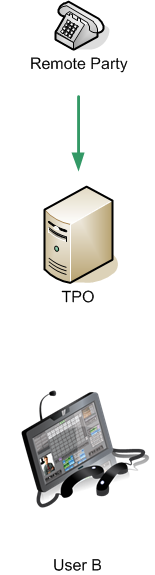
•Due to remote party Key Frame refresh delay, user who joins an existing video call may firstly receive black video until remote party sends the next key frame.
•Neither TPO cluster with Hot backup nor TPO fail over mechanism preserve video streams in case of failure. oOngoing video may freeze in case of TPO failure oUser is capable to hide frozen video as easily as hiding normal video
•Depending on configuration, pressing an empty DDI slot in order to initiate a manually allocated DDI call may reserve a video call.
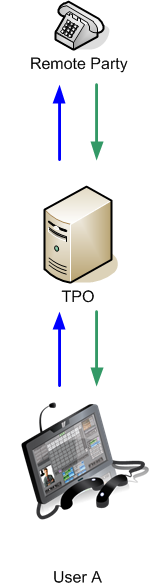
•When user presses exclusive button to turn call strictly exclusive: oother users can not join the call oother users stop receiving remote party video ouser who handles the exclusive call continues to receive remote party video oif video out stream was sent by another user, video stop to be sent to the remote party. oif video out stream was sent by the user who handles the exclusive call, video continues to be sent to the remote party.
•When user presses exclusive button to turn call in exclusive conference, current video state is preserved.
•PBX access point doesn't support video calls.
•DDI slot with MRD permanent or Static IP attribute doesn't support video calls.
•Initiating a conference disable video capabilities on the slot.
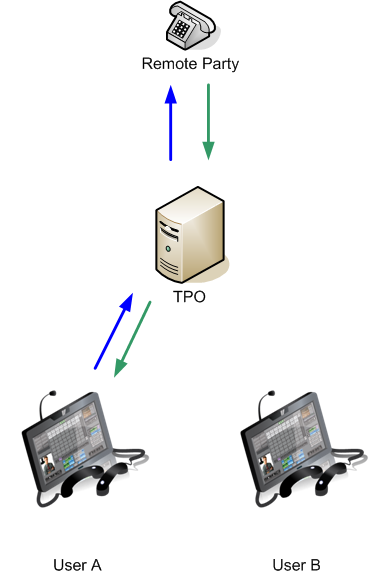
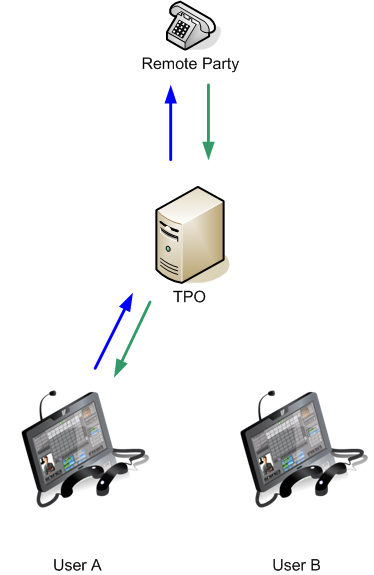
•On one DDI call/slot, only one DDI line user can send his video to remote party at a time. There is no way for the remote party to see two DDI line user videos on the same call. First DDI line user who sends his video takes ownership of the outbound video channel, afterward, other users have to way for the video channel to be freed before starting to send their video.
•When user is configured with Default video state incoming DDI calls and/or Default video state outgoing DDI calls in send_only, he may be unable to activate video reception even if remote party is sending his video:
•When video has been stopped because another user has activated strict Exclusive mode, user is unable to activate video reception even if Exclusivity mode has been released and if remote party is sending his video. The only way to activate video after that is to leave DDI slot and rejoin it.
•When user presses to Hold button: oif other traders are connected on the slot, call with user who has pressed on Hold button is terminated ; oif no other traders are connected on the slot, remote party passes in inactive video state ;
•When user resumes call, call stays in audio only. Video is inactive.
•When user B joins DDI slot and user A was on hold on this DDI slot, call with user A is terminated and call with user B is established in audio only.
•A user has no video if : ohe has video disabled ; ohis video codec doesn't match with video codec of infrastructure ; oturret is T2 XMA based
|