Configure


Configure |
|
| Enterprise Telephony > PBX dependent features > Video Call |
•A functional webcam is connected on turret, it could be the turret's build-in webcam or an USB external webcam.
•Enable video feature in user profile.
1.Go to TSS management console; click on the user or the shared profile
2.Go to the Settings panel, then click on Video Call group
3.In Basic Mode check Enable box and ensure value is set to true
4.Press Update to validate
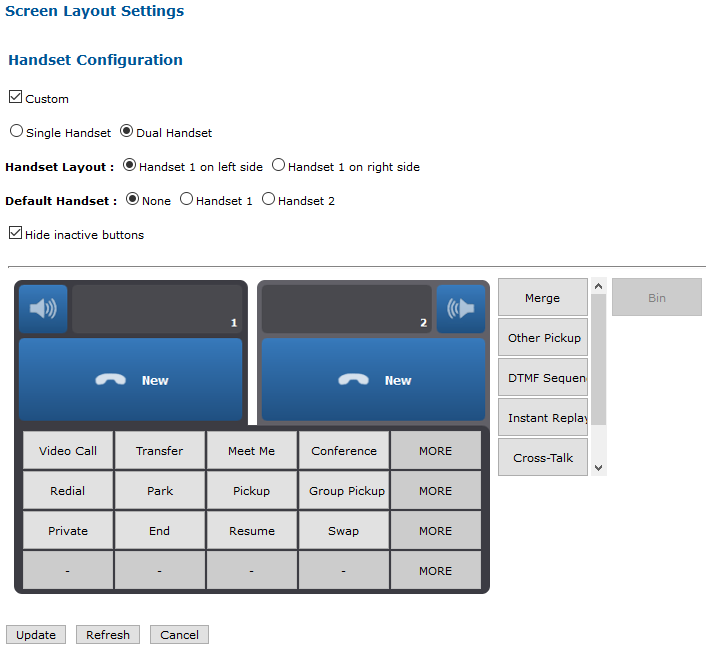
•Add Video call button to the major handset button's bar.
1.Go to TSS management console; click on the user or the shared profile
2.Go to the turret layout panel, then click on Handset Configuration
3.On the Handset Configuration, click on Custom and add Video call button
4.Press Update to validate
•Ensure supported video codec used by turret matches infrastructure requirement.
1.Go to TSS management console; click on System / Models / Settings
2.Click on Video Call group
3.In Basic Mode check Supported video codec box and encode value of video codec to use
4.Press Update to validate
|
||||||||||||||||||||||