TPO Server Certificate

Top  Previous  Next
IT&Operations > Security


TableCornerTopLeftA

IPT_Empty

IPT_Empty

TableCornerTopRightA

IPT_Empty

ImportantNote_Icon

The TPO Server Certificates are only applicable to Clusters in DNS redundancy mode or Session Persistency with Secure Communication

IPT_Empty

TableCornerBottomLeftA

IPT_Empty

IPT_Empty

TableCornerBottomRightA


TableCornerTopLeftA

IPT_Empty

IPT_Empty

TableCornerTopRightA

IPT_Empty

ImportantNote_Icon


Certificate chain is now supported for SIPS.

The TPO Server Certificate can be issued:

-by the root CA. (CA Certificate)

-by the same CA used to issue the TSS Certificate. (TSS Certificate)


IPT_Empty

TableCornerBottomLeftA

IPT_Empty

IPT_Empty

TableCornerBottomRightA

Initial situation

TPO Cluster configured in DNS or Session Persistency. If not refer to Configure DNS redundancy mode or Configure Session Persistency redundancy mode.

A TPO cluster is properly configured with a TPO DNS name which is attached one or several TPO places. A node is linked to this DNS name and is configured in active mode.


Some information are needed in order to generate a certificate request. These information can be configured with the following keys :

•The organization

Location: TPO Shared Settings, TPO Private Settings, TPO Boot Settings
Global
Certificate Organization


•The organization unit

Location: TPO Shared Settings, TPO Private Settings, TPO Boot Settings
Global
Certificate Organization Unit


•The city

Location: TPO Shared Settings, TPO Private Settings, TPO Boot Settings
Global
Certificate City


•The state

Location: TPO Shared Settings, TPO Private Settings, TPO Boot Settings
Global
Certificate State


•The country code

Location: TPO Shared Settings, TPO Private Settings, TPO Boot Settings
Global
Certificate Country Code


•The email

Location: TPO Shared Settings, TPO Private Settings, TPO Boot Settings
Global
Certificate Email


•The private key length

Location: TPO Shared Settings, TPO Private Settings, TPO Boot Settings
Global
Certificate private key length


Request TPO server certificate

Open the TSS Administrator Console, edits the TPO cluster and selects the TPO Cluster tab


security008


The Cluster tab is displayed. In the TPO Groups list, the DNS name appears.

Three buttons are available:


security012


1.Upload Certificate

2.Create a new request string

3.In-lin edition


Press the request button, it will grayed out. After a few moment and a refresh a new button will appear to indicate that the request string is available for the Administrator:


security013


4.Display certificate request string


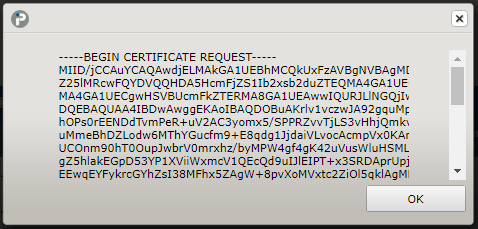
Press on this button and the TSS will display the request string.


security009


Copy the request string to the clipboard.


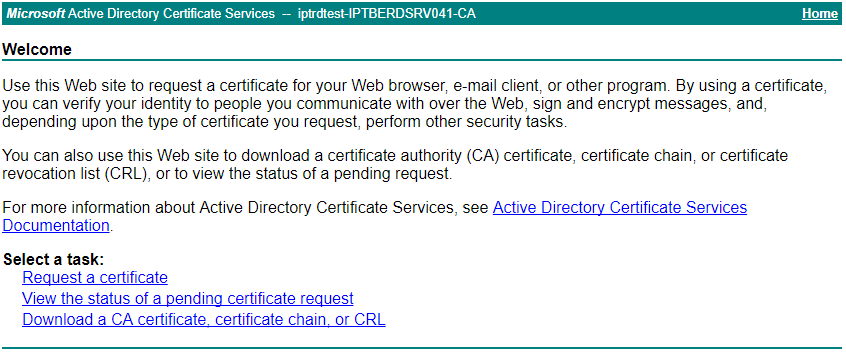
Open the Certificate Manager web application.


TableCornerTopLeftA

IPT_Empty

IPT_Empty

TableCornerTopRightA

IPT_Empty

ImportantNote_Icon


Certificate chain is now supported for SIPS.

The TPO Server Certificate can be issued:

-by the root CA. (CA Certificate)

-by the same CA used to issue the TSS Certificate. (TSS Certificate)


IPT_Empty

TableCornerBottomLeftA

IPT_Empty

IPT_Empty

TableCornerBottomRightA


security014


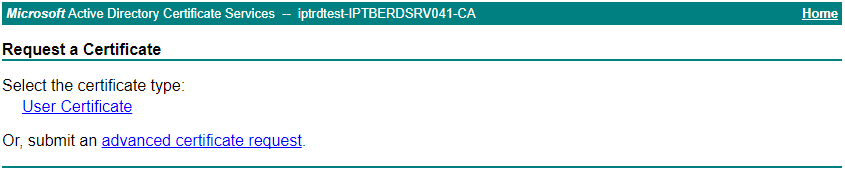
Click on "Request a certificate"


security015


Then on "advanced certificate request"


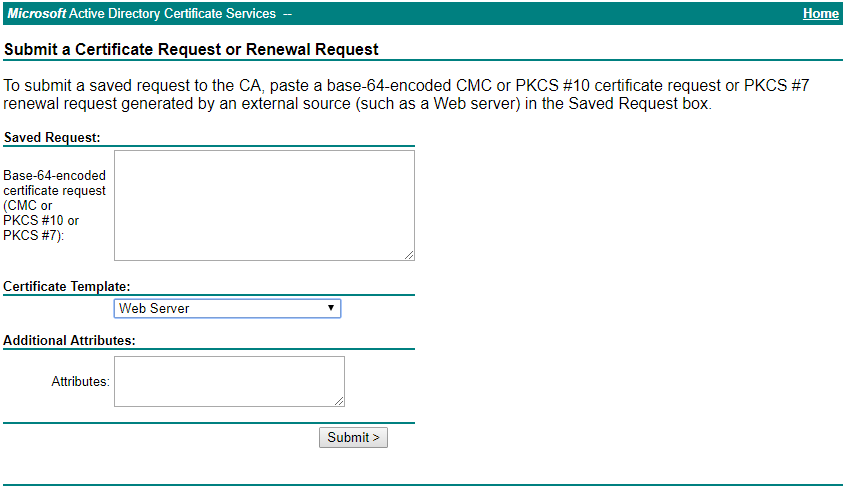
security010


Paste the request string in the field provided.

Select Web Server as Certificate Template and submit.


TableCornerTopLeftA

IPT_Empty

IPT_Empty

TableCornerTopRightA

IPT_Empty

ImportantNote_Icon

If you are not able to download the certificate directly from the web application you will have to ask the Certificate Authority Manager to issue it and provide it to you.

IPT_Empty

TableCornerBottomLeftA

IPT_Empty

IPT_Empty

TableCornerBottomRightA


TableCornerTopLeftA

IPT_Empty

IPT_Empty

TableCornerTopRightA

IPT_Empty

ImportantNote_Icon

Note that only DER encoded certificates can be handled by this process. Attempting to install a Base64 encoded certificate will fail.

You may convert your Base64 CA Certificate into a DER encoded certificate by opening the original certificate and, under "details" tab, click on "Copy to file".  Then, select the DER encoding format and save your certificate.

IPT_Empty

TableCornerBottomLeftA

IPT_Empty

IPT_Empty

TableCornerBottomRightA


TableCornerTopLeftB

IPT_Empty

IPT_Empty

TableCornerTopRightB

IPT_Empty

Important_icon


The certificate request handling is tightly linked to the DNS name itself and thus all operations that are allowed on the DNS names must keep the integrity of the certificates in the system.

The Bulk Administration operations are allowed as well, so several requests can be initiated simultaneously.

The request creation does not need to be made synchronously; i.e. a request can be initiated for a name while another one is in progress or has been obtained for another name.

IPT_Empty

TableCornerBottomLeftB

IPT_Empty

IPT_Empty

TableCornerBottomRightB

Install TPO Server certificates

Now you obtained the certificates for your configuration. One certificate by TPO DNS Name. Open the TSS Administrator Console, edits the TPO cluster and selects the TPO Cluster tab.

In the TPO Groups list, click on "Upload Certificate" and provide the certificate file in concordance of the TPO DNS Name.

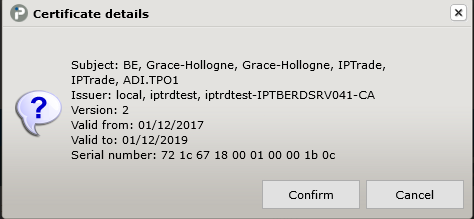
The TSS will display the information about the certificate and ask to confirm.


security011


The TPO Groups list is refreshed and an icon indicates that a certificate has been installed for that name. At this point, the DNS Name cannot be modified anymore; only the delete operation is allowed. The certificate request icon disappears.


security016


Reset the Cluster.


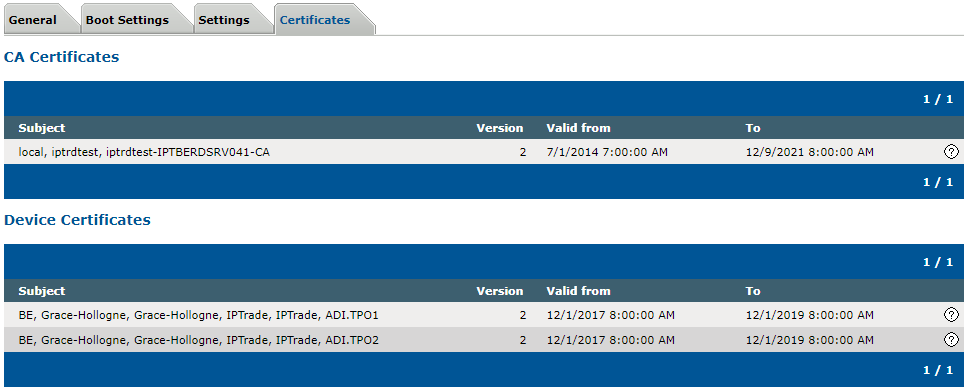
After some time, edit one of the TPO running the DNS Name and select the Certificates tab. The certificate information is displayed.


security017


TableCornerTopLeftA

IPT_Empty

IPT_Empty

TableCornerTopRightA

IPT_Empty

ImportantNote_Icon

Keep in mind that a single TPO can potentially have several certificates installed as it can run serval DNS Names.

IPT_Empty

TableCornerBottomLeftA

IPT_Empty

IPT_Empty

TableCornerBottomRightA