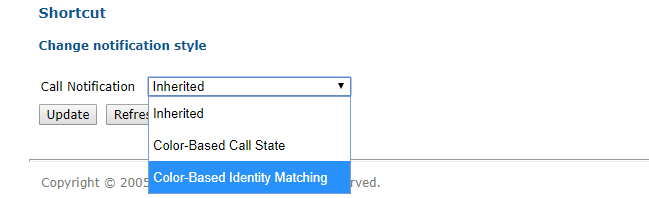
Activate color based identity matching


Activate color based identity matching |
|
| Enterprise Telephony > Common > Color based identity matching > Configure |
Using user profile edition formIn the TSS, browse to Account management > users, then click a user to open the user edition form. In the Call notification tab, select Color-Based Identity Matching as Call Notification.
Using settingsSet profile.setting.callnotification to ColorBased.
Using shared profileIf the setting isn't set in the user profile (set to Inherited in user edition form), it will use setting form its shared profile. |