CA Certificate


CA Certificate |
|
| IT&Operations > Security |
A certificate authority (CA) is a trusted entity that issues electronic documents that verify a digital entity’s identity on the Internet. The electronic documents, which are called digital certificates, are an essential part of secure communication and play an important part in the public key infrastructure (PKI). Certificates typically include the owner's public key, the expiration date of the certificate, the owner's name and other information about the public key owner. Operating systems (OSes) and browsers maintain lists of trusted CA root certificates to verify certificates that a CA has issued and signed.
CA certificates are certificates that are issued by a CA to itself or to a second CA for the purpose of creating a defined relationship between the two CAs. A certificate that is issued by a CA to itself is referred to as a trusted root certificate, because it is intended to establish a point of ultimate trust for a CA Hierarchy. Once the trusted root has been established, it can be used to authorize subordinate CAs to issue certificates on its behalf.
This section describes how a CA certificate is installed and deployed on the IPTrade devices.
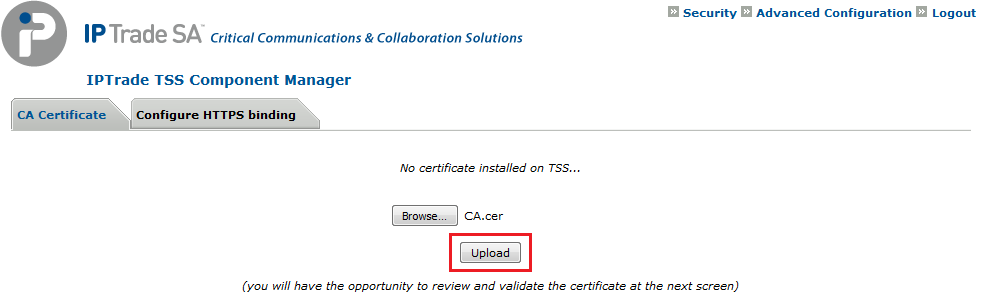
To install a CA Certificate: •Open the Component Manager (i.e.: http://SERVER_IP/IptradeNet) with your preferred web browser •Log in •Go to Security \ CA Certificate •Press the Browse... button and select the certificate on your machine •Press the Upload button
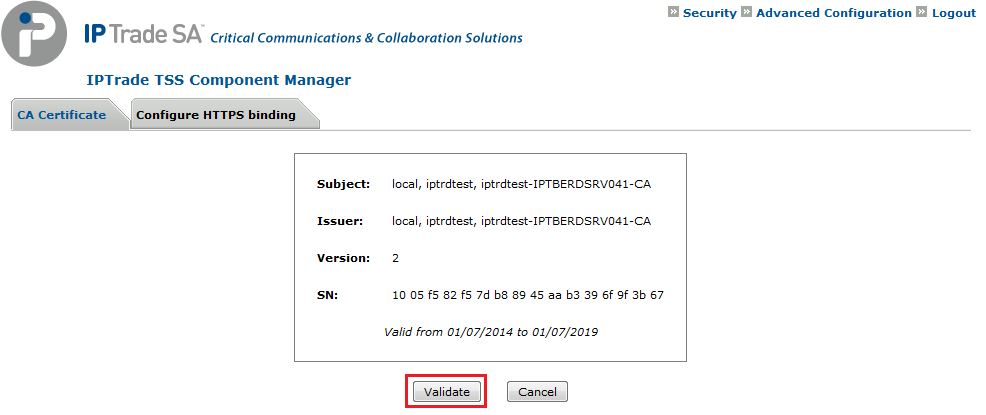
•Press the Validate button
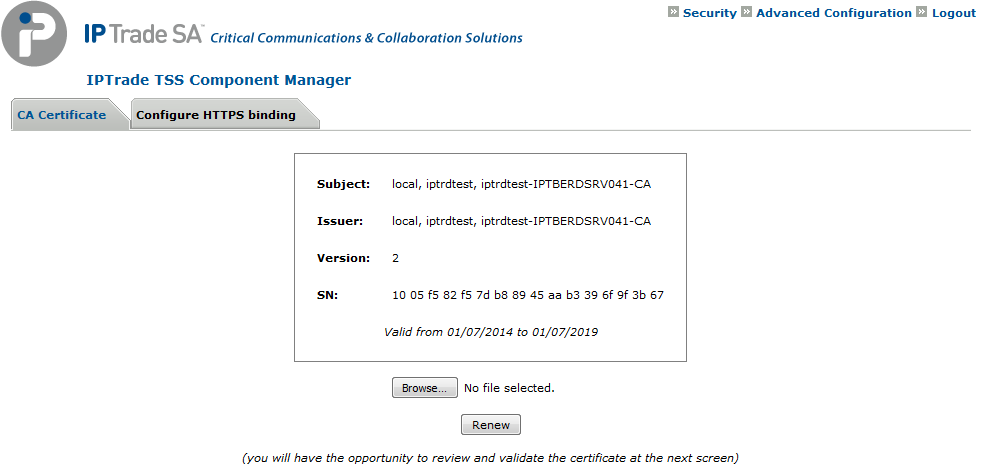
•The CA Certificate is installed. You can renew it at any moment by pressing the Renew button.
|