Insert the Recorded Call in a Conference


Insert the Recorded Call in a Conference |
|
| Voice Recording > ReplayBox Interface > Usage |
You can easily insert a replay call in an existing or a new conference call using the Merge button.
Note: You must have a free handset as you cannot use the Conference button to start a conference with a replay call.
Note: A replay can be used in Standard, Adhoc, or DDI conferences.
To create a conference including a replay call, proceed as follows:
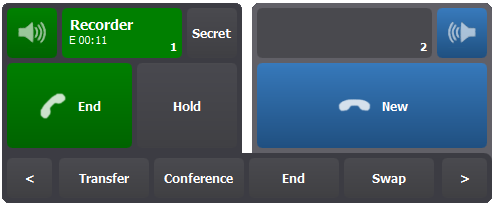
•Start the replay call as described in the Retrieve Recorded Calls section. It appears as a call on the active handset..
•Make a call to people you want to include in the conference call on the other handset (either a simple call or a conference).
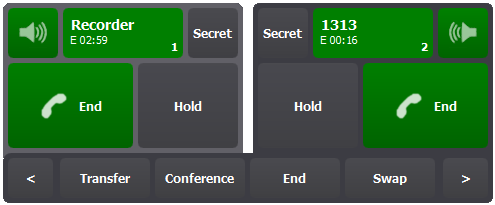
•Press the Merge button in the action bar of the handset panel to merge both current calls in a single conference call.
•Press the Conference access button to display all participants including the replay call. •In the participants list, you can Remove or Mute any participant as well as Close the conference and Refresh the list. •You can adapt the replay volume heard by other participants by reopening the replay panel and sliding the volume control. (See configuration section for details)
Note: The replay call is automatically removed from the conference at the end of the replay. |