Navigate the Recorded Call


Navigate the Recorded Call |
|
| Voice Recording > ReplayBox Interface > Usage |
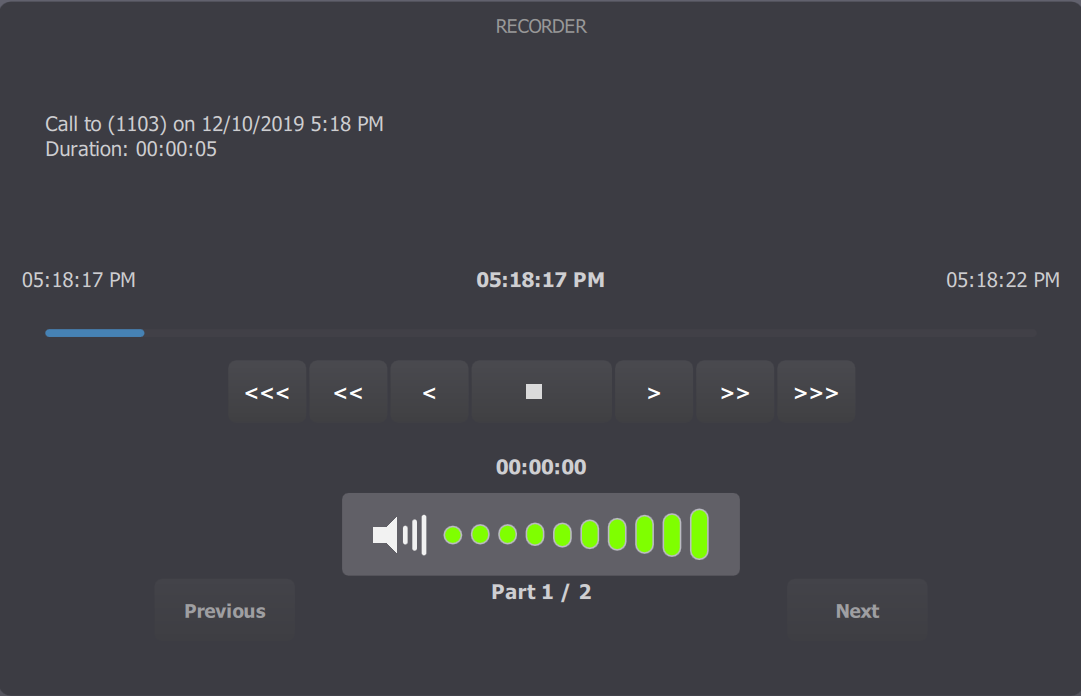
Once you have selected a recorded call, the Recorder window displays the replay interface.
In this interface, the following buttons are available:
• • •"<", ">": to move 10 seconds backwards or forwards in the audio stream. •"<<", ">>": to move 1 minute backwards or forwards in the audio stream. •"<<<", ">>>": to move 10 minutes backwards or forwards in the audio stream. • •The output volume of the replay can also be modified directly from the panel.
If the recorded call is divided in several part, the following buttons are also displayed: • |
 : to play the recorded call. The replay call is then displayed as a standard call in the handset panel.
 : to stop the playing. The replay call is then ended and removed from the handset panel.
 : to navigate freely within the audio stream.