Usage


Usage |
|
| Enterprise Telephony > PBX dependent features > Video Call |
Prerequisites •A functional webcam is connected on turret and Cisco phone. It could be the turret's build-in webcam or an USB external webcam. Make a video call 3 types of video calls can be detected whit 2 users : 1.Both users have a functional webcam connected on their turret or Cisco phone ; 2.Only one user has a functional webcam connected on his turret or Cisco phone ; 3.Neither user has a functional webcam connected on his turret or Cisco phone.
In last case, video call cannot be made. Call will only be audio.
Remarks : - by default, incoming and outgoing calls are configured as send and receive video call (see Configure section) ; - during a video call, user cannot refuse to see remote party if remote party sends his video ; - a user can decide to send and/or receive video or establish an audio call when he initiates or when he receives a call (see Configure).
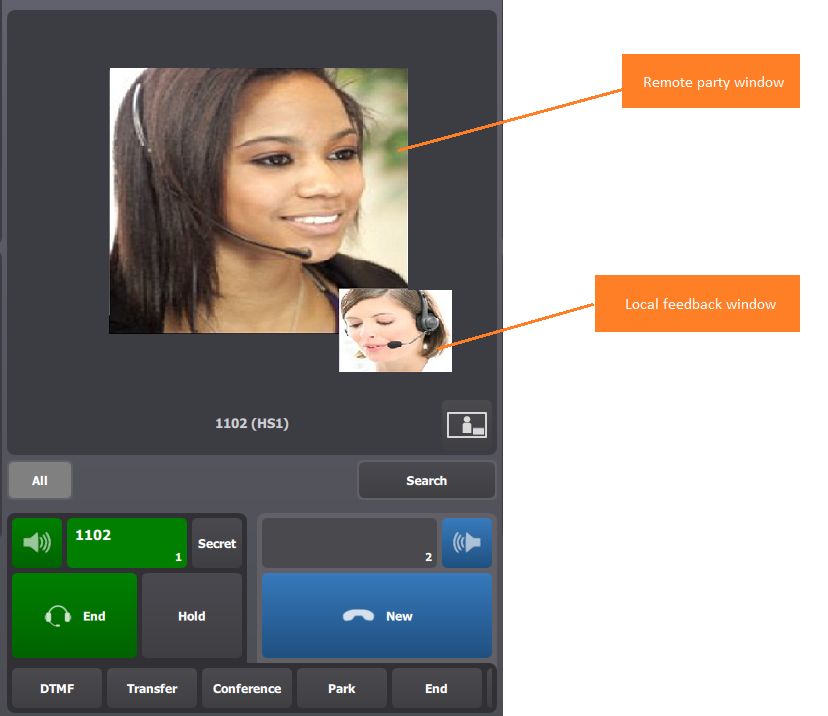
When video call is established in send and receive video, here is the explanation of what user can see :
|