Via the Device Sessions


Via the Device Sessions |
|
| Basic > Troubleshooting Data: How to retrieve them > Turret > Debug Information |
As soon as the terminal is registered against the TSS, follow these steps:
Single device
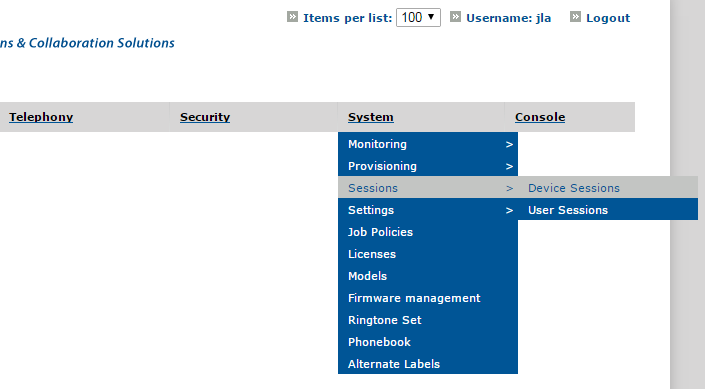
1.Open the TSS Administration Console 2.Go to System > Sessions > Device Sessions
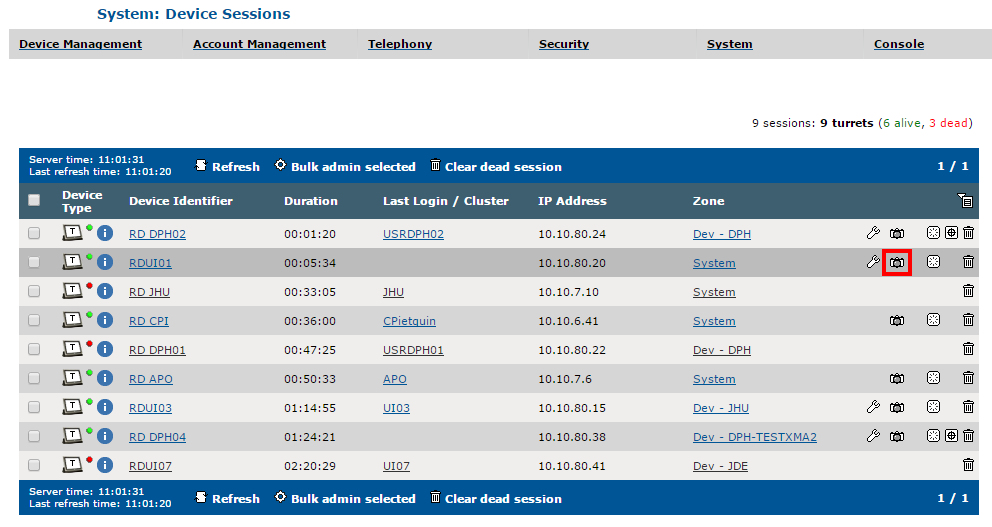
3.Find the session of the Turret on which you plan to retrieve debug information dump 4.Click the Camera button (
The turret is notified after a few seconds and starts generating its dump.
5.Retrieve the dump here: Browse and download the dumps
Multiple devicesSeveral dumps can be obtained from several devices at once.
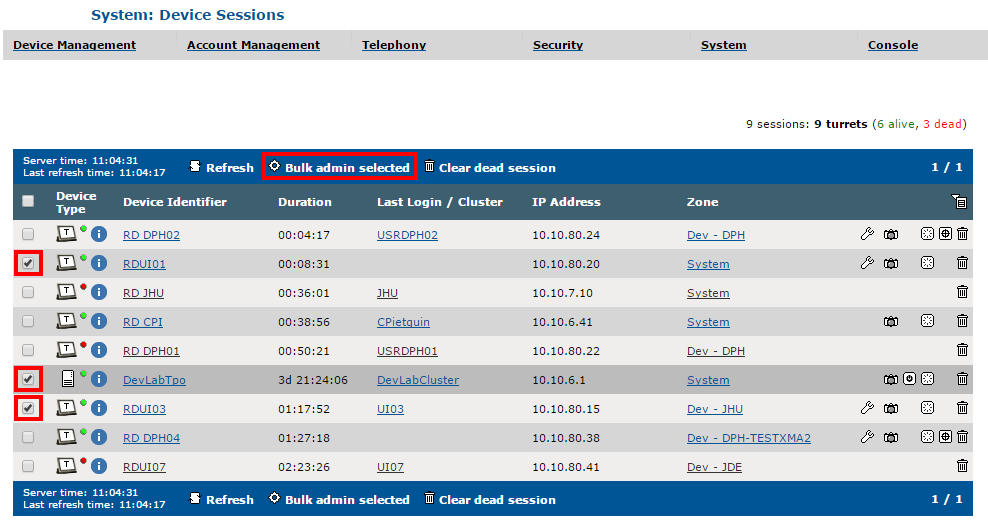
1.From the Device Sessions list, select the devices on which you plan to retrieve debug information dumps and click the Bulk admin selected button
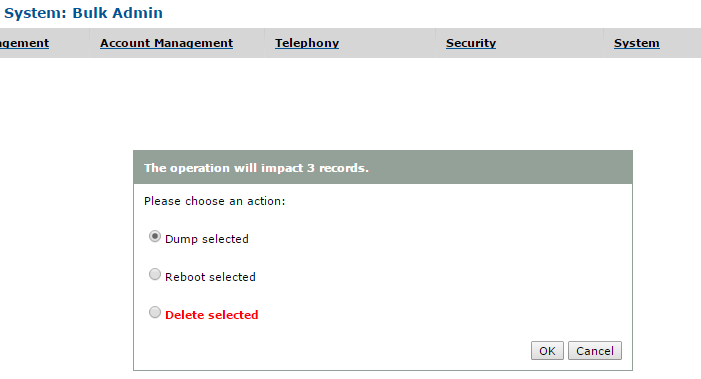
2.Select Dump selected and click OK
The devices are notified after a few seconds and start generating their dumps.
6.Retrieve the dumps here: Browse and download the dumps
|
 )
)