Via the Turret Device


Via the Turret Device |
|
| Basic > Troubleshooting Data: How to retrieve them > Turret > Debug Information |
As soon as the terminal is registered against the TSS, follow these steps:
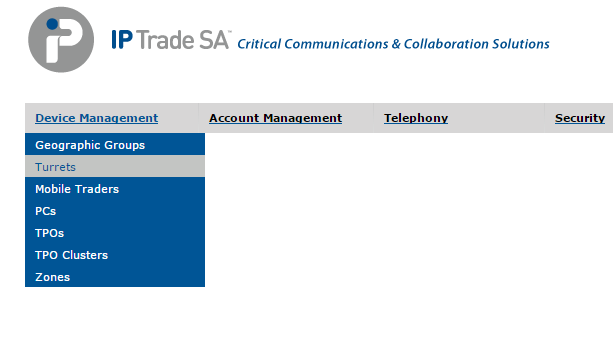
1.Open the TSS Administration Console 2.Go to Device Management > Turrets
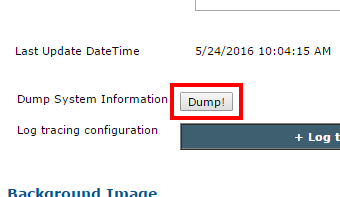
3.Select the Turret on which you plan to retrieve the debug information dump 4.Press the Dump button
The turret is notified after a few seconds and starts generating its dump.
5.Retrieve the dump here: Browse and download the dumps
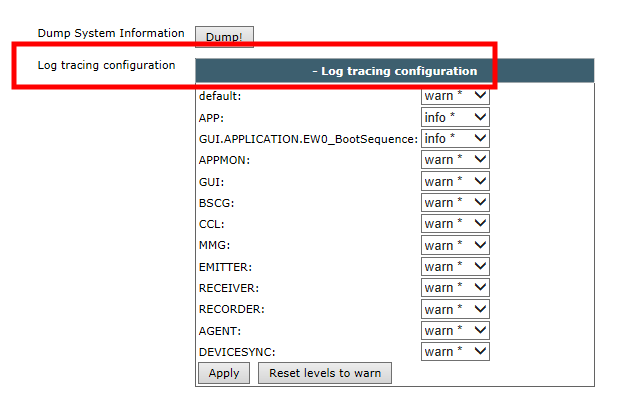
If a User is logged on the Turret, the "Log Tracing Information" panel will also be visible allowing to modify the log level on-the-fly:
These log level should only be modified if requested by IP-Trade Support for specific tests and must always be reset to their default value afterward as they can have drastic impact on the turret performances.
|