From the Turret Itself


From the Turret Itself |
|
| Basic > Troubleshooting Data: How to retrieve them > Turret > Debug Information |
A dump can also be generated from the turret device's graphical interface itself.
User authenticatedWhen a user is authenticated on the device, the following options allow a dedicated button to appear in the Options panel:
•Enabling profile.setting.debuginfobutton.alwaysavailable = true in the device or user configuration •Plugging a USB key containing an ipt.superuser file on its root level •Pressing CTRL+F12 on an external keyboard
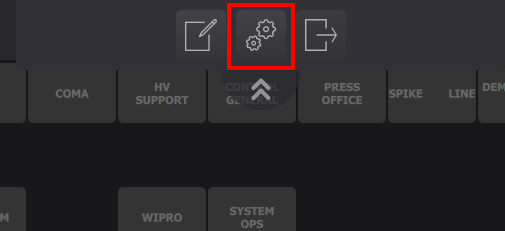
1.Press the Options button
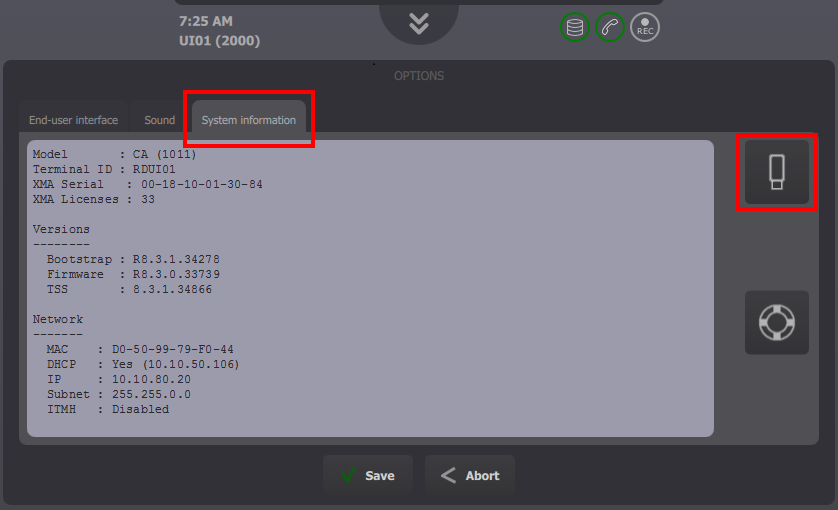
2.Select the System information tab and press the dedicated dump button
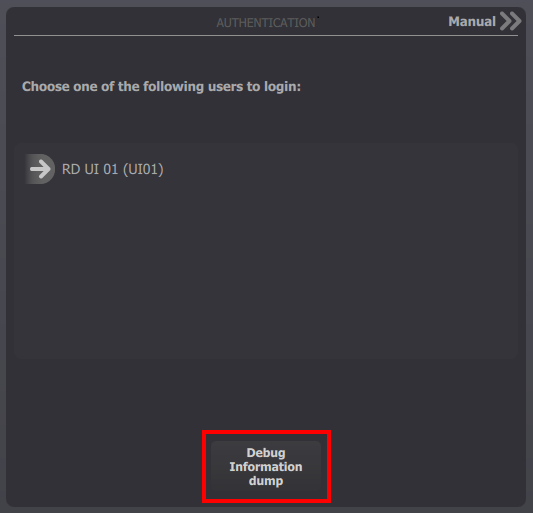
No user authenticatedWhen no user is authenticated on the device, a dedicated button is available in the Login prompt panel (or the Boot panel if the boot process cannot complete, or the Login progress panel if the login fails):
1.Plug an external keyboard on the device, press CTRL+F12 and press the dedicated button directly on the Login prompt panel
The turret starts generating its dump.
2.Retrieve the dump here: Browse and download the dumps
|