TSS OS


TSS OS |
|
| Solution Installation > TSS Installation > Using the TSS Virtual Appliance > TSS |
OverviewThe TSS Virtual Appliance is based on a custom Windows Embedded operating system. In order to keep this operating system up to date with security upgrades, the Component Manager allows you to upload operating system upgrade packages. Automatic Windows updates are disabled to avoid the need of an Internet connection and a useless disk space consumption. Only the applicable updates are selected by IPTrade and furnished under the form of a single Operating System upgrade archive.
Those upgrade archives have a specific format (OS.TSS.WES7.Upgrade.<VERSION>.cab) and contain multiple Windows Updates. Please note that those packages may also contain required additional components.
The upgrade process is automatic, regardless of the OS Upgrade package content. Upgrade TSS OSTo apply a TSS OS upgrade package: •Open the Component Manager in a web browser •Select the TSS OS tab •Press the "Upgrade" this version icon
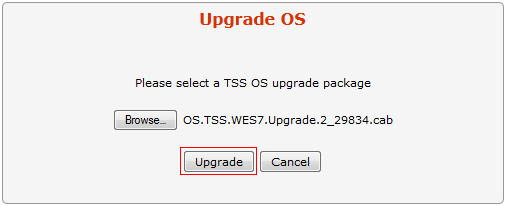
•Press the "Browse..." button and select the OS patch (OS.TSS.WES7.Upgrade.<VERSION>.cab) on disk. •Press the "Upgrade" button
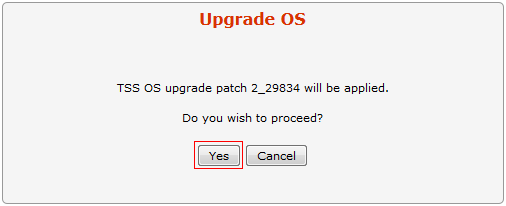
•Press the "Yes" button to confirm
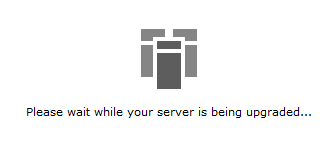
•Wait for the upgrade process to complete
•Once done, the new version level is displayed
|