Without Domain


Without Domain |
|
| Solution Installation > TSS Installation > Install TSS on a standard server > Database Replication > Microsoft SQL Server |
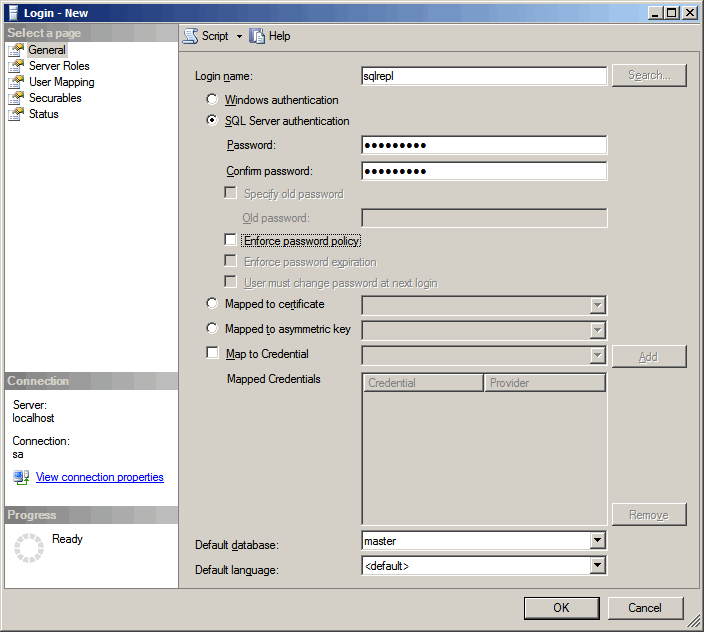
IntroductionThis section describes how to configure replication when servers are not in Windows Domain and database management system is Microsoft SQL Server.Create SQL user•Connect to secondary server with SQL Server Management Studio •In Object Explorer pane, right click on ServerName > Security > Logins and select New Login... •Enter login name: sqlrepl •Select option: SQL Server authentication •Enter password and confirm it •Uncheck option: Enforce password policy |