Voice Loops - Configure - User Profile


Voice Loops - Configure - User Profile |
|
| Trading and C&C > Turret Proxy To Open communication (TPO) > Voice Loops > Configure |
Adding the TPO lineThe DDI Sharing line that contains the Slot targeting the intercom voice loop must be added to the user profile.
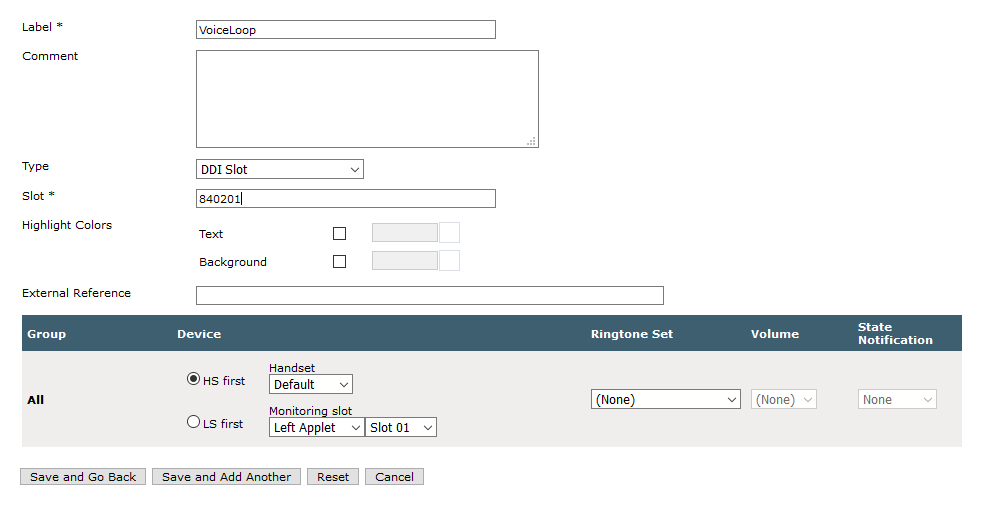
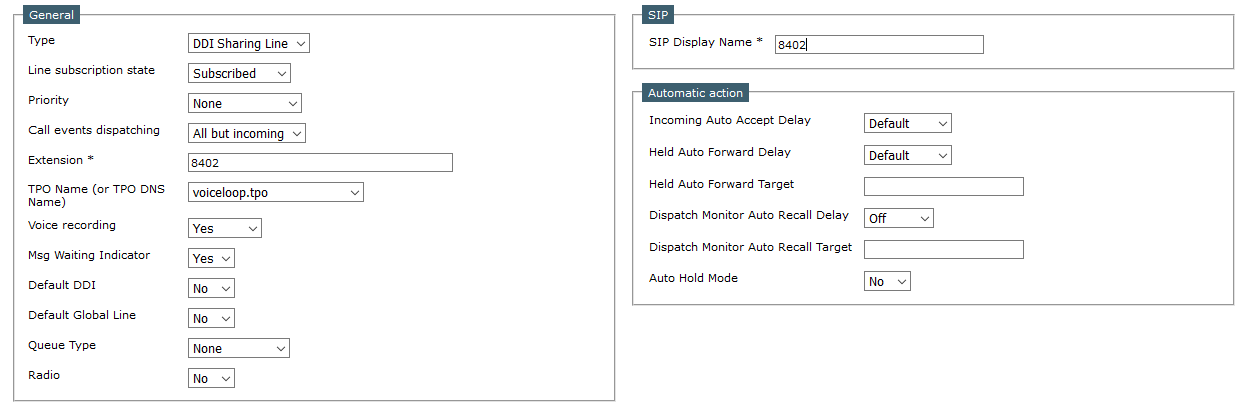 Create shortcut targeting the DDI Slot Voice loopThe permanent slot is the access point for all the turret users who want to work with the Voice Loop (See here). A DDI Slot shortcut that targets the Voice Loop slot must be created.
Configure user to initiate Voice Loop conferenceTo initiate a conference voice loop, as it relies on the simplified conference functionality, the two settings below are needed.
Prerequisites:
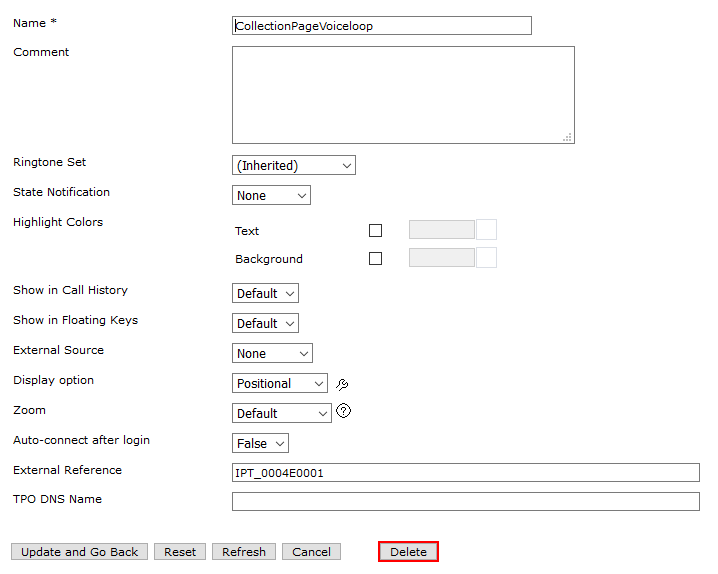
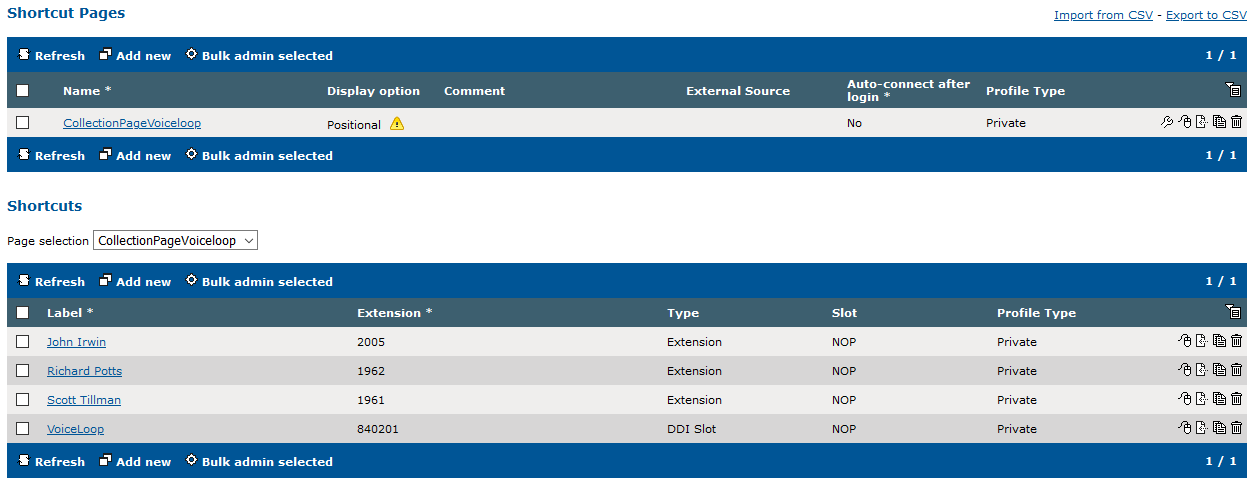
A shortcut page that will contain the DDI Slot shortcut (targeting the voice loop) and all the pre-configured participants target shortcuts is needed.
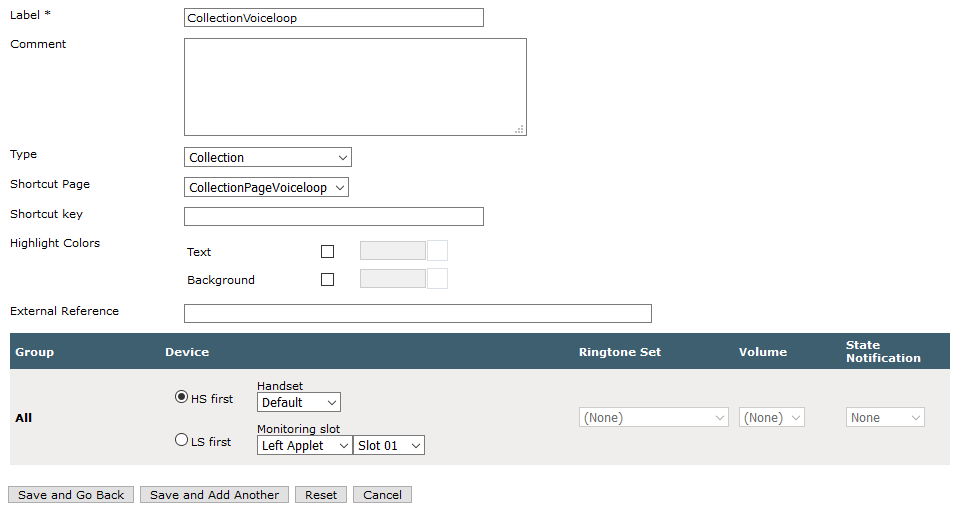
Then a Collection shortcut pointing to the page just created above is needed.
And finally, the DDI Slot shortcut (targeting the voice loop) and all the pre-configured participants target shortcuts are added to the page, as shown below.
 Easily add inbound calls to the Voice Loop conferenceOne can optionally allow the system to automatically conference new participants from incoming calls.
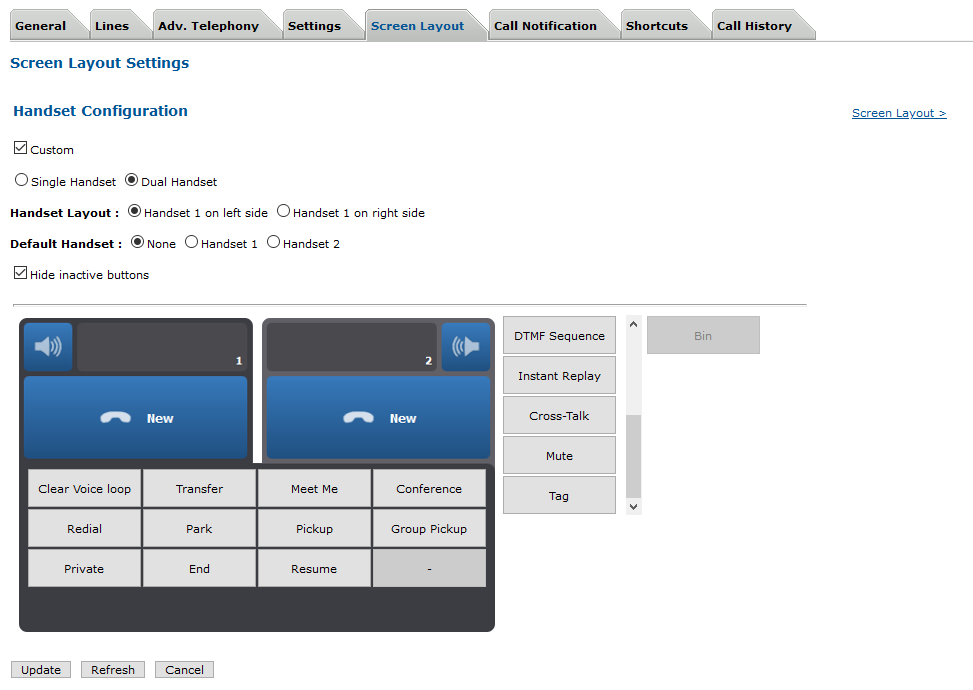
Add a Clear button to the handset bar buttons1) Go to the Screen Layout tab of the user (Device Management > Users) and select Handset Configuration. 2) Check Custom and insert the dedicated Clear Voice loop button.
|
||||||||||||||||||||||||||||||