Configuration


Configuration |
|
| Trading and C&C > Supervision of Rookie Trader > Cross-Talk |
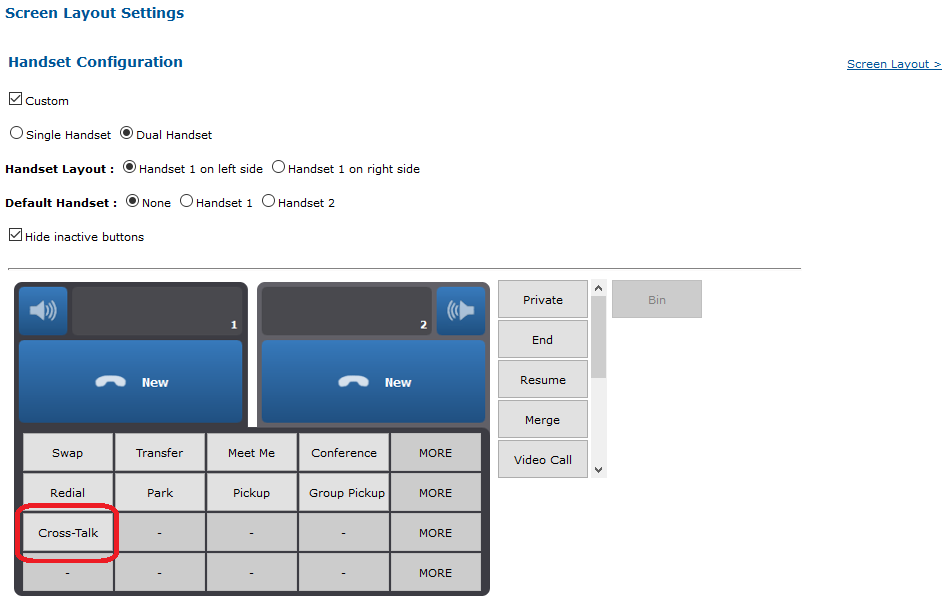
To use the feature, a Cross-talk button must be configured in the user profile.
To configure the button:
1. Go to the TSS Console 2. Edit the user 3. Select the Screen Layout tab 4. Click the Handset Configuration link 5. Add a Cross-Talk button in the layout and press Update.
|