TSS


TSS |
|
| Trading and C&C > Turret Proxy To Open communication (TPO) > Conference Modes > Configure |
Defining Geographic Groups
To separate turrets and perform the desired Conference Mode configuration, turrets first need to be grouped in what is called a Geographic Group.
Multiple Geographic Groups can be defined (as many as needed), but a turret can only belong to a single group.
A Geographic Group should be used to collect all the turrets that could, at some point, be part of the same TPO call.
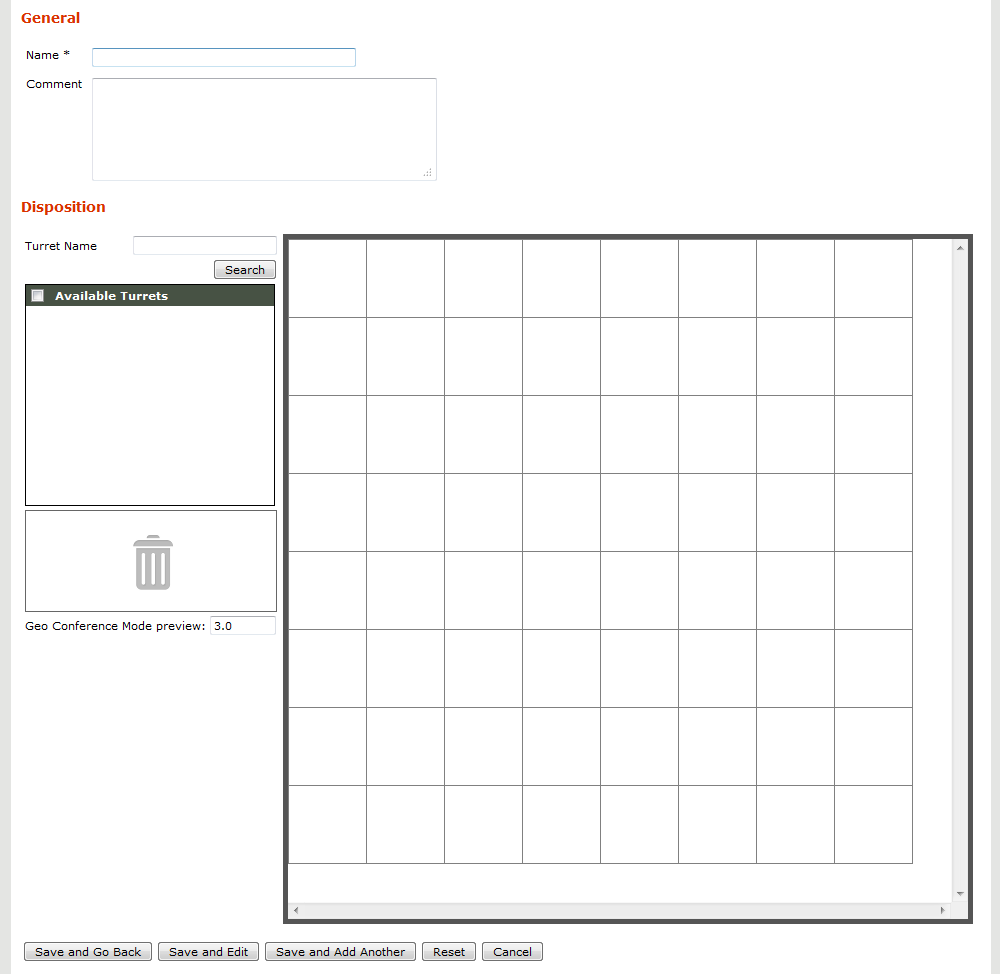
Creating a Geographic Group brings the following screen:
Positioning turrets
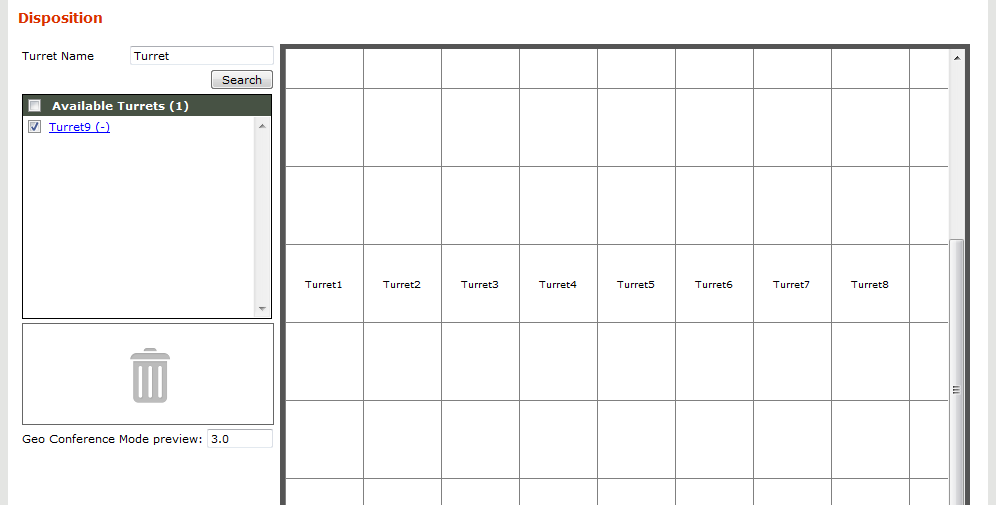
Upon creation, a group is empty. The left-side list allows searching for turrets. The result turrets from the list can then be assigned to the group by selecting them (one or several) and then pressing an empty (or several empty) positions in the grid. If a turret already belongs to another group, its current group name is displayed between parenthesis.
At this point, turrets can be freely positioned inside the grid by selecting one and pressing an empty position.
Positions inside the grid are relative; they will only be used by the TPO to compute distances between turrets.
While the grid has a default initial size, it can be increased by moving a turret to one of the grid's border; an additional row/line is then automatically added.
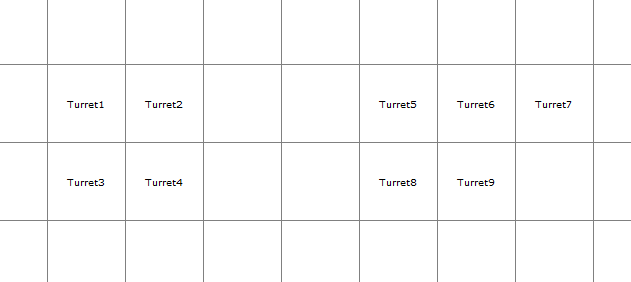
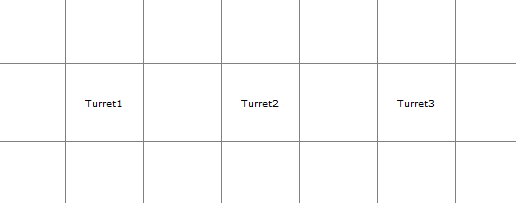
Here are the geographic configurations for examples 1 & 2:
Turrets configuration for Example 1
Turrets configuration for Example 2
Previewing the result
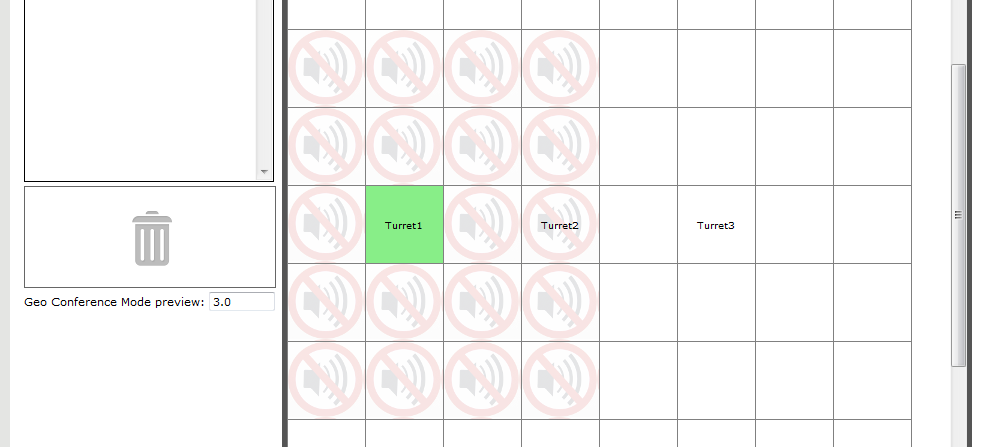
When a turret is selected, its position turns green and the neighbor turrets are marked with an icon. All the turrets marked will not be heard by the currently selected turret. This allows previewing the result of the configuration.
Here, setting the Conference Mode proximity limit to 3.0 in the TPO configuration will prevent Turret1 from hearing Turret3, but not Turret2
A text field is available to change the preview distance limit, so that it matches what is configured on TPO side. Note that this value is only for preview purposes; the TPO(s) configuration have to be set accordingly.
The grid has virtually no size limit; IT administrator can add as many turrets as needed, and increase empty gap between turrets subgroups to obtain the desired result.
Note: Turrets from different Geographic Groups, as well as a turret from a group and a turret belonging to no group, are considered to be infinitely distant from each other, so that they will always hear each other.
|