Usage


Usage |
|
| Trading and C&C > Turret Proxy To Open communication (TPO) > DDI Sharing > DDI Lines & Radio Systems > Multicast based radio systems |
Prerequisites •TPO is running. The configured DDI place is started; A Static IP slot is configured to handle the Radio system •A DDI slot shortcut is created to receive TPO notification on the turrets •The following setting must be set to true :
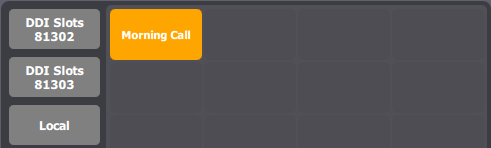
Basic scenarios The scenarios below is based on the network topology described in the Configure section. Trader logging After the trader is logged, the DDI slot shortcut is orange. This means that the trader is properly registered on the Radio System line.
Multicast sources handling Scenario #1 – voice content on S1
Trader1, Trader2 and Trader3 clicks on the "MorningCall" shortcut; Trader2 and Trader3 have the call on the Handset device;
Result: Trader1, Trader 2 and Trader3 can hear and speak to each other. They can hear S1. Trader talking Scenario #2 - Trader1 and Trader2 speak publicly Context: scenario #1 is played;Trader1 and Trader2 speaks (C1 and C2) Result: Trader3 hear the Trader1 and Trader2 conversation; The multicast output steam (R1) contains the mix of the output stream of Trader1 and Trader2 ( C1 and C2 );
Scenario #3 - All idle Context: scenario #1 is played; Trader1, Trader2 and Trader3 put the call on their monitored slot; Result: TPO stops to emit the multicast output steam (R1) ;
Scenario #4 - Exclusive Context: scenario #1 is played; Trade1 clicks on Exclusive button; Result: Trader2 and Trader3 can not hear Trader1, S1, S2 and can not hear each other; Trader1 can hear S1 and S2; The multicast output steam (R2) contains only the output stream of Trader1; |
||||||||||