Monitoring and clearing resources


Monitoring and clearing resources |
|
| Trading and C&C > Turret Proxy To Open communication (TPO) > DDI Sharing > DDI Lines & Radio Systems > DMR AIS based radio systems > Usage |
Less useful than in multicast based radio systems, it's still possible to monitor and clear sessions in progress on talk groups or private calls in DMR AIS mode. Clearing the resources on a single radio slotThe system offers the ability to monitor resources; more precisely to know when a call is opened on a slot, allowing the user to stop the call in order to free the resources on the radio system.
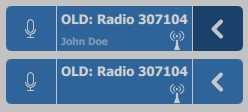
Using a specific shortcut, the user is alerted when a call is opened (line is not free):
User can then request to terminate the call by simply pressing the shortcut. Any session currently opened on the slot will be terminated.
See Turret configuration section. Clearing all the resources on multiple selected radio channelsAnother way to free resources on the radio system is the dedicated Radio Clear access button.
1.First, the user chooses one or more call on monitor he is connected to, by selecting their corresponding entries in the monitoring applets (see the purple arrow button below);
2.Once the selection is done, he just presses the Radio Clear access button in the lower part of the screen.
Any call currently opened on these slots will be terminated.
This automatically terminates opened calls. The radio system will then free resources.
The system can also be configured to include radio calls hosted on his handset(s) as well. See Turret configuration section.
|