Shortcuts


Shortcuts |
|
| Trading and C&C > Turret Proxy To Open communication (TPO) > DDI Sharing > DDI Lines & Radio Systems > DMR AIS based radio systems > Configure > Turret |
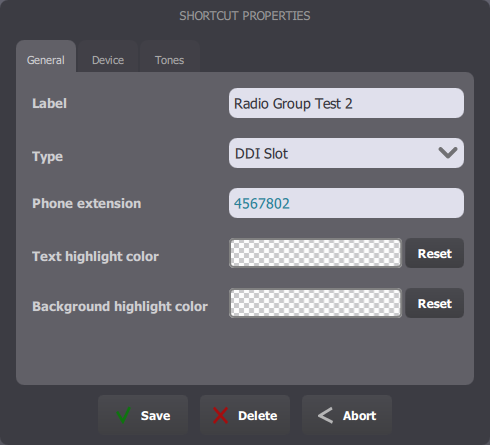
Talk Group call shortcutsAs talk groups are linked to specific slots, shortcuts to join a group are classic "DDI Slot" type shortcuts.
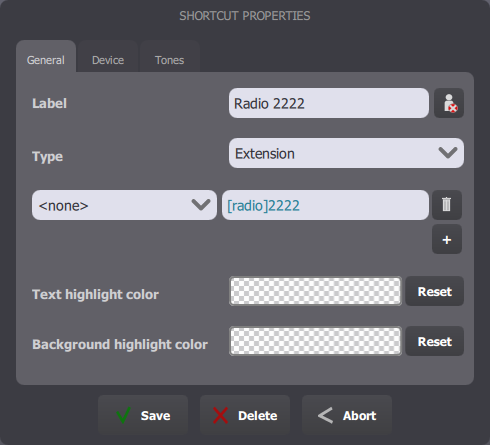
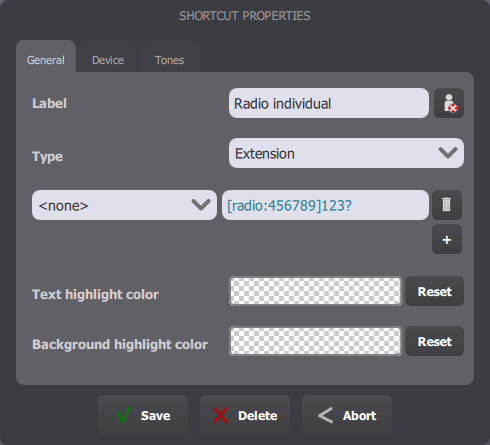
Private call shortcutsPrivate/Individual call shortcuts are Extension-type shortcuts with a special prefix : [radio].
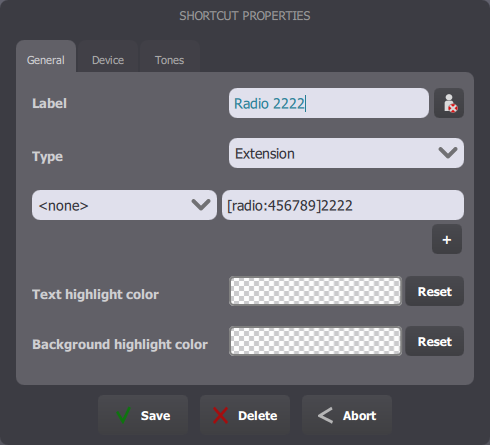
The phone extension field can contain the DDI line extension in the form [radio:LINE_EXTENSION] followed by the call target. Specifying the DDI line extension is useful to make sure the call is done using the right TPO place.
The first free slot of the selected place is automatically allocated.
In this example, the place with the TPO line extension 456789 will be used to call the target 2222 :
If no DDI line extension is specified, the turret falls back to the line tagged as default DDI to make the call.
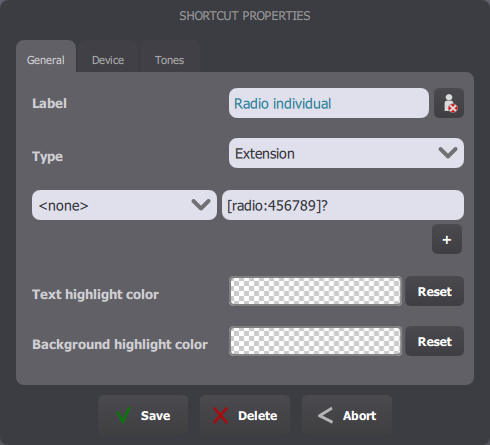
The '?' sign allows to create a dynamic shortcut to make an individual call. The user is prompted to enter the call target when pressing the shortcut.
The target can also mention a prefix before the '?' sign, to automatically prefix the user-entered extension when performing the private call.
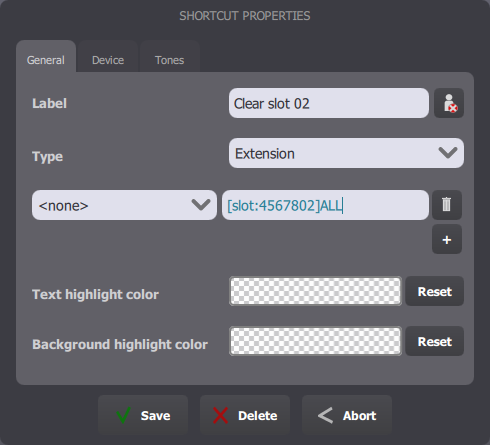
Call resources monitoring shortcutsIt's possible to monitor a specific slot and to clear the call in progress by using a key with an extension in the form : "[slot:SLOT_EXTENSION]ALL".
Resource clear access buttonThis access button (lower part of the turret screen, around the handsets) has to be enabled in the user's Turret Layout configuration on the TSS Console:
1.Edit the user's profile (or any shared profile the user belongs to, but beware of buttons redefinition); 2.Click the Turret Layout tab; 3.Edit one of the Access Buttons configuration; 4.Insert the Radio Clear button template in the configuration and save the changes.
The following setting is also available to control the Radio Clear button behavior:
|
||||||||||