Static IP slot configuration


Static IP slot configuration |
|
| Trading and C&C > Turret Proxy To Open communication (TPO) > DDI Sharing > DDI Lines & Radio Systems > Multicast based radio systems > Configure |
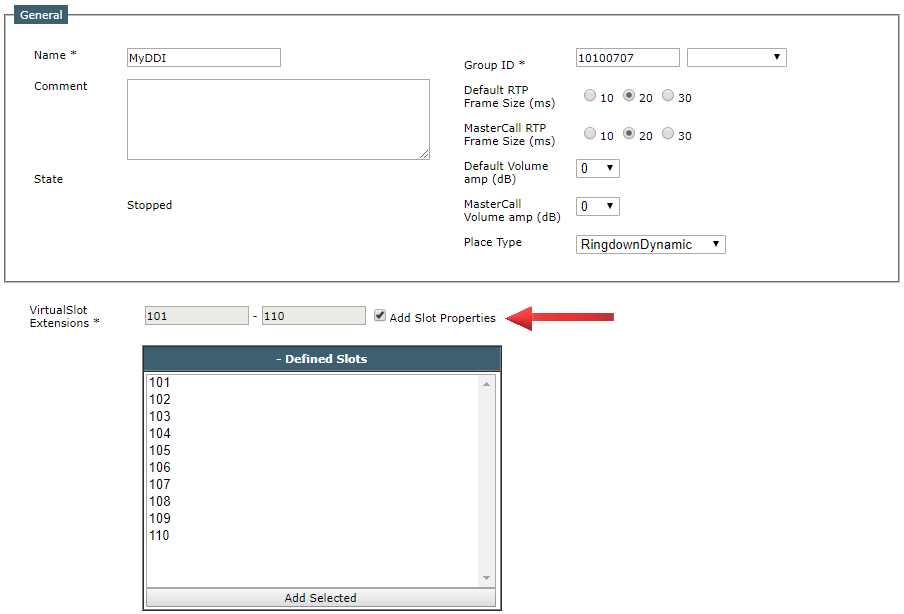
User creates a new/existing RingDownDynamic place and assigns a DDI slot property to use as Static IP. 1.Enable Check box “Add Slot properties” displays configured slots in the list of defined slots
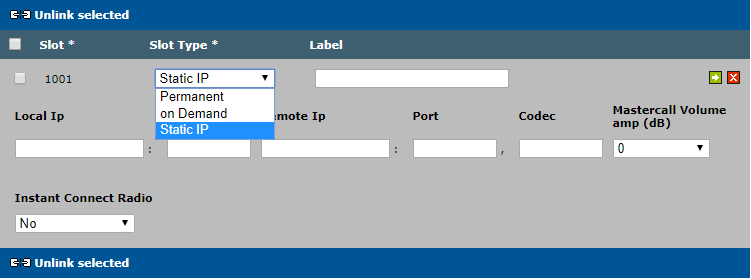
2.Select the slot you want to use for handling the Radio System, e.g. slot 101, click "Add Selected" button and choose "Static IP" Slot Type
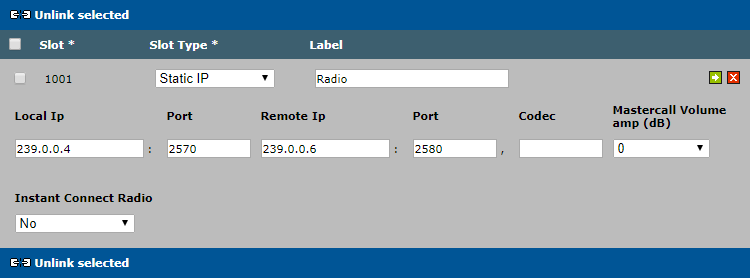
3.Fill the Target by editing the slot on the selected slot window •Local IP: listening multicast IP address and port; Incoming RTP stream from the Radio System. The local port must be an even port number. •Remote IP: Outgoing multicast IP address, port and codec; Outgoing RTP stream to the Radio System Codec: 0 for PCMU and 8 for PCMA
|