Normal vs Extended mode


Normal vs Extended mode |
|
| Software Solution > FlexCom > Usage |
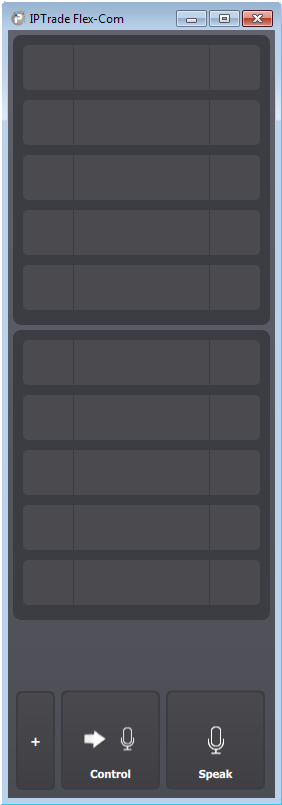
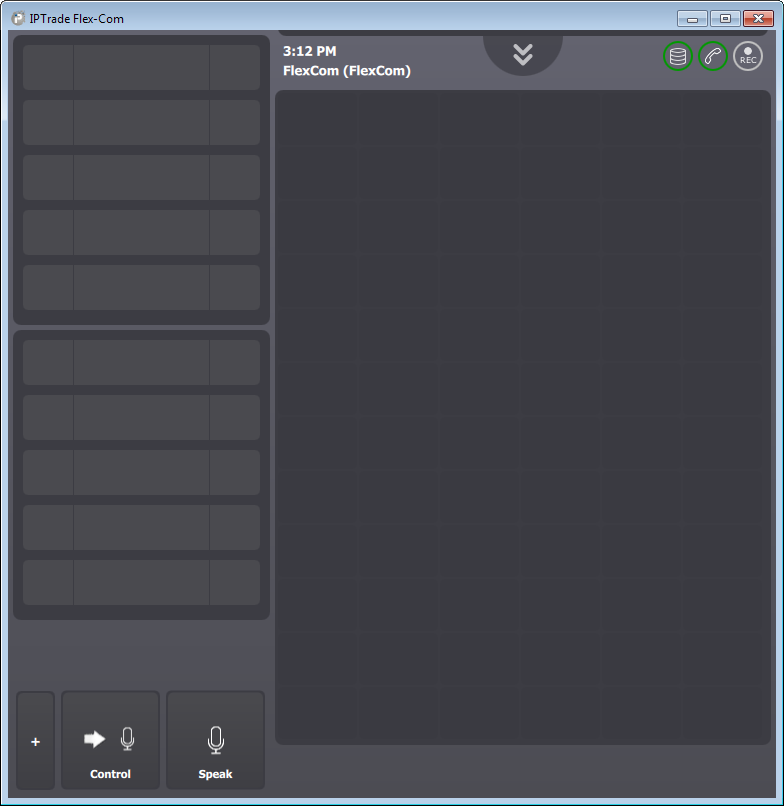
End user may increase the width of the FlexCom's window to switch to extended mode.
While the normal mode contains only the intercom applet and Access Buttons, the extended mode also contains a shortcut panel and the session's status. Intercom appletDisplay all opened intercom calls. See Intercom applet. Access ButtonsAllows performing the following actions with a single click: •speak, •broadcast, •control volume, •switch the intercom applet to control mode, •open the options panel, •history, •log out. Shortcut panelContains shortcuts to groups or direct intercoms. These shortcuts allow the user to place an intercom call and reflect the state of intercom calls (inbound and outbound). If configured, they may also display the presence status of the target. Session's statusContains information about the state of the current session, allows opening the configuration panel and logging out. When shortcuts are modified on the TSS, a blinking maintenance button appears to allow the user to refresh them.
|