Move Existing Devices to Zone

Top  Previous  Next
IT&Operations > Devices & Users zones > Configuration

There are two different ways to move multiple devices/TPOs/TPO Clusters/users/shared profiles to a zone, by using the zone edition page or by using the bulk admin action in the list.


1. Move devices from zone edition form


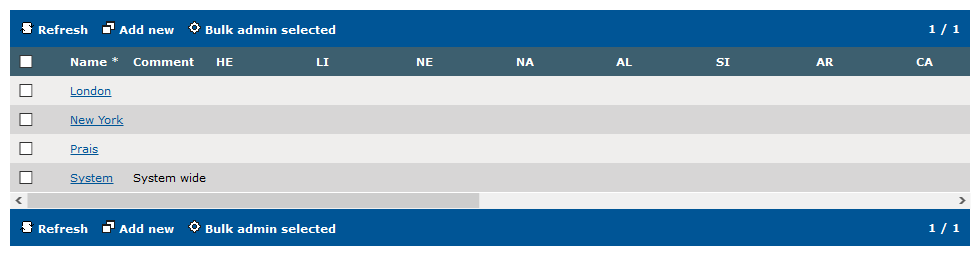
zone_list2


In Device Management > Zones, click on the "London" zone.


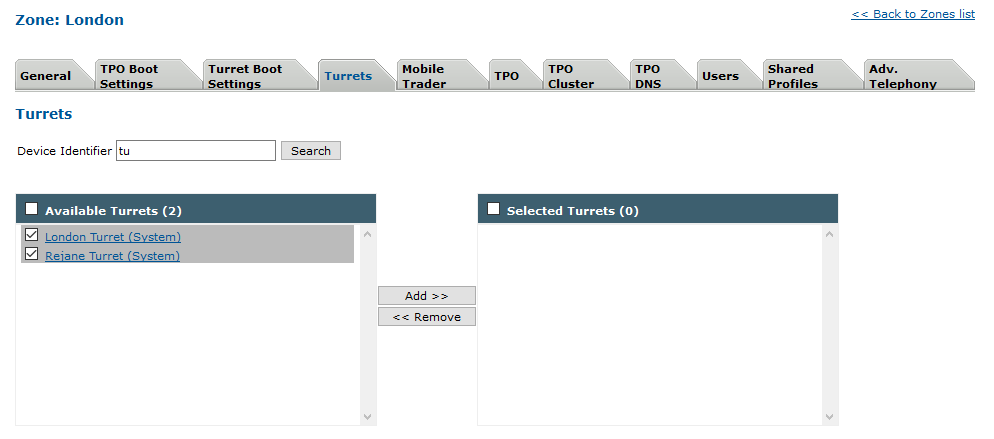
On Turrets Tab type in the device identifier field "tu" and then press "Search".

Select "London Turret" and "Rejane turret" in the left box. The left Box presents all devices not in the current edited zone.

Then click on the Add button, both devices moves from left box to right box and link these devices to London Zone.

Click on update to commit changes.

The same operation can be made for users, TPOs, TPO Clusters, Users and Shared Profiles.


zone_edition_turret


2. Move devices from device list


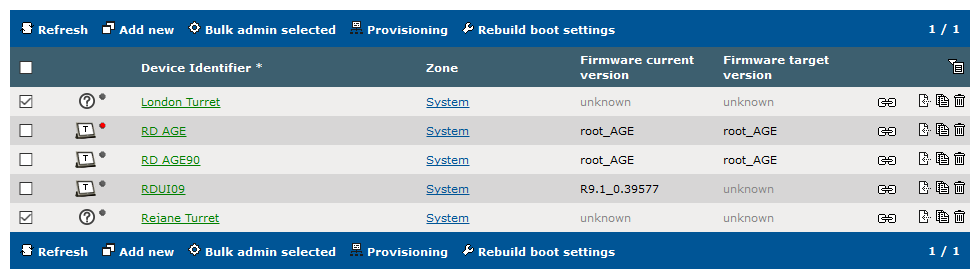
device_list_selecttomove


In the Device Management > Turrets, select the turrets you want to move (here "London Turret" and "Rejane Turret"), then press "Bulk admin".


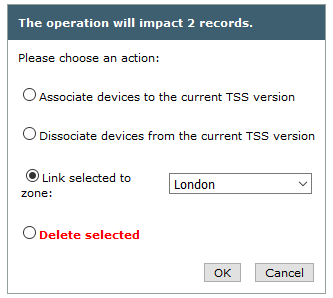
On the bulk admin operation panel, pick "Link selected to zone" and use the drop down list to select the desired zone (here London). Then press the "Ok" to commit your changes.

The same operation can be made for users, TPOs, TPO Clusters, Users and Shared Profiles.


bulkadmin_move_device_to_zone