This scenario illustrates how to add a zone and how to create a device and a user in this zone.
The description above assumes the following system configuration:
•The TSS admin user has whole system access rights. •FTP configuration is done meaning that TSS console as write access on FTP directory
|
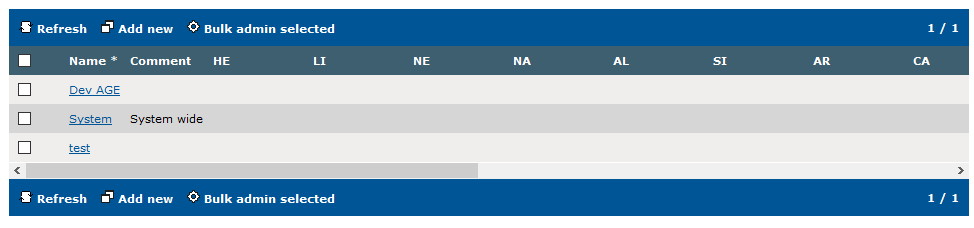
Initial situation: System administrator is logged in and the browser display the Device Management/Zones screen.
Click on Add new to create the zone.
|
I
|
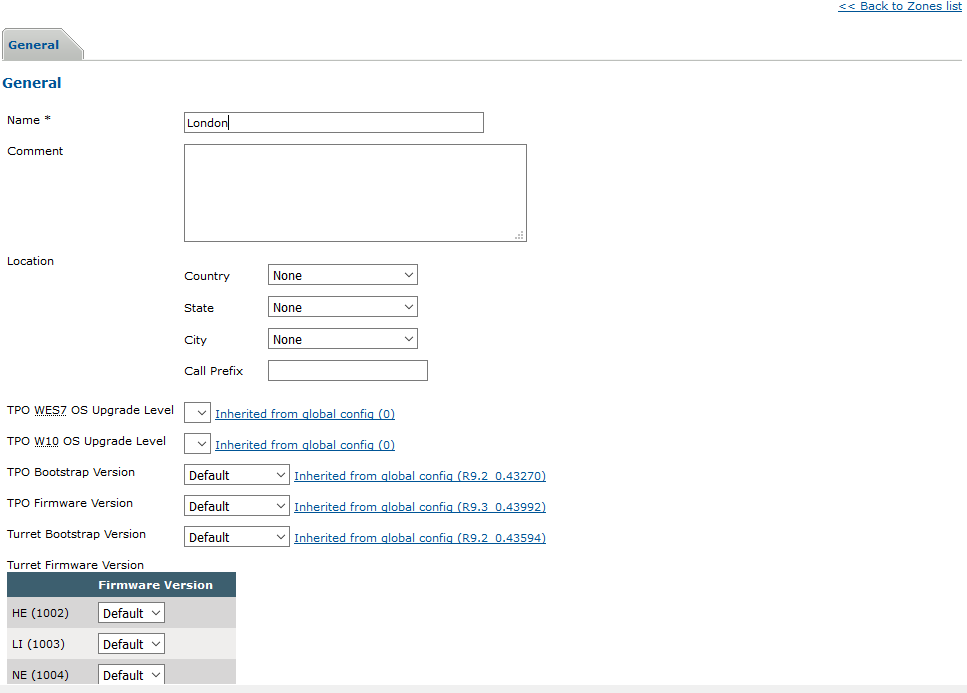
Administrator have to enter a name (for example “London”) and optionally a comment..
Once done, click on “Add and Go back”.
|
|
|
|
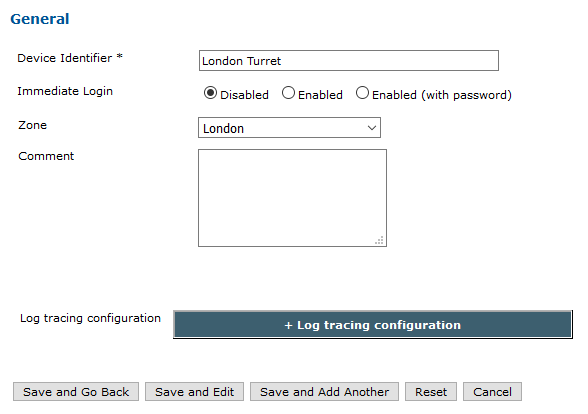
To add a device in a zone, for instance a turret, go to “Device Management/Turrets” and press on “Add new”.
Set the "Zone Group" at "London”.
To add an existing Device to a Zone is enough to set "Zone Group" at value corresponding to chosen Zone
|
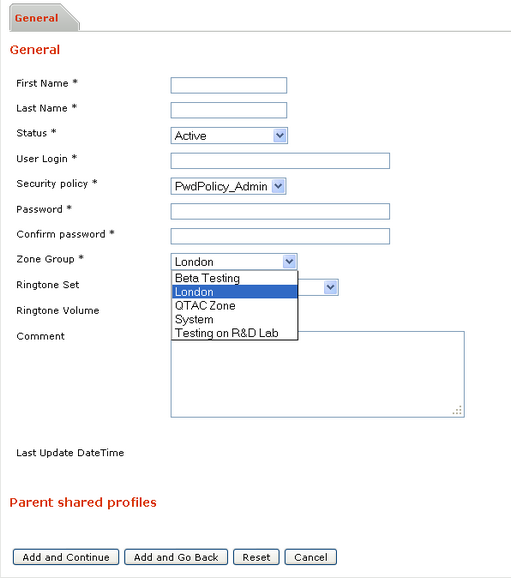
To add a User in a zone, go to “Account Management/Users” and press on “Add new”.
Choose "Zone Group" = London inside edition page
To add an existing User to a Zone is enough to set "Zone Group" at value corresponding to chosen Zone
|
|
|
|
|


