Alerts Switch Off


Alerts Switch Off |
|
| IT&Operations > Job Policies |
This job policy allows to switch off devices' alerts for a defined duration.
Create a new Trigger Alerts Switch Off job and configure its execution schedule. Moreover, in scheduling, a duration must be set. It defines how long alerts will be switched off. Select zones that will be impacted by the alerts switch off policy. If all zones must be impacted select "All zones".
Example
So, if alerts of devices in Dev-EMU zone must be switched off every Wednesday at 1.00 am for 45 minutes, it will be defined by creating new job like this: 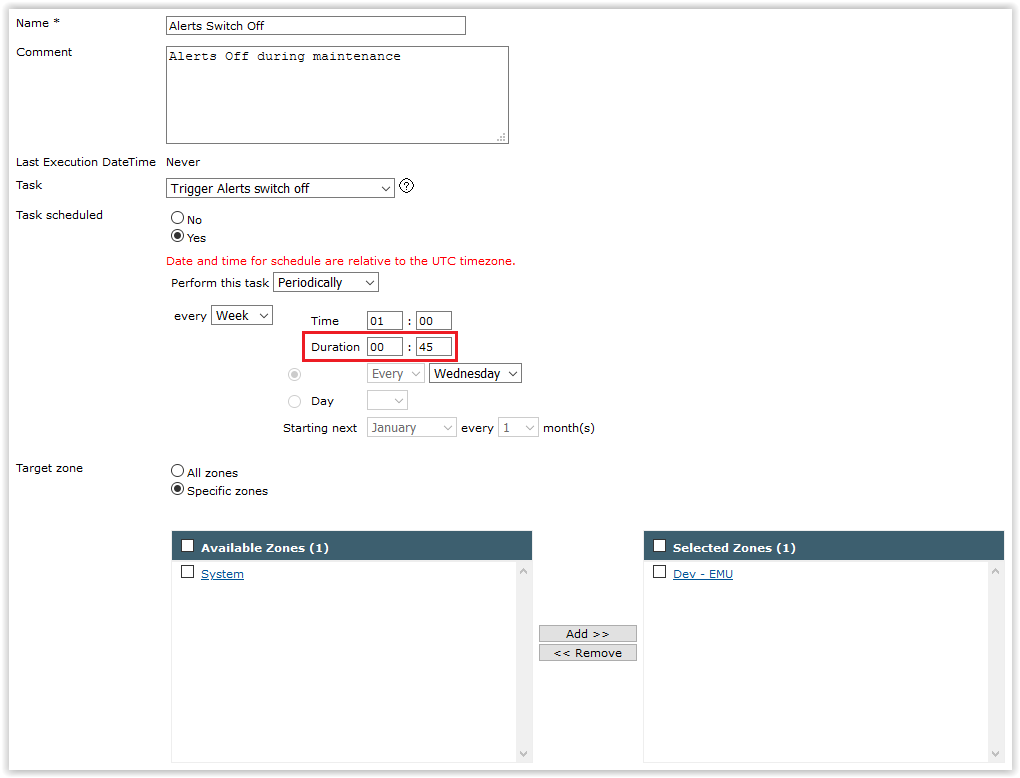
And in job policies list, it will be shown like this:  |