Automatic Logout users


Automatic Logout users |
|
| IT&Operations > Job Policies |
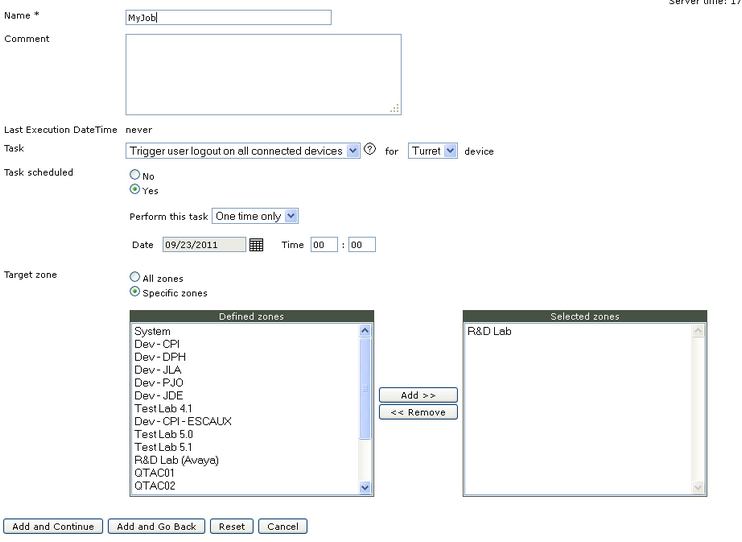
On Job policies list, click on "Add new" to enter in job policies edition form.
•Enter a Name to identify the job policy •Enter a comment if needed •On the task dropdown, select "Trigger user logout on all connected devices" and select "Turret" device •Specify whether the task is scheduled (select Yes) or for pre-execution (select No). If this task is for pre-execution, nothing will happen but administrator may whish to keep this task for future use. If the task is scheduled, select whether this is a periodical execution or a one time only execution. •Select zones that will be impacted by the logout policy, if all zones must be impacted select "All zones" •Press add and go back |