Automatic Reboot of devices


Automatic Reboot of devices |
|
| IT&Operations > Job Policies |
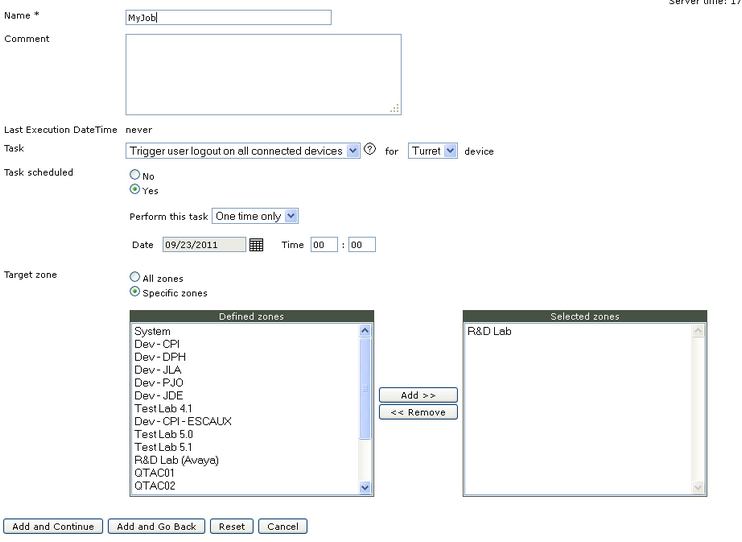
On Job policies list, click on "Add new" to enter in job policies edition form.
•Enter a Name to identify the job policy •Enter a comment if needed •On the task dropdown, select "Trigger reboot of all connected devices" and select either "Turret" device or "TPO" device. Notice that selecting "TPO" device will not restart the TPO server but only the TPO services. •Specify whether the task is scheduled (select Yes) or for pre-execution (select No). If this task is for pre-execution, nothing will happen but administrator may whish to keep this task for future use. If the task is scheduled, select whether this is a periodical execution or a one time only execution. •Select zones that will be impacted by the reboot policy, if all zones must be impacted select "All zones" •Press add and go back |