Install new version


Install new version |
|
| Solution Installation > TSS Installation > Using the TSS Virtual Appliance > TSS |
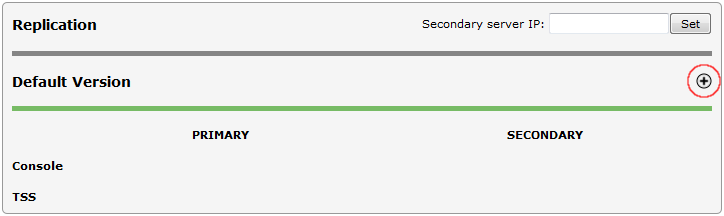
OverviewBy default Component Manager application is provided with no version installed. A new version must be installed on server to start using it. You can also use this option if you want to upgrade to another version but don't want to keep previous data. Install new versionTo install a new version of TSS/Console: •Open the Component Manager in a web browser •Select the TSS Versions tab •Press the "Install" new version icon
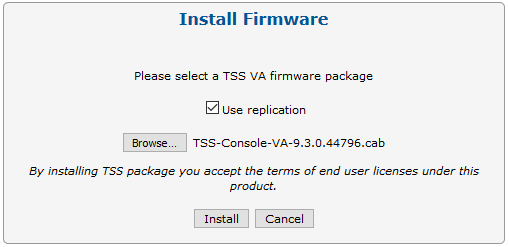
•To replicate the version on the secondary server, check Use replication. If this option is checked, version will be automatically installed on the secondary server and replication will be activated between the primary and the secondary TSS/Console. •Press the "Browse..." button and select the firmware (TSS-Console-VA-<VERSION>.cab) on disk •Press the "Install" button
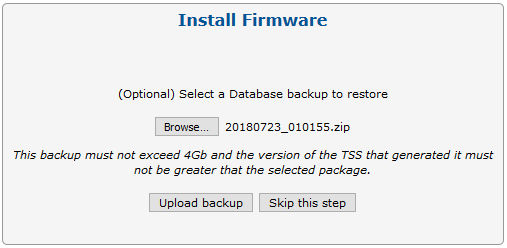
•"Skip this step" or select a database backup to restore and "Upload backup"
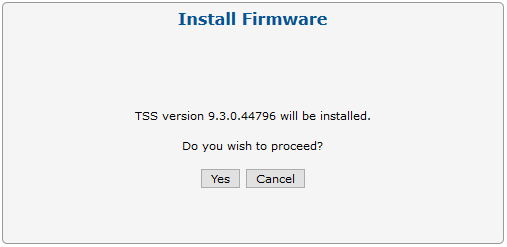
•Press the "Yes" button to confirm
•Wait for the installation to complete
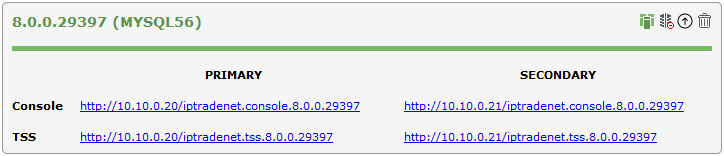
•Once the installation is done, the new version appears on the Component Manager's main screen
•At this point, the administrator can connect to the new version's Console interface (using the default credentials admin1/admin1) and start the configuration.
|