Replication


Replication |
|
| Solution Installation > TSS Installation > Install TSS on a standard server > Troubleshoot > Microsoft SQL Server |
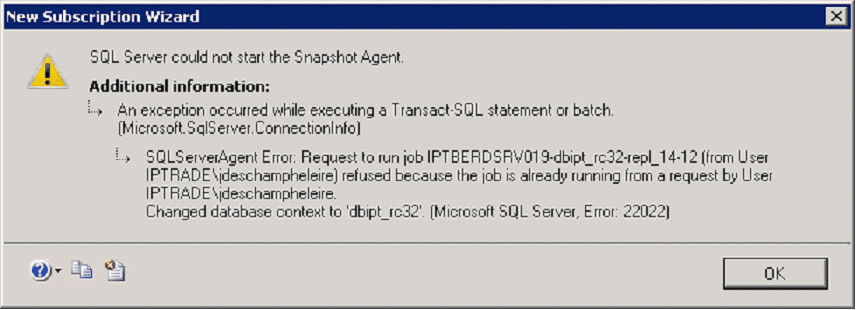
SQL Server could not start the Snapshot Agent
This error can appear on subscriber creation:
Please follow this procedure: •Go to Control panel > Administrative Tools > Services. •Restart SQL Server (MSSQLSERVER) service on both servers. •Start publisher and subscriber wizard again.
Replication Activation is not working
Please follow this procedure: •Check flag RangeUId in both web.config on both server (publisher & subscriber) •Rebuild SQL replication
Check database under replication
On SQL Server Management Studio, execute following commands:
sp_helpreplicationdboption This will give you a table containing database and replication information on it. If: Mergepublish = 0: database is not under replication. Mergepublish = 1: database is under replication. More information on: http://msdn.microsoft.com/en-us/library/ms174389.aspx
sp_helpsubscriberinfo Displays information about a Subscriber. This stored procedure is executed at the Publisher on any database.
sp_helpsubscriberinfo [ [ @subscriber =] '%'] [ , [ @publisher= ] 'publisher' ] More information on: http://technet.microsoft.com/en-us/library/ms190494.aspx
Remove replication on database
On SQL Server Management Studio, execute one of following commands:
sp_removedbreplication
sp_removedbreplication [ [ @dbname = ] 'dbname' ]
This stored procedure is executed at the Publisher on the publication database or at the Subscriber on the subscription database. The procedure removes all replication objects from the database in which it is executed, but it does not remove objects from other databases, such as the distribution database.
More information on: http://msdn.microsoft.com/en-us/library/ms188734.aspx
sp_mergesubscription_cleanup
sp_mergesubscription_cleanup [ @publisher =] 'publisher', [ @publisher_db =] 'publisher_db', [ @publication =] 'publication'
Removes metadata, such as triggers and entries, in sysmergesubscriptions and sysmergearticles after the specified merge push subscription is removed at the Publisher. This stored procedure is run at the Subscriber on the subscription database.
More information on: http://msdn.microsoft.com/en-us/library/ms188391.aspx
sp_dropmergesubscription
sp_dropmergesubscription [ [ @publication= ] 'publication' ] [ , [ @subscriber= ] 'subscriber' [ , [ @subscriber_db= ] 'subscriber_db' ] [ , [ @subscription_type= ] 'subscription_type' ] [ , [ @ignore_distributor = ] ignore_distributor ] [ , [ @reserved = ] reserved ]
Drops a subscription to a merge publication and its associated Merge Agent. This stored procedure is executed at the Publisher on the publication database.
More information on: http://msdn.microsoft.com/en-us/library/ms176045.aspx
sp_dropsubscription
sp_dropsubscription [ [ @publication= ] 'publication' ] [ , [ @article= ] 'article' ] , [ @subscriber= ] 'subscriber' [ , [ @destination_db= ] 'destination_db' ] [ , [ @ignore_distributor = ] ignore_distributor ] [ , [ @reserved= ] 'reserved' ]
Drops subscriptions to a particular article, publication, or set of subscriptions on the Publisher. This stored procedure is executed at the Publisher on the publication database.
More information on: http://technet.microsoft.com/en-us/library/ms184385.aspx
Conflicts
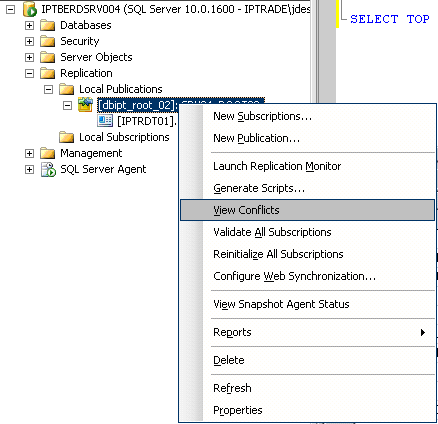
If replication (de)activation fails on TSS, you can use conflict viewer of SSMS. Go to object explorer > Replication > Local Publication > Right click on publication > View conflict
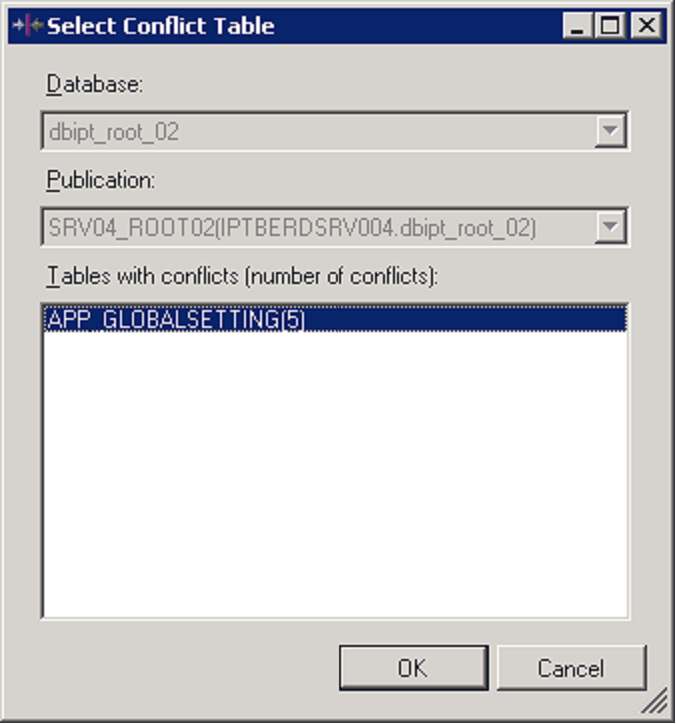
List of table impacted by conflict is displayed:
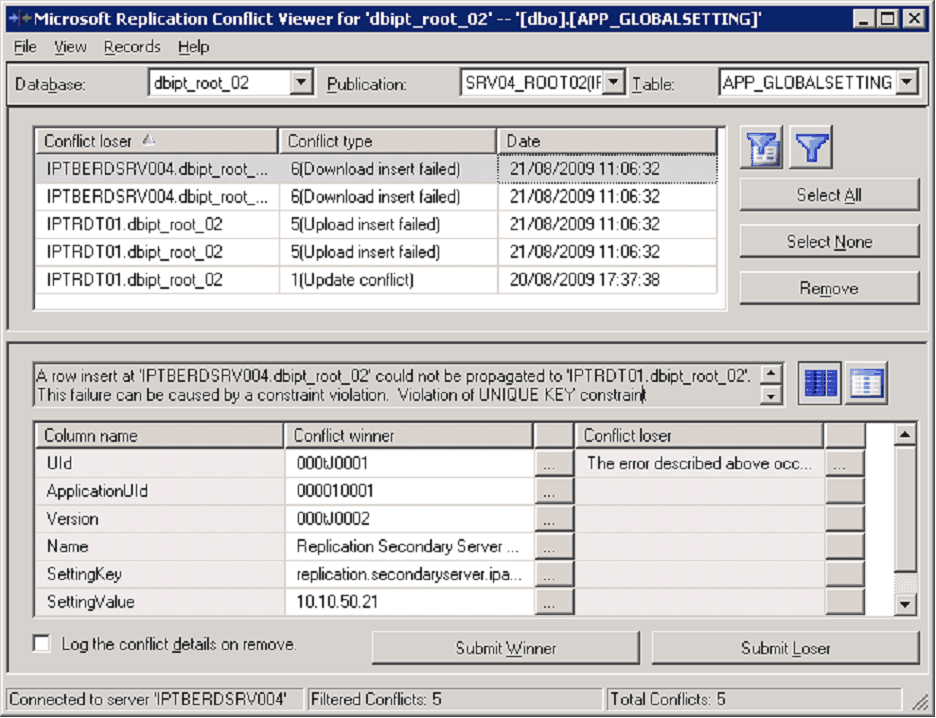
Press ‘OK’ button to see conflict details. Press ‘Select All’ button and then ‘Remove’ button to remove all conflict.
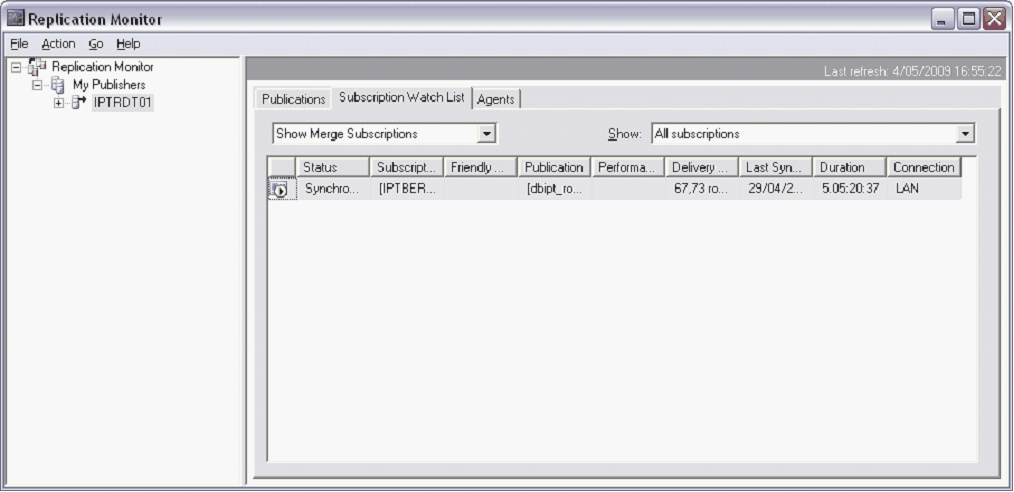
Replication monitor Replication monitor gets the current status of the replication system. To open replication monitor, right click on Replication (SQL Server management studio > Object Explorer) and click on Launch replication monitor.
Dead sessions
When turret switch from primary TSS to secondary TSS, the ping is not done anymore on primary server – meaning that dead session can appear as dead if you consult information about these terminal on primary server. Same sessions are shown as alive if you consult secondary server. It can be problematic if you user ‘Clear dead session’ on primary server – it will delete sessions that are not really dead but simply not yet replicated to primary server.
To prevent this, increase time of ping interval on TSS (session.validity.interval) to a higher value than maximum interval of replication. Do not forget to adapt ping interval of terminal to be coherent with TSS ping interval.
Stored procedure
Following stored procedure can be used to fix problems regarding SQL replication (incorrect computer name, incorrect network name, ..): sp_helpserver: Reports information about a particular remote or replication server, or about all servers of both types. Provides the server name, the network name of the server, the replication status of the server, the identification number of the server, and the collation name. Also provides time-out values for connecting to, or queries against, linked servers. http://msdn.microsoft.com/en-us/library/ms189804.aspx
SELECT @@SERVERNAME: Returns the name of the local server that is running SQL Server. http://msdn.microsoft.com/en-us/library/ms187944.aspx
SELECT SERVERPROPERTY('ServerName'): Return server name
sp_dropserver 'SERVER_NAME': Removes a server from the list of known remote and linked servers on the local instance of SQL Server. http://msdn.microsoft.com/en-us/library/ms174310.aspx
sp_addserver 'SERVER_NAME': Defines the name of the local instance of SQL Server. This stored procedure also defines a remote server. http://msdn.microsoft.com/en-us/library/ms174411.aspx
sp_setnetname @server = 'server', @netname = 'network_name': Sets the network names in sys.servers to their actual network computer names for remote instances of SQL Server. This procedure can be used to enable execution of remote stored procedure calls to computers that have network names containing SQL Server identifiers that are not valid. http://msdn.microsoft.com/en-us/library/ms190318.aspx
sp_dropmergesubscription @subscriber= 'subscriber' : Delete subscriber. http://technet.microsoft.com/en-us/library/ms176045.aspx
How to: Rename a Computer that Hosts a Stand-Alone Instance of SQL Server http://msdn.microsoft.com/en-us/library/ms143799.aspx
Renaming a Report Server Computer http://msdn.microsoft.com/en-us/library/ms345235.aspx
How to: Rename a SQL Server Failover Cluster Instance http://msdn.microsoft.com/en-us/library/ms178083.aspx
The 'OriginalMachineName' value can be found in the registry on this location: 'HKEY_LOCAL_MACHINE\SOFTWARE\Microsoft\Microsoft SQL Server\90\Machines' shows SQL2K5SWSRV.
Exception scenarios
|