Restore Database


Restore Database |
|
| Solution Installation > TSS Installation > Install TSS on a standard server > Maintenance > Microsoft SQL Server |
IntroductionThis topic describes how to restore a database backup with Microsoft SQL Server Management Studio.
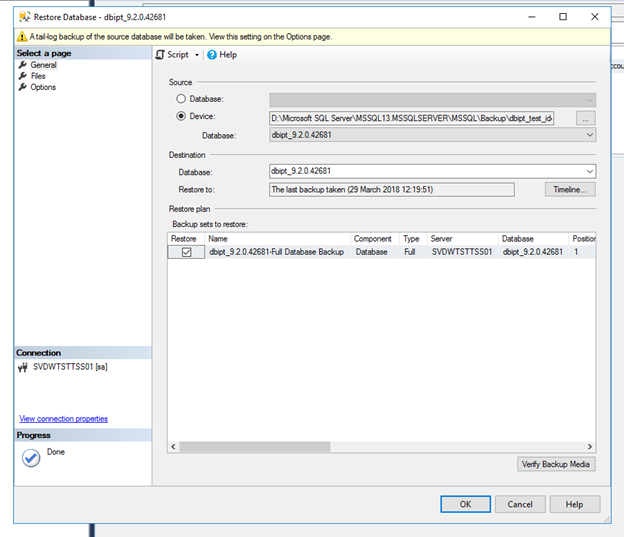
To Restore the Last Full Backup•Open SQL Server Management Studio •Connect to server •In Object Explorer, right click on Databases > Restore Database… •Select From Device option •Browse and select the last full backup file.
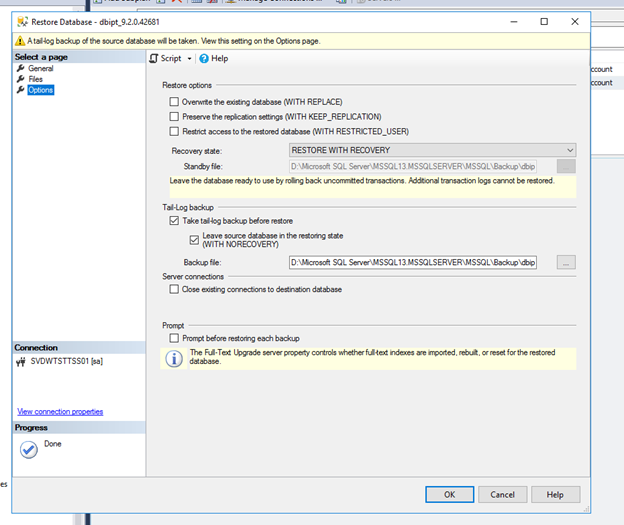
•Open Option page. •Check the box Overwrite the existing database. •Check in Restore the database file as if both path reference correct database and transaction logs files.
Recovery State : •If you don't want to restore transaction log (default) choose option RESTORE WITH RECOVERY. This will leave the database operational. •If you want to restore transaction log choose option RESTORE WITH NORECOVERY. This will leave the database non-operational.
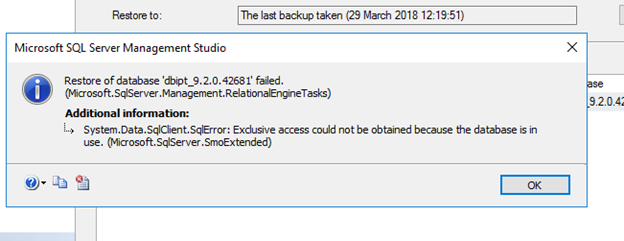
Exclusive access could not be obtained because the database is in use
If you get the following error when restoring the database please use the Detach Database method just before to launch database restore :
To Restore the Last Transaction Log Backup
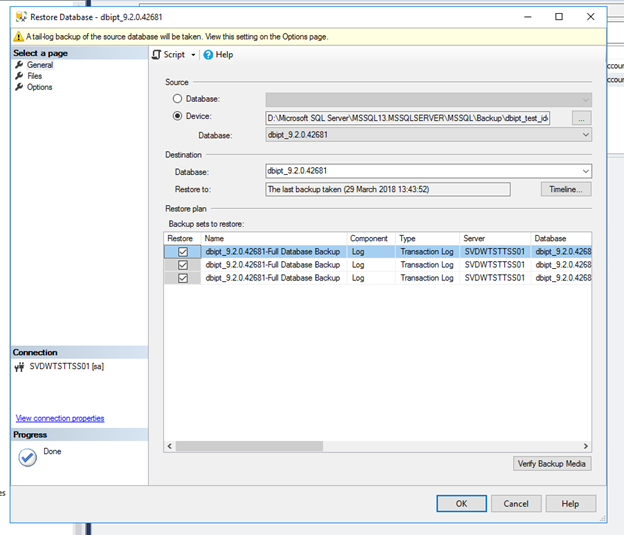
Proceed as follows: •Right click on database name > Tasks > Restore > Database… •Check the radio button From device. •Browse and select the database transaction log file (.trn).
•Check all boxes to select the database transaction log backup to restore. There is one line per hour. •Open Options page. •Check in the Restore the database file for the correct database and transaction logs files. •Choose option RESTORE WITH RECOVERY. This will leave the database operational.
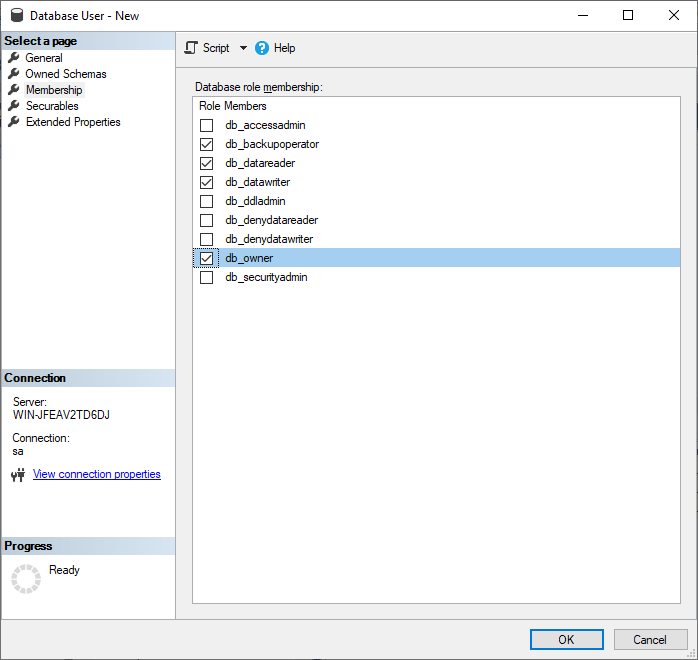
After restoring backup database user is not linked anymore to SQL login. You have to recreate database user. •Go to restored_database > Security > Users •If the user you want to use already exist, delete it (right click on user > Delete) •Right click on Users > New User... •Define User name: iptuser •Define Login name : iptuser (this user must exist as SQL user (SQL Server > Security > Logins)) •Default schema: dbo •Owned Schema: Check db_backupoperator, db_datareader, db_datawriter and db_owner •Role Members: Check db_backupoperator, db_datareader, db_datawriter and db_owner •Press OK button
|