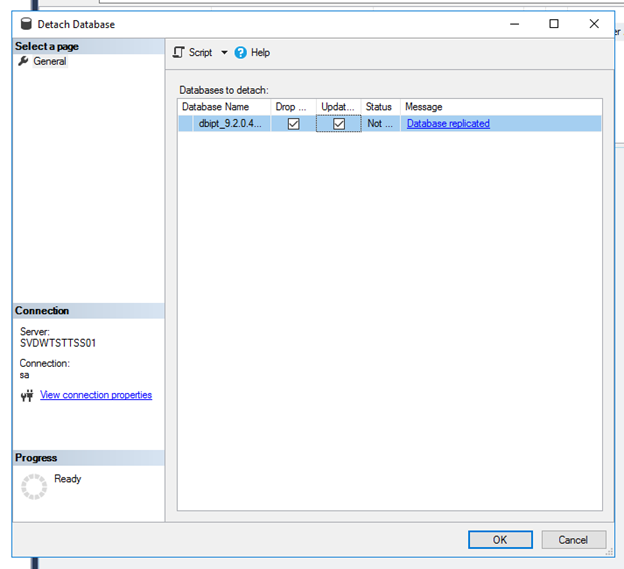
Detach Database


Detach Database |
|
| Solution Installation > TSS Installation > Install TSS on a standard server > Maintenance > Microsoft SQL Server |
IntroductionThis topic describes how to detach database with Microsoft SQL Server Management Studio. Detach can be necessary when database restore procedure fail.
Detach database•Open SQL Server Management Studio •Connect to server •In Object Explorer, right click on database_name > Tasks > Detach •Check option Drop Connections •Check option Update Statistics •Press OK button
|